Back to Sessions

Teacher Visual Aids

16-session teacher aid set

Session Teaching Cards

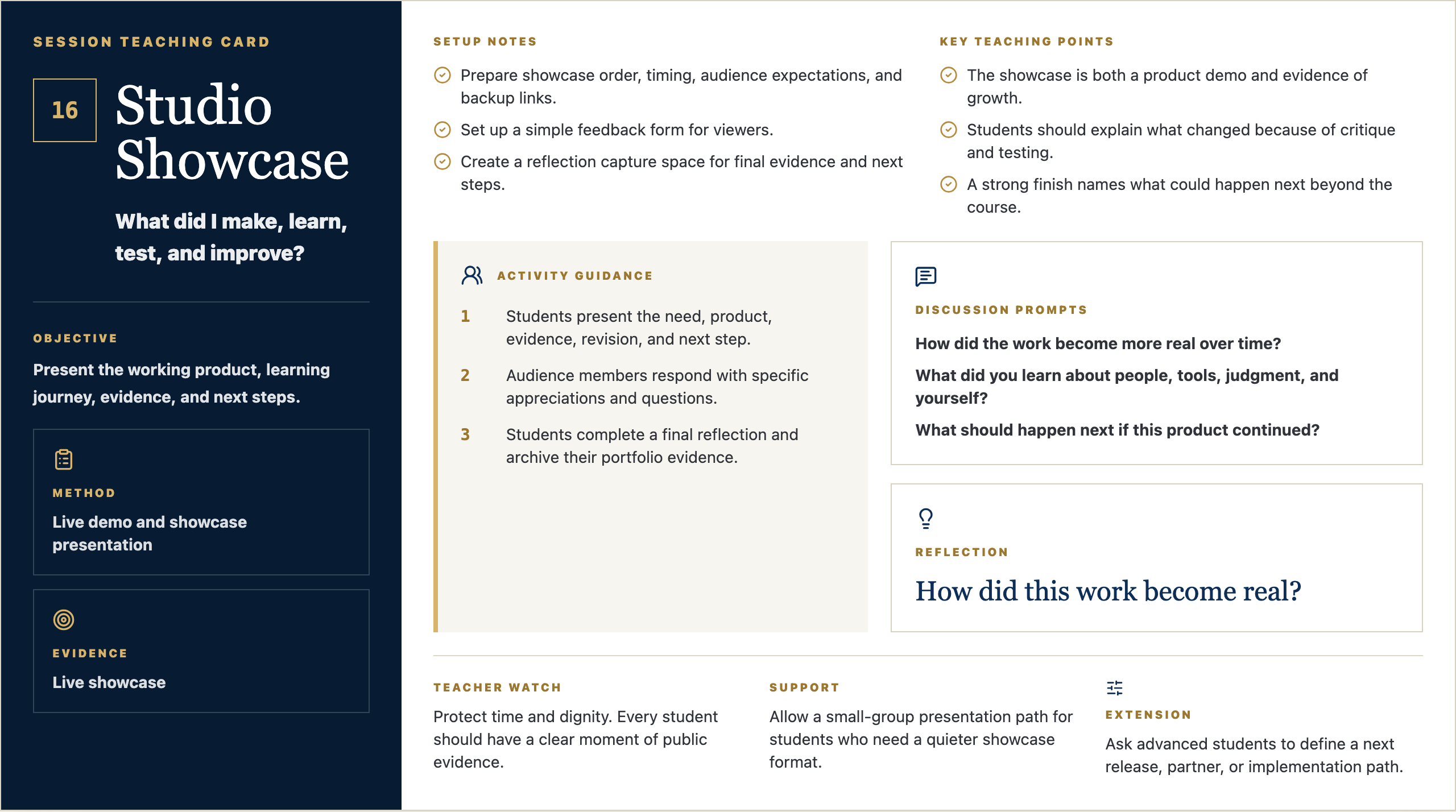
Each card gives teachers the objectives, setup notes, key teaching points, discussion prompts, and activity guidance needed to facilitate one studio session.

View Studio Session DecksView student handouts

Use the browser print or screenshot tools to save each card as an image or PDF for the teaching website.

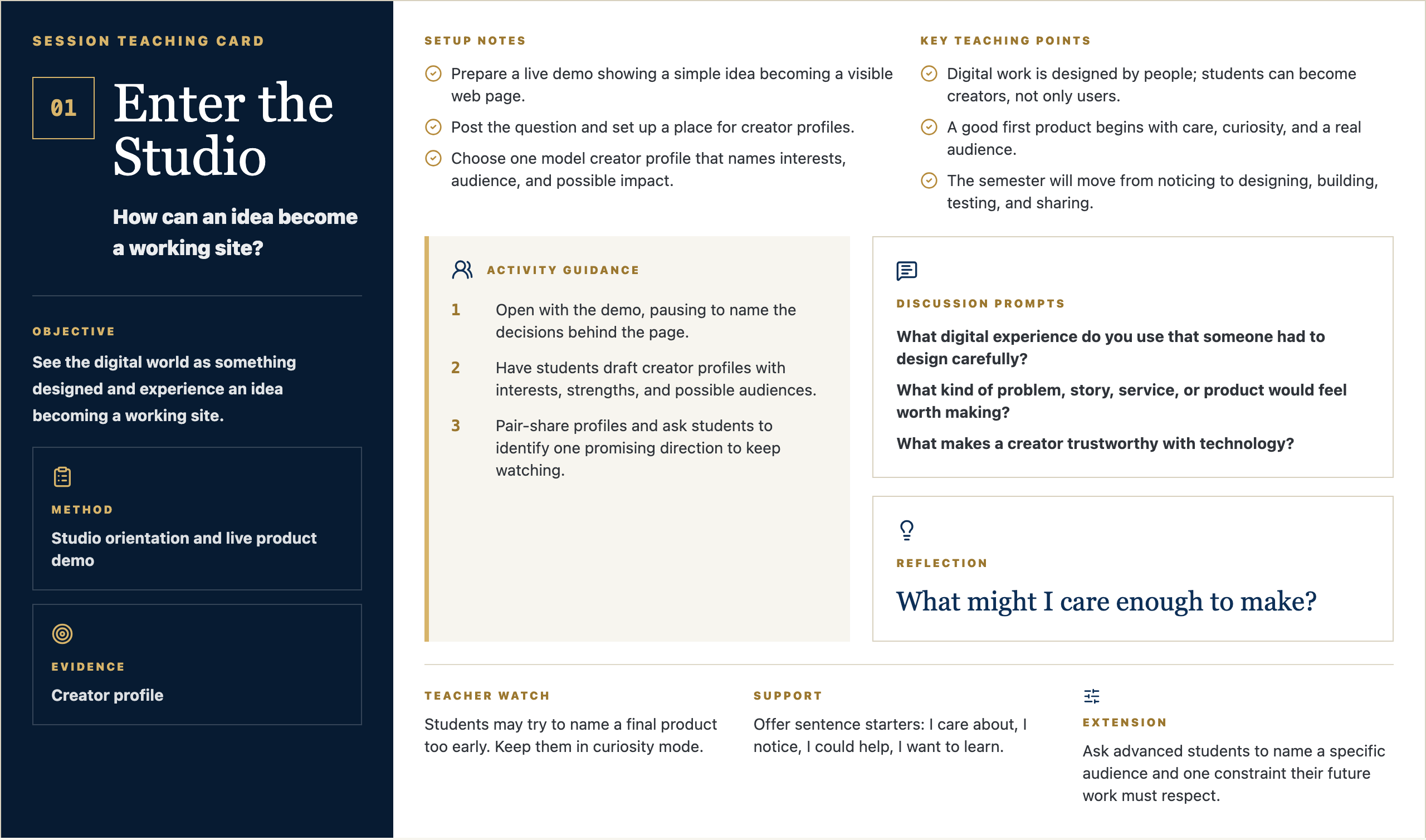
Session Teaching Card

01

Enter the Studio

How can an idea become a working site?

Objective

See the digital world as something designed and experience an idea becoming a working site.

Method

Studio orientation and live product demo

Evidence

Creator profile

Setup Notes

  • Prepare a live demo showing a simple idea becoming a visible web page.
  • Post the question and set up a place for creator profiles.
  • Choose one model creator profile that names interests, audience, and possible impact.

Key Teaching Points

  • Digital work is designed by people; students can become creators, not only users.
  • A good first product begins with care, curiosity, and a real audience.
  • The semester will move from noticing to designing, building, testing, and sharing.

Activity Guidance

  1. 1Open with the demo, pausing to name the decisions behind the page.
  2. 2Have students draft creator profiles with interests, strengths, and possible audiences.
  3. 3Pair-share profiles and ask students to identify one promising direction to keep watching.

Discussion Prompts

  • What digital experience do you use that someone had to design carefully?
  • What kind of problem, story, service, or product would feel worth making?
  • What makes a creator trustworthy with technology?

Reflection

What might I care enough to make?

Teacher Watch

Students may try to name a final product too early. Keep them in curiosity mode.

Support

Offer sentence starters: I care about, I notice, I could help, I want to learn.

Extension

Ask advanced students to name a specific audience and one constraint their future work must respect.
Message Frame Visuals

Four visual anchors for Studio 01

Student-facing slides for the session: question, purpose, concept, example, steps, template, work time, and reflection.

Opening Frame

01

Enter the Studio

Studio 01 / Discover

Driving Question

How can an idea become a working site?

Start with a quick written response.

Driving Question
  • What do you notice?
  • What questions do you have?
  • Why might this matter?

Student Prompt

What might I care enough to make?

Open Opening Frame PNG

Talk Track

Alright, let's start with the question on the screen: How can an idea become a working site? Do not try to sound impressive yet. Just write what you honestly notice, what you wonder, or where your mind goes first. Good creators begin by paying attention.

Context Set

Set a calm pace. Give students a few seconds to look before you explain. The goal is to invite attention, not rush into performance.

Say This

Alright, let's start with the question on the screen: How can an idea become a working site? I do not want a perfect answer. I want your first honest answer. Write what you notice, what you wonder, or where your mind goes. Creators do not begin by pretending they already know. They begin by paying attention.

Engage The Room

Give students 45-60 seconds to write. Then ask for two volunteers: one who noticed something practical and one who had a question. Keep responses short and affirm the noticing, not the polish.

Real-World Example

Say: Think about a time a website, sign-up form, team group chat, lunch line, or school announcement made something easier or harder. Somebody designed that experience. Today we start learning how to see those choices.

Loop Back

Close the opening by saying: keep this question in the back of your mind. By the end of class, you should have one visible piece of thinking that moves your idea a little closer to something real.

Why It Matters

01

Enter the Studio

Human need before solution

Purpose

You are learning to make useful things.

Each class helps you move from an idea to something real.

Purpose
  • Notice what people need.
  • Make your thinking visible.
  • Improve the work as you learn.

Student Prompt

What kind of creator do I want to be?

Open Why It Matters PNG

Talk Track

The point of this studio is not to become a person who clicks buttons faster. The point is to become someone who can notice a need, shape an idea, and make something useful for somebody else. The tools will change. The habit of seeing clearly will stay with you.

Context Set

Use this slide to make the class feel bigger than tools. The tone should be invitational: students are being trusted with real creative responsibility.

Say This

The point of this studio is not to become a person who clicks buttons faster. The point is to become someone who can notice a need, shape an idea, and make something useful for somebody else. The tools will change. The habit of seeing clearly will stay with you.

Engage The Room

Ask: Where have you seen something small make life easier for people? Let students name ordinary examples: a good checklist, a clear map, a better form, a video that explains something, a schedule that saves confusion.

Real-World Example

Say: A useful thing does not have to be huge. It might be a club finder, a practice guide, a better way to explain service hours, a page for new students, or a tool that helps one person feel less lost.

Loop Back

Loop back to the studio promise: notice a real need, make the thinking visible, get feedback, and improve the work so it serves someone beyond the maker.

Concept Frame

01

Enter the Studio

Human need before solution

Notice, listen, and frame the opportunity.

Studio orientation and live product demo

See the digital world as something designed and experience an idea becoming a working site.

Notice, listen, and frame the opportunity.
  • Try the thinking move.
  • Use evidence when you can.
  • Be ready to explain your choice.

Student Prompt

What choice do I need to make today?

Open Concept Frame PNG

Talk Track

Today is about one move in the creator process. In this session, Enter the Studio, we are practicing how to slow down enough to make a better choice. If you can explain why you made a choice, you are already working like a designer.

Context Set

Frame the concept as one professional move, not a lecture. Students should know what thinking habit they are practicing and why it matters.

Say This

Today is about one move in the creator process. In this session, Enter the Studio, we are practicing how to slow down enough to make a better choice. If you can explain why you made a choice, you are already working like a designer.

Engage The Room

Ask students to point to the key word on the slide. Then ask: What would this look like if someone did it poorly? What would it look like if someone did it with care?

Real-World Example

Say: In real work, teams do this before they build. A product team, a coach, a teacher, a campus minister, a designer, or a student leader all have to decide what matters before asking people to follow a plan.

Loop Back

Bring it back by saying: the concept is not the final product. It is the move that helps your next version become more useful.

Artifact Example

01

Enter the Studio

What Good Work Looks Like

Model

Creator profile

Today you will make a creator profile. Someone else should be able to understand it quickly.

Model
  • Make it clear.
  • Make it specific.
  • Make it useful for your project.
Student Prompt

What should be obvious in the artifact?

Open Artifact Example PNG

Talk Track

By the end of class, you should have a creator profile. This is not busywork. It is evidence of your thinking. Someone should be able to look at it and understand what you are noticing, deciding, testing, or improving.

Context Set

Students need to know what they are making and why it counts. Keep the artifact concrete and remove mystery.

Say This

By the end of class, you should have a creator profile. This is not busywork. It is evidence of your thinking. Someone should be able to look at it and understand what you are noticing, deciding, testing, or improving.

Engage The Room

Ask: What would make this artifact clear to someone who was not in class today? Take three answers and turn them into quality criteria on the spot.

Real-World Example

Say: Imagine you were absent and a classmate handed you their creator profile. Could you tell what they cared about, what they learned, or what decision they made? That is the standard.

Loop Back

Loop back by saying: the artifact is a snapshot of your thinking today. It does not need to be final. It does need to be visible.

Simple Steps

01

Enter the Studio

How To Start

Process

Make your creator profile.

Start simple. You can improve it after feedback.

Process
  • Answer the template prompts.
  • Make a rough first version.
  • Share it before you polish it.

Student Prompt

What is the first small move I can make?

Open Simple Steps PNG

Talk Track

Here is the way in: keep it simple. Start with the prompts, make a rough first version, and do not wait for it to be perfect. We can improve rough work. We cannot improve work that only stays in your head.
Context Set

Lower the barrier to starting. This is where Mark's style should feel practical and reassuring: rough work is welcome because rough work can be improved.

Say This

Here is the way in: keep it simple. Start with the prompts, make a rough first version, and do not wait for it to be perfect. We can improve rough work. We cannot improve work that only stays in your head.
Engage The Room

Ask students to choose their first move silently: write, sketch, list, interview, map, prompt, revise, or test. Have them point to the step they will begin with before they open a tool.

Real-World Example

Say: Most good work starts as something unimpressive: a messy note, a box-and-arrow sketch, a sentence that is almost right, a page with the wrong layout. The important thing is that it exists, because now we can work with it.

Loop Back

Loop back by saying: your first version is not your identity. It is just the next piece of evidence.

Student Template

01

Enter the Studio

Fill This In

Template

Creator profile template

Use these prompts to get started.

Template
  • I care about...
  • I am good at or curious about...
  • People I might help are...
  • A digital thing I might make is...

Student Prompt

Which prompt is hardest to answer?

Open Student Template PNG

Talk Track

Use this template as a starting line, not a cage. If a prompt is easy, answer it quickly and move on. If one prompt makes you pause, that is probably where the real thinking is. Spend a little time there.

Context Set

Present the template as support, not a worksheet trap. Students should feel guided without feeling boxed in.

Say This

Use this template as a starting line, not a cage. If a prompt is easy, answer it quickly and move on. If one prompt makes you pause, that is probably where the real thinking is. Spend a little time there.

Engage The Room

Ask students to circle or mark the prompt that feels hardest. Then say: start there or save it for last, but do not ignore it. That prompt is probably telling you something useful.

Real-World Example

Say: A professional brief, design board, script, product spec, or research note often begins with simple fields like these. Simple fields force clear thinking before the work gets complicated.

Loop Back

Loop back by saying: the template is here to help you think clearly enough that another person can understand and respond.

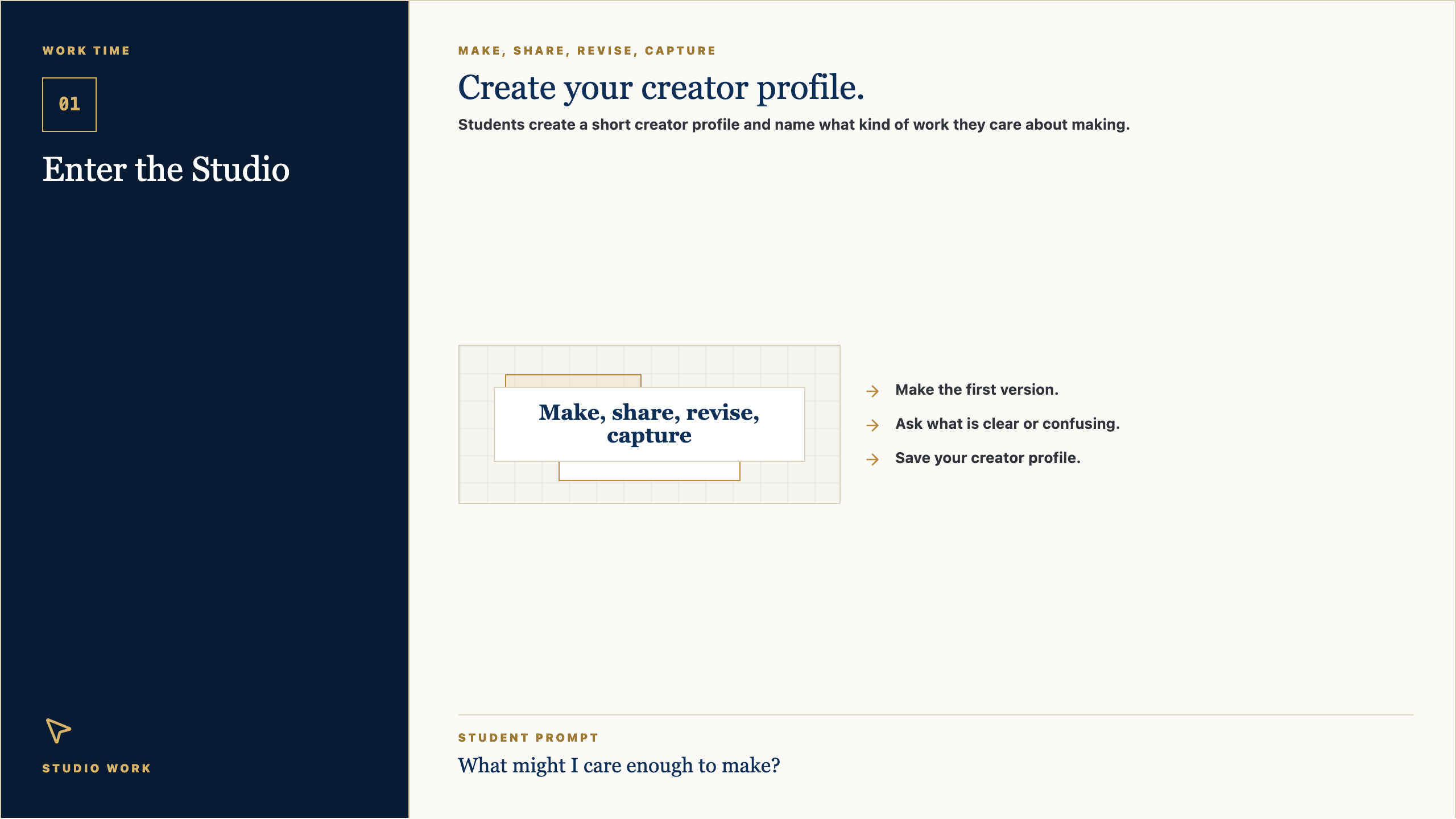
Work Time

01

Enter the Studio

Studio Work

Make, share, revise, capture

Create your creator profile.

Students create a short creator profile and name what kind of work they care about making.

Make, share, revise, capture
  • Make the first version.
  • Ask what is clear or confusing.
  • Save your creator profile.

Student Prompt

What might I care enough to make?

Open Work Time PNG

Talk Track

Now we move from talking to making. Your job is to create the first useful version of your creator profile. I will be walking around asking simple questions: Who is this for? What is clear? What needs another version?

Context Set

This is the transition from teacher voice to studio work. The script should be concise, energizing, and clear about what students should do next.

Say This

Now we move from talking to making. Your job is to create the first useful version of your creator profile. I will be walking around asking simple questions: Who is this for? What is clear? What needs another version?

Engage The Room

Set a visible timer. Tell students the first checkpoint is not for grading; it is for feedback. Halfway through, have them show one person what they have and ask: what is clear, and what is confusing?

Real-World Example

Say: This is how real creative work moves. You make a version, show it to someone, learn something, and make the next version better. Waiting until it is perfect usually means waiting too long.

Loop Back

Loop back by saying: by the end, save the evidence. If it is not saved, it cannot teach you anything next time.

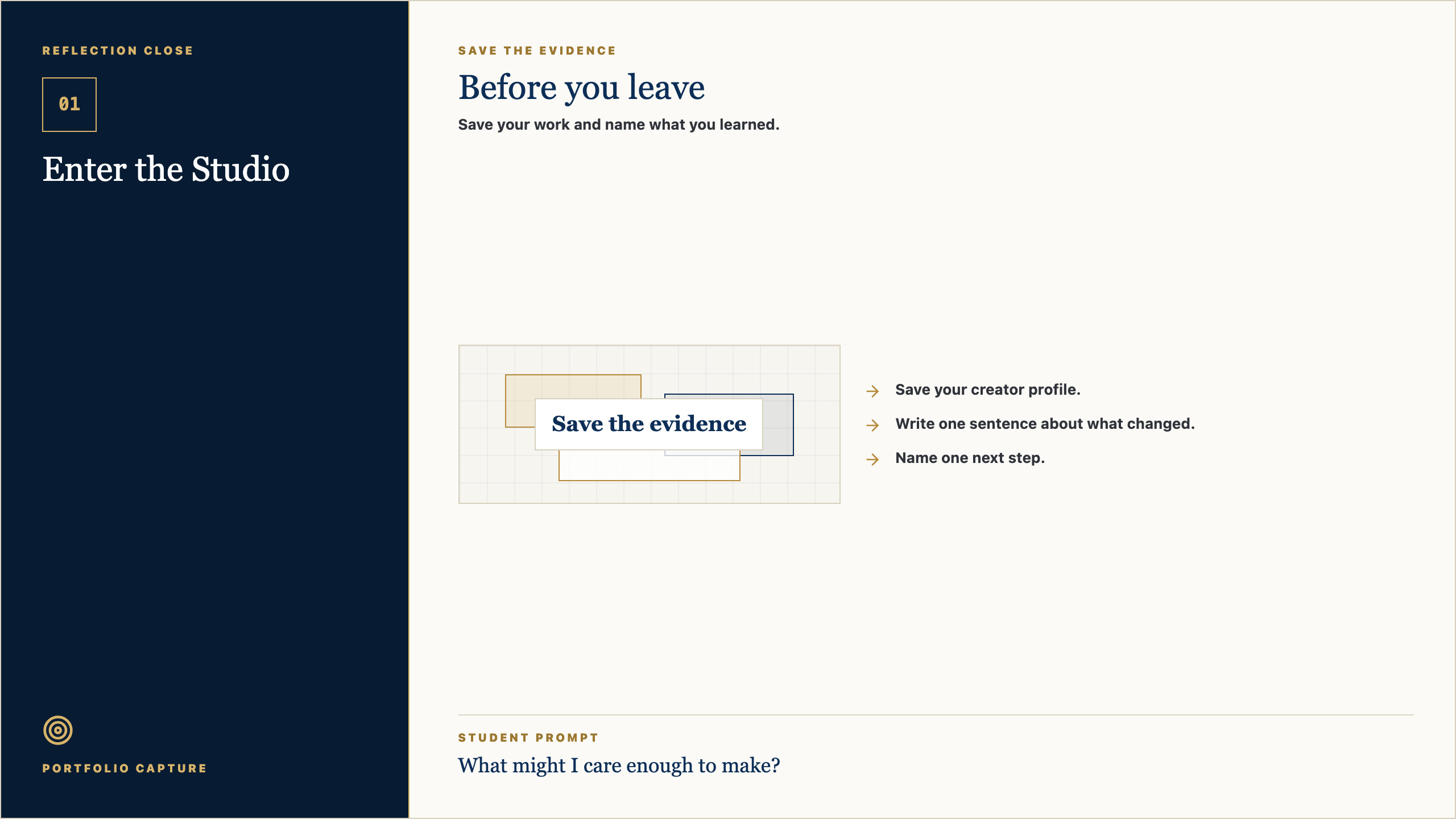
Reflection Close

01

Enter the Studio

Portfolio Capture

Save the evidence

Before you leave

Save your work and name what you learned.

Save the evidence
  • Save your creator profile.
  • Write one sentence about what changed.
  • Name one next step.

Student Prompt

What might I care enough to make?

Open Reflection Close PNG

Talk Track

Before you leave, save the work. Then answer this honestly: What might I care enough to make? The reflection matters because it helps you see your own growth. A creator is not just someone who makes; a creator notices how the work changed.

Context Set

Use this as a calm close. The goal is to help students notice growth and preserve evidence without making reflection feel performative.

Say This

Before you leave, save the work. Then answer this honestly: What might I care enough to make? The reflection matters because it helps you see your own growth. A creator is not just someone who makes; a creator notices how the work changed.

Engage The Room

Ask students to write one sentence only. Then invite one or two students to share a specific change: a clearer idea, a better question, a revised choice, or something they now understand.

Real-World Example

Say: Athletes watch film. Musicians listen back. Designers compare versions. Builders test what changed. Reflection is not extra; it is how people improve on purpose.

Loop Back

End by saying: next class we will use this saved evidence as the starting point. The work keeps moving.

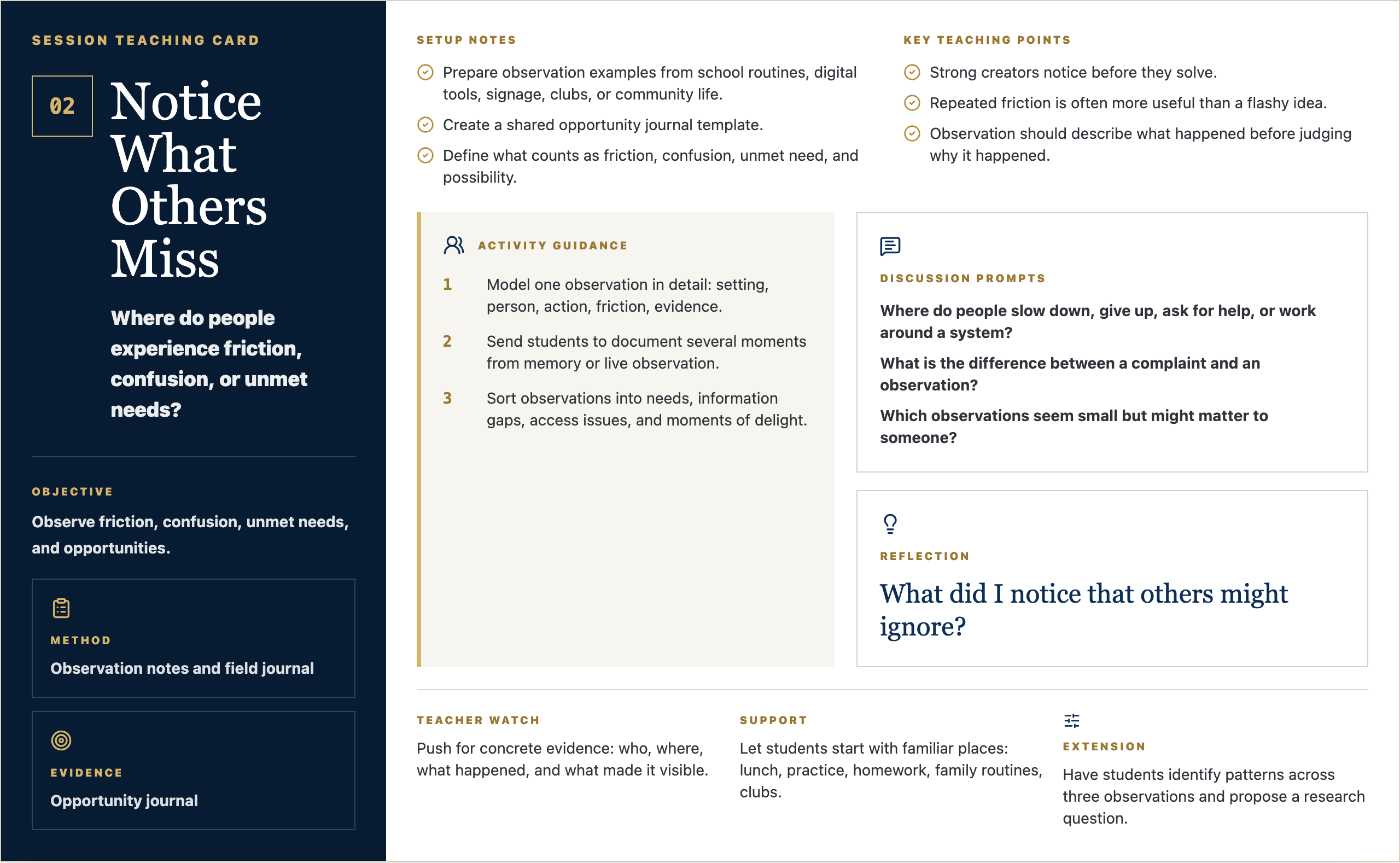
Session Teaching Card

02

Notice What Others Miss

Where do people experience friction, confusion, or unmet needs?

Objective

Observe friction, confusion, unmet needs, and opportunities.

Method

Observation notes and field journal

Evidence

Opportunity journal

Setup Notes

  • Prepare observation examples from school routines, digital tools, signage, clubs, or community life.
  • Create a shared opportunity journal template.
  • Define what counts as friction, confusion, unmet need, and possibility.

Key Teaching Points

  • Strong creators notice before they solve.
  • Repeated friction is often more useful than a flashy idea.
  • Observation should describe what happened before judging why it happened.

Activity Guidance

  1. 1Model one observation in detail: setting, person, action, friction, evidence.
  2. 2Send students to document several moments from memory or live observation.
  3. 3Sort observations into needs, information gaps, access issues, and moments of delight.

Discussion Prompts

  • Where do people slow down, give up, ask for help, or work around a system?
  • What is the difference between a complaint and an observation?
  • Which observations seem small but might matter to someone?

Reflection

What did I notice that others might ignore?

Teacher Watch

Push for concrete evidence: who, where, what happened, and what made it visible.

Support

Let students start with familiar places: lunch, practice, homework, family routines, clubs.

Extension

Have students identify patterns across three observations and propose a research question.

Message Frame Visuals

Four visual anchors for Studio 02

Student-facing slides for the session: question, purpose, concept, example, steps, template, work time, and reflection.

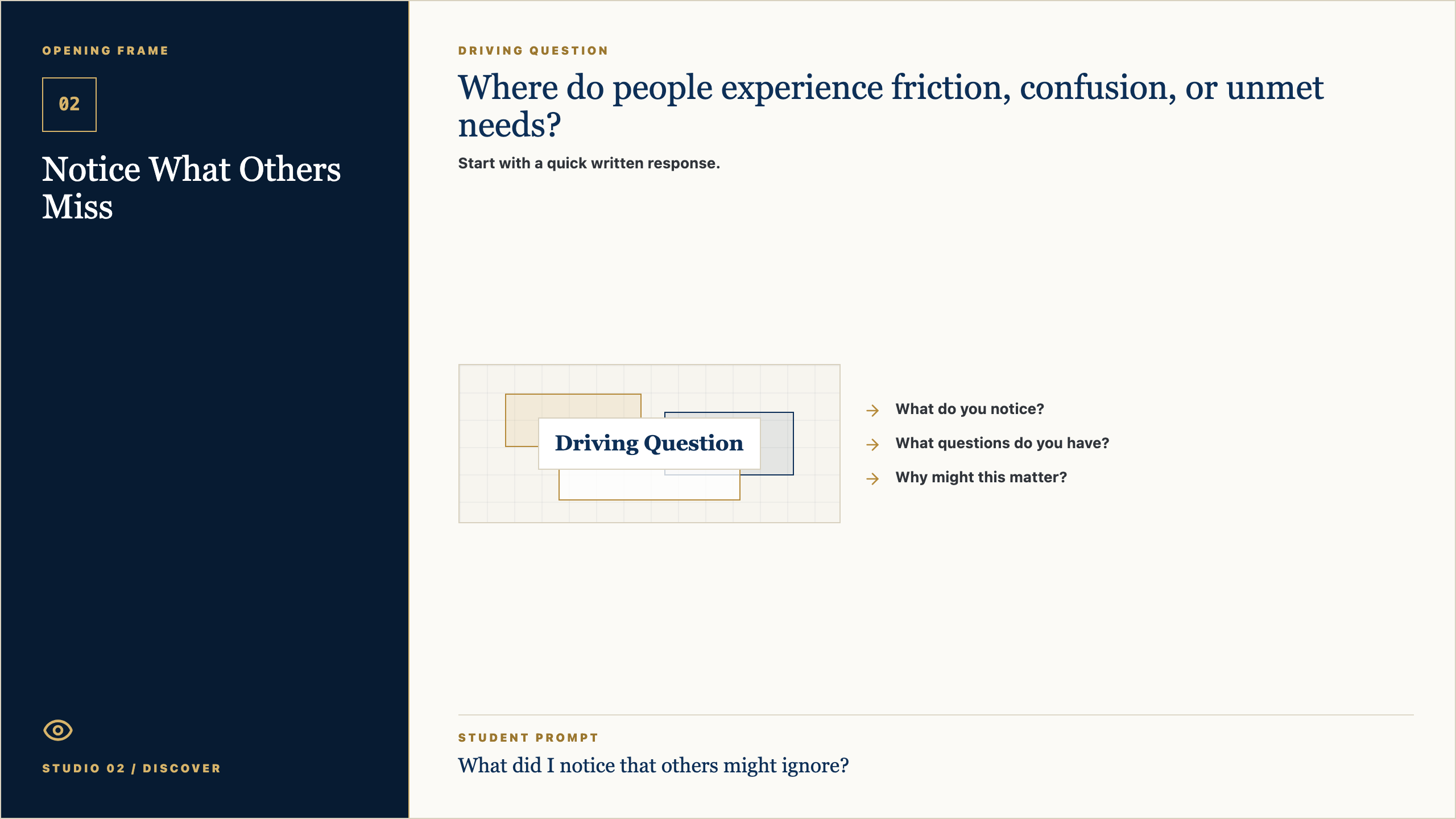
Opening Frame

02

Notice What Others Miss

Studio 02 / Discover

Driving Question

Where do people experience friction, confusion, or unmet needs?

Start with a quick written response.

Driving Question
  • What do you notice?
  • What questions do you have?
  • Why might this matter?

Student Prompt

What did I notice that others might ignore?

Open Opening Frame PNG

Talk Track

Alright, let's start with the question on the screen: Where do people experience friction, confusion, or unmet needs? Do not try to sound impressive yet. Just write what you honestly notice, what you wonder, or where your mind goes first. Good creators begin by paying attention.

Context Set

Set a calm pace. Give students a few seconds to look before you explain. The goal is to invite attention, not rush into performance.

Say This

Alright, let's start with the question on the screen: Where do people experience friction, confusion, or unmet needs? I do not want a perfect answer. I want your first honest answer. Write what you notice, what you wonder, or where your mind goes. Creators do not begin by pretending they already know. They begin by paying attention.

Engage The Room

Give students 45-60 seconds to write. Then ask for two volunteers: one who noticed something practical and one who had a question. Keep responses short and affirm the noticing, not the polish.

Real-World Example

Say: Think about a time a website, sign-up form, team group chat, lunch line, or school announcement made something easier or harder. Somebody designed that experience. Today we start learning how to see those choices.

Loop Back

Close the opening by saying: keep this question in the back of your mind. By the end of class, you should have one visible piece of thinking that moves your idea a little closer to something real.

Why It Matters

02

Notice What Others Miss

Human need before solution

Purpose

You are learning to make useful things.

Each class helps you move from an idea to something real.

Purpose
  • Notice what people need.
  • Make your thinking visible.
  • Improve the work as you learn.

Student Prompt

What kind of creator do I want to be?

Open Why It Matters PNG

Talk Track

The point of this studio is not to become a person who clicks buttons faster. The point is to become someone who can notice a need, shape an idea, and make something useful for somebody else. The tools will change. The habit of seeing clearly will stay with you.

Context Set

Use this slide to make the class feel bigger than tools. The tone should be invitational: students are being trusted with real creative responsibility.

Say This

The point of this studio is not to become a person who clicks buttons faster. The point is to become someone who can notice a need, shape an idea, and make something useful for somebody else. The tools will change. The habit of seeing clearly will stay with you.

Engage The Room

Ask: Where have you seen something small make life easier for people? Let students name ordinary examples: a good checklist, a clear map, a better form, a video that explains something, a schedule that saves confusion.

Real-World Example

Say: A useful thing does not have to be huge. It might be a club finder, a practice guide, a better way to explain service hours, a page for new students, or a tool that helps one person feel less lost.

Loop Back

Loop back to the studio promise: notice a real need, make the thinking visible, get feedback, and improve the work so it serves someone beyond the maker.

Concept Frame

02

Notice What Others Miss

Human need before solution

Notice, listen, and frame the opportunity.

Observation notes and field journal

Observe friction, confusion, unmet needs, and opportunities.

Notice, listen, and frame the opportunity.
  • Try the thinking move.
  • Use evidence when you can.
  • Be ready to explain your choice.

Student Prompt

What choice do I need to make today?

Open Concept Frame PNG

Talk Track

Today is about one move in the creator process. In this session, Notice What Others Miss, we are practicing how to slow down enough to make a better choice. If you can explain why you made a choice, you are already working like a designer.

Context Set

Frame the concept as one professional move, not a lecture. Students should know what thinking habit they are practicing and why it matters.

Say This

Today is about one move in the creator process. In this session, Notice What Others Miss, we are practicing how to slow down enough to make a better choice. If you can explain why you made a choice, you are already working like a designer.

Engage The Room

Ask students to point to the key word on the slide. Then ask: What would this look like if someone did it poorly? What would it look like if someone did it with care?

Real-World Example

Say: In real work, teams do this before they build. A product team, a coach, a teacher, a campus minister, a designer, or a student leader all have to decide what matters before asking people to follow a plan.

Loop Back

Bring it back by saying: the concept is not the final product. It is the move that helps your next version become more useful.

Artifact Example

02

Notice What Others Miss

What Good Work Looks Like

Model

Opportunity journal

Today you will make a opportunity journal. Someone else should be able to understand it quickly.

Model
  • Make it clear.
  • Make it specific.
  • Make it useful for your project.
Student Prompt

What should be obvious in the artifact?

Open Artifact Example PNG

Talk Track

By the end of class, you should have a opportunity journal. This is not busywork. It is evidence of your thinking. Someone should be able to look at it and understand what you are noticing, deciding, testing, or improving.

Context Set

Students need to know what they are making and why it counts. Keep the artifact concrete and remove mystery.

Say This

By the end of class, you should have a opportunity journal. This is not busywork. It is evidence of your thinking. Someone should be able to look at it and understand what you are noticing, deciding, testing, or improving.

Engage The Room

Ask: What would make this artifact clear to someone who was not in class today? Take three answers and turn them into quality criteria on the spot.

Real-World Example

Say: Imagine you were absent and a classmate handed you their opportunity journal. Could you tell what they cared about, what they learned, or what decision they made? That is the standard.

Loop Back

Loop back by saying: the artifact is a snapshot of your thinking today. It does not need to be final. It does need to be visible.

Simple Steps

02

Notice What Others Miss

How To Start

Process

Make your opportunity journal.

Start simple. You can improve it after feedback.

Process
  • Answer the template prompts.
  • Make a rough first version.
  • Share it before you polish it.

Student Prompt

What is the first small move I can make?

Open Simple Steps PNG

Talk Track

Here is the way in: keep it simple. Start with the prompts, make a rough first version, and do not wait for it to be perfect. We can improve rough work. We cannot improve work that only stays in your head.
Context Set

Lower the barrier to starting. This is where Mark's style should feel practical and reassuring: rough work is welcome because rough work can be improved.

Say This

Here is the way in: keep it simple. Start with the prompts, make a rough first version, and do not wait for it to be perfect. We can improve rough work. We cannot improve work that only stays in your head.
Engage The Room

Ask students to choose their first move silently: write, sketch, list, interview, map, prompt, revise, or test. Have them point to the step they will begin with before they open a tool.

Real-World Example

Say: Most good work starts as something unimpressive: a messy note, a box-and-arrow sketch, a sentence that is almost right, a page with the wrong layout. The important thing is that it exists, because now we can work with it.

Loop Back

Loop back by saying: your first version is not your identity. It is just the next piece of evidence.

Student Template

02

Notice What Others Miss

Fill This In

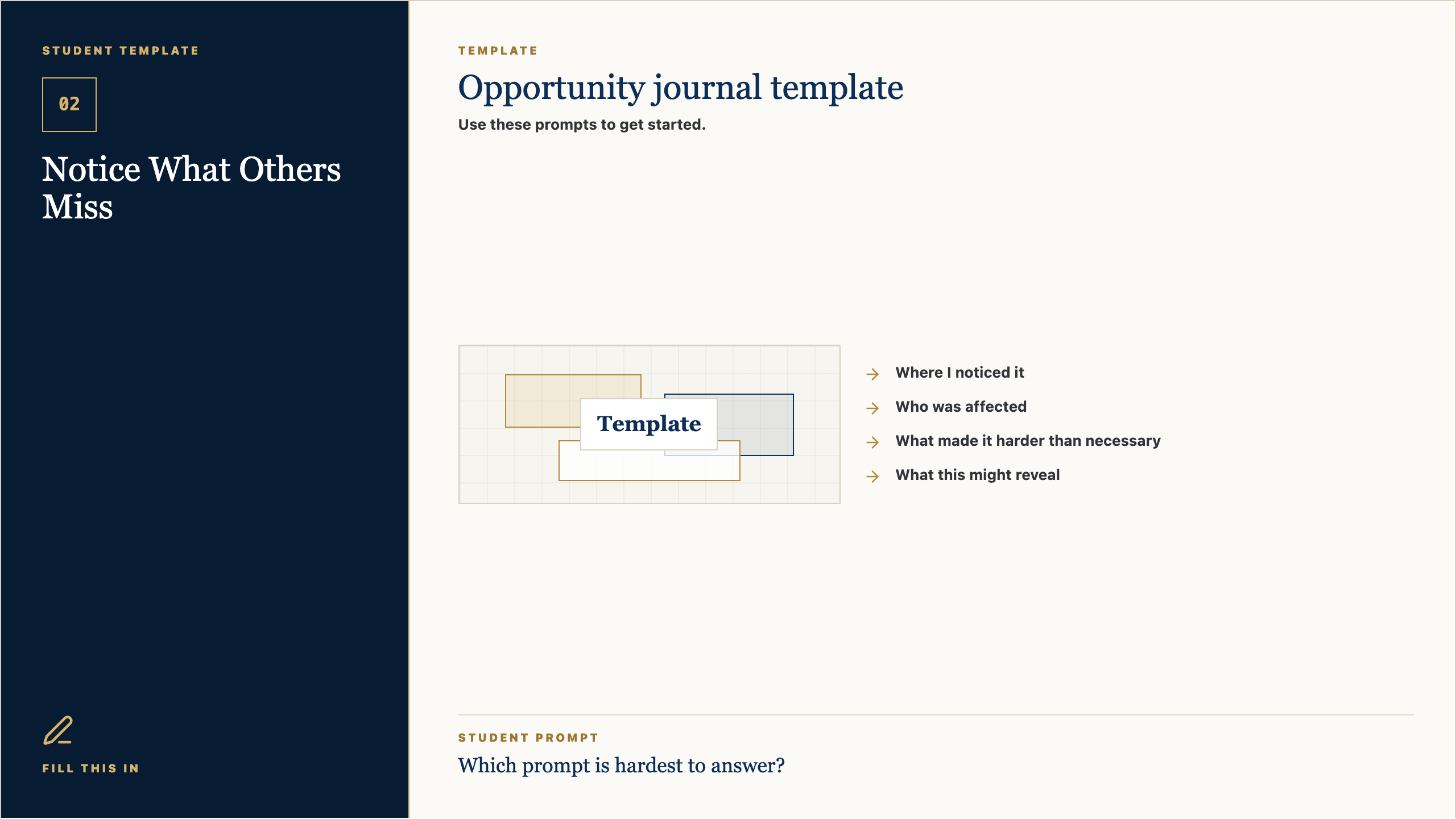
Template

Opportunity journal template

Use these prompts to get started.

Template
  • Where I noticed it
  • Who was affected
  • What made it harder than necessary
  • What this might reveal

Student Prompt

Which prompt is hardest to answer?

Open Student Template PNG

Talk Track

Use this template as a starting line, not a cage. If a prompt is easy, answer it quickly and move on. If one prompt makes you pause, that is probably where the real thinking is. Spend a little time there.

Context Set

Present the template as support, not a worksheet trap. Students should feel guided without feeling boxed in.

Say This

Use this template as a starting line, not a cage. If a prompt is easy, answer it quickly and move on. If one prompt makes you pause, that is probably where the real thinking is. Spend a little time there.

Engage The Room

Ask students to circle or mark the prompt that feels hardest. Then say: start there or save it for last, but do not ignore it. That prompt is probably telling you something useful.

Real-World Example

Say: A professional brief, design board, script, product spec, or research note often begins with simple fields like these. Simple fields force clear thinking before the work gets complicated.

Loop Back

Loop back by saying: the template is here to help you think clearly enough that another person can understand and respond.

Work Time

02

Notice What Others Miss

Studio Work

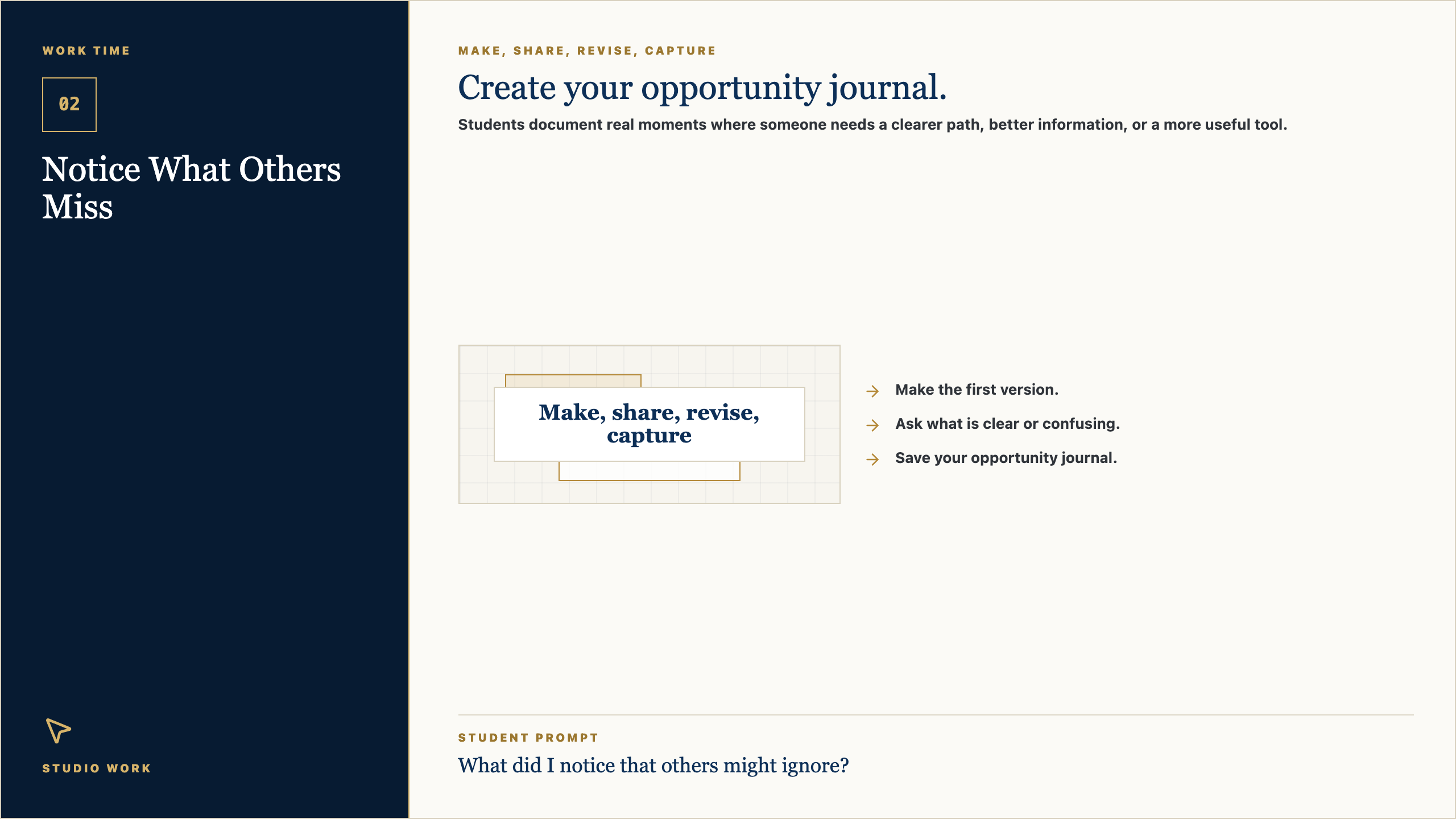
Make, share, revise, capture

Create your opportunity journal.

Students document real moments where someone needs a clearer path, better information, or a more useful tool.

Make, share, revise, capture
  • Make the first version.
  • Ask what is clear or confusing.
  • Save your opportunity journal.

Student Prompt

What did I notice that others might ignore?

Open Work Time PNG

Talk Track

Now we move from talking to making. Your job is to create the first useful version of your opportunity journal. I will be walking around asking simple questions: Who is this for? What is clear? What needs another version?

Context Set

This is the transition from teacher voice to studio work. The script should be concise, energizing, and clear about what students should do next.

Say This

Now we move from talking to making. Your job is to create the first useful version of your opportunity journal. I will be walking around asking simple questions: Who is this for? What is clear? What needs another version?

Engage The Room

Set a visible timer. Tell students the first checkpoint is not for grading; it is for feedback. Halfway through, have them show one person what they have and ask: what is clear, and what is confusing?

Real-World Example

Say: This is how real creative work moves. You make a version, show it to someone, learn something, and make the next version better. Waiting until it is perfect usually means waiting too long.

Loop Back

Loop back by saying: by the end, save the evidence. If it is not saved, it cannot teach you anything next time.

Reflection Close

02

Notice What Others Miss

Portfolio Capture

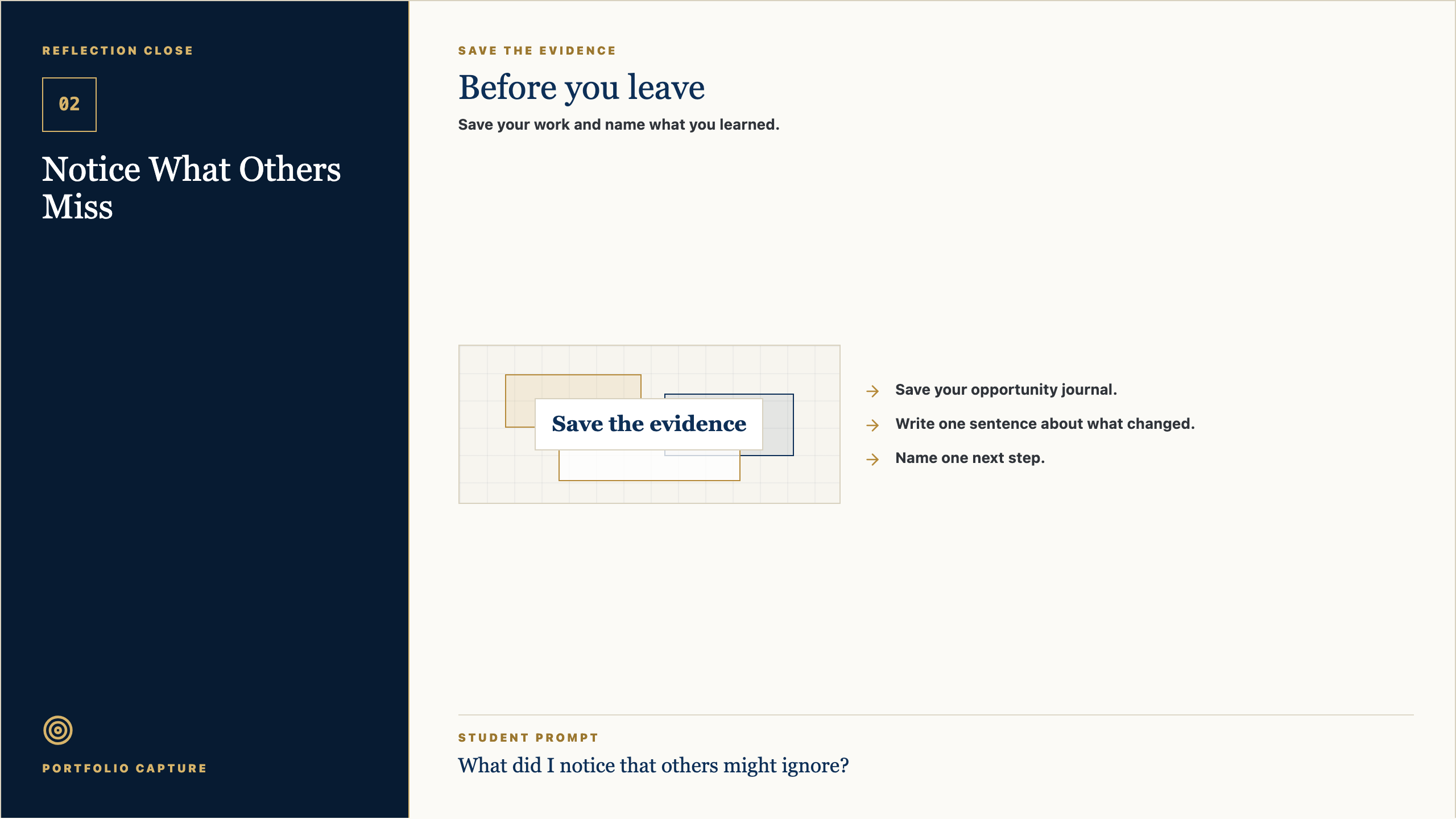
Save the evidence

Before you leave

Save your work and name what you learned.

Save the evidence
  • Save your opportunity journal.
  • Write one sentence about what changed.
  • Name one next step.

Student Prompt

What did I notice that others might ignore?

Open Reflection Close PNG

Talk Track

Before you leave, save the work. Then answer this honestly: What did I notice that others might ignore? The reflection matters because it helps you see your own growth. A creator is not just someone who makes; a creator notices how the work changed.

Context Set

Use this as a calm close. The goal is to help students notice growth and preserve evidence without making reflection feel performative.

Say This

Before you leave, save the work. Then answer this honestly: What did I notice that others might ignore? The reflection matters because it helps you see your own growth. A creator is not just someone who makes; a creator notices how the work changed.

Engage The Room

Ask students to write one sentence only. Then invite one or two students to share a specific change: a clearer idea, a better question, a revised choice, or something they now understand.

Real-World Example

Say: Athletes watch film. Musicians listen back. Designers compare versions. Builders test what changed. Reflection is not extra; it is how people improve on purpose.

Loop Back

End by saying: next class we will use this saved evidence as the starting point. The work keeps moving.

Session Teaching Card

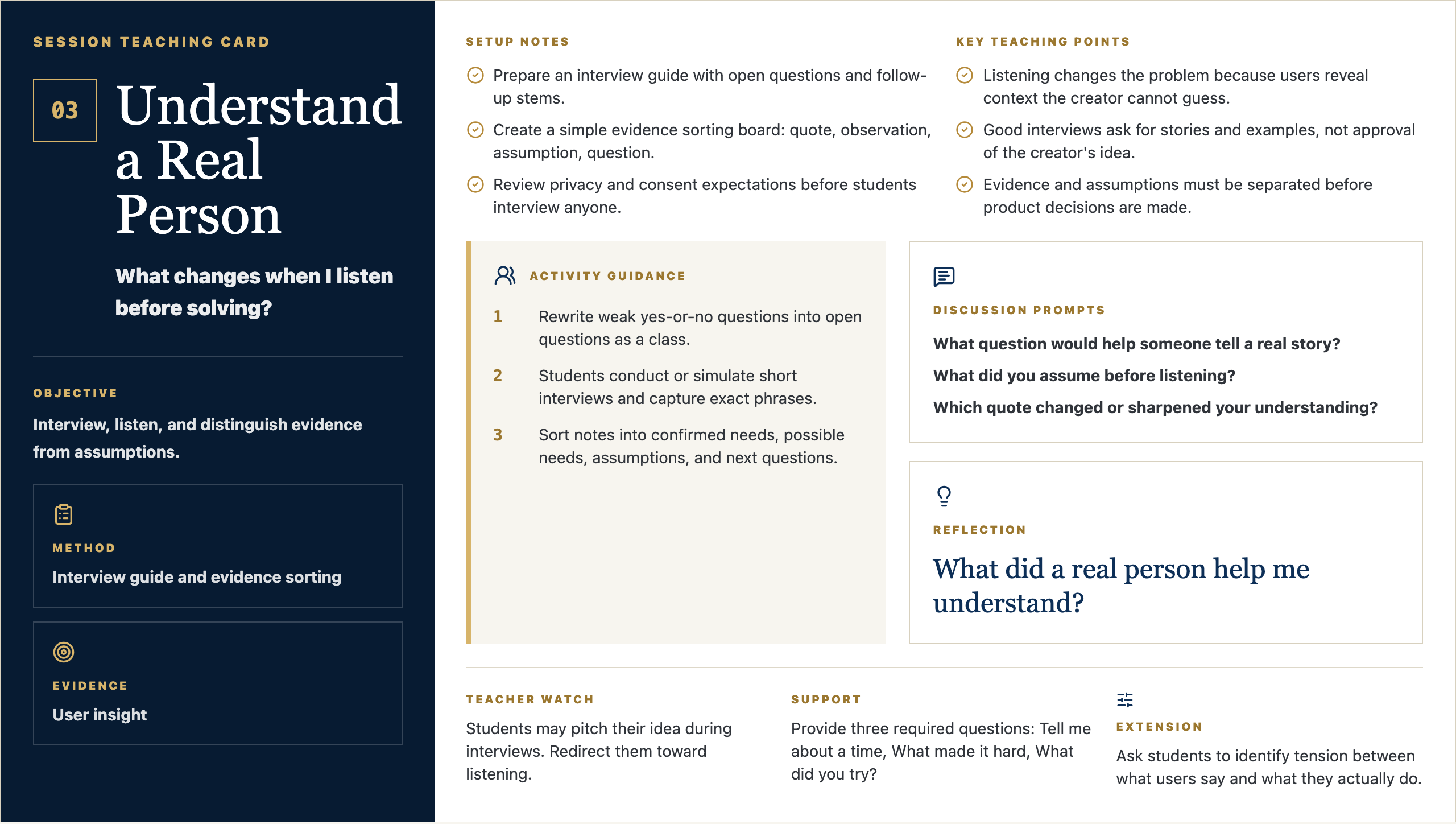
03

Understand a Real Person

What changes when I listen before solving?

Objective

Interview, listen, and distinguish evidence from assumptions.

Method

Interview guide and evidence sorting

Evidence

User insight

Setup Notes

  • Prepare an interview guide with open questions and follow-up stems.
  • Create a simple evidence sorting board: quote, observation, assumption, question.
  • Review privacy and consent expectations before students interview anyone.

Key Teaching Points

  • Listening changes the problem because users reveal context the creator cannot guess.
  • Good interviews ask for stories and examples, not approval of the creator's idea.
  • Evidence and assumptions must be separated before product decisions are made.

Activity Guidance

  1. 1Rewrite weak yes-or-no questions into open questions as a class.
  2. 2Students conduct or simulate short interviews and capture exact phrases.
  3. 3Sort notes into confirmed needs, possible needs, assumptions, and next questions.

Discussion Prompts

  • What question would help someone tell a real story?
  • What did you assume before listening?
  • Which quote changed or sharpened your understanding?

Reflection

What did a real person help me understand?

Teacher Watch

Students may pitch their idea during interviews. Redirect them toward listening.

Support

Provide three required questions: Tell me about a time, What made it hard, What did you try?

Extension

Ask students to identify tension between what users say and what they actually do.

Message Frame Visuals

Four visual anchors for Studio 03

Student-facing slides for the session: question, purpose, concept, example, steps, template, work time, and reflection.

Opening Frame

03

Understand a Real Person

Studio 03 / Discover

Driving Question

What changes when I listen before solving?

Start with a quick written response.

Driving Question
  • What do you notice?
  • What questions do you have?
  • Why might this matter?

Student Prompt

What did a real person help me understand?

Open Opening Frame PNG

Talk Track

Alright, let's start with the question on the screen: What changes when I listen before solving? Do not try to sound impressive yet. Just write what you honestly notice, what you wonder, or where your mind goes first. Good creators begin by paying attention.

Context Set

Set a calm pace. Give students a few seconds to look before you explain. The goal is to invite attention, not rush into performance.

Say This

Alright, let's start with the question on the screen: What changes when I listen before solving? I do not want a perfect answer. I want your first honest answer. Write what you notice, what you wonder, or where your mind goes. Creators do not begin by pretending they already know. They begin by paying attention.

Engage The Room

Give students 45-60 seconds to write. Then ask for two volunteers: one who noticed something practical and one who had a question. Keep responses short and affirm the noticing, not the polish.

Real-World Example

Say: Think about a time a website, sign-up form, team group chat, lunch line, or school announcement made something easier or harder. Somebody designed that experience. Today we start learning how to see those choices.

Loop Back

Close the opening by saying: keep this question in the back of your mind. By the end of class, you should have one visible piece of thinking that moves your idea a little closer to something real.

Why It Matters

03

Understand a Real Person

Human need before solution

Purpose

You are learning to make useful things.

Each class helps you move from an idea to something real.

Purpose
  • Notice what people need.
  • Make your thinking visible.
  • Improve the work as you learn.

Student Prompt

What kind of creator do I want to be?

Open Why It Matters PNG

Talk Track

The point of this studio is not to become a person who clicks buttons faster. The point is to become someone who can notice a need, shape an idea, and make something useful for somebody else. The tools will change. The habit of seeing clearly will stay with you.

Context Set

Use this slide to make the class feel bigger than tools. The tone should be invitational: students are being trusted with real creative responsibility.

Say This

The point of this studio is not to become a person who clicks buttons faster. The point is to become someone who can notice a need, shape an idea, and make something useful for somebody else. The tools will change. The habit of seeing clearly will stay with you.

Engage The Room

Ask: Where have you seen something small make life easier for people? Let students name ordinary examples: a good checklist, a clear map, a better form, a video that explains something, a schedule that saves confusion.

Real-World Example

Say: A useful thing does not have to be huge. It might be a club finder, a practice guide, a better way to explain service hours, a page for new students, or a tool that helps one person feel less lost.

Loop Back

Loop back to the studio promise: notice a real need, make the thinking visible, get feedback, and improve the work so it serves someone beyond the maker.

Concept Frame

03

Understand a Real Person

Human need before solution

Notice, listen, and frame the opportunity.

Interview guide and evidence sorting

Interview, listen, and distinguish evidence from assumptions.

Notice, listen, and frame the opportunity.
  • Try the thinking move.
  • Use evidence when you can.
  • Be ready to explain your choice.

Student Prompt

What choice do I need to make today?

Open Concept Frame PNG

Talk Track

Today is about one move in the creator process. In this session, Understand a Real Person, we are practicing how to slow down enough to make a better choice. If you can explain why you made a choice, you are already working like a designer.

Context Set

Frame the concept as one professional move, not a lecture. Students should know what thinking habit they are practicing and why it matters.

Say This

Today is about one move in the creator process. In this session, Understand a Real Person, we are practicing how to slow down enough to make a better choice. If you can explain why you made a choice, you are already working like a designer.

Engage The Room

Ask students to point to the key word on the slide. Then ask: What would this look like if someone did it poorly? What would it look like if someone did it with care?

Real-World Example

Say: In real work, teams do this before they build. A product team, a coach, a teacher, a campus minister, a designer, or a student leader all have to decide what matters before asking people to follow a plan.

Loop Back

Bring it back by saying: the concept is not the final product. It is the move that helps your next version become more useful.

Artifact Example

03

Understand a Real Person

What Good Work Looks Like

Model

User insight

Today you will make a user insight. Someone else should be able to understand it quickly.

Model
  • Make it clear.
  • Make it specific.
  • Make it useful for your project.

Student Prompt

What should be obvious in the artifact?

Open Artifact Example PNG

Talk Track

By the end of class, you should have a user insight. This is not busywork. It is evidence of your thinking. Someone should be able to look at it and understand what you are noticing, deciding, testing, or improving.

Context Set

Students need to know what they are making and why it counts. Keep the artifact concrete and remove mystery.

Say This

By the end of class, you should have a user insight. This is not busywork. It is evidence of your thinking. Someone should be able to look at it and understand what you are noticing, deciding, testing, or improving.

Engage The Room

Ask: What would make this artifact clear to someone who was not in class today? Take three answers and turn them into quality criteria on the spot.

Real-World Example

Say: Imagine you were absent and a classmate handed you their user insight. Could you tell what they cared about, what they learned, or what decision they made? That is the standard.

Loop Back

Loop back by saying: the artifact is a snapshot of your thinking today. It does not need to be final. It does need to be visible.

Simple Steps

03

Understand a Real Person

How To Start

Process

Make your user insight.

Start simple. You can improve it after feedback.

Process
  • Answer the template prompts.
  • Make a rough first version.
  • Share it before you polish it.

Student Prompt

What is the first small move I can make?

Open Simple Steps PNG

Talk Track

Here is the way in: keep it simple. Start with the prompts, make a rough first version, and do not wait for it to be perfect. We can improve rough work. We cannot improve work that only stays in your head.

Context Set

Lower the barrier to starting. This is where Mark's style should feel practical and reassuring: rough work is welcome because rough work can be improved.

Say This

Here is the way in: keep it simple. Start with the prompts, make a rough first version, and do not wait for it to be perfect. We can improve rough work. We cannot improve work that only stays in your head.

Engage The Room

Ask students to choose their first move silently: write, sketch, list, interview, map, prompt, revise, or test. Have them point to the step they will begin with before they open a tool.

Real-World Example

Say: Most good work starts as something unimpressive: a messy note, a box-and-arrow sketch, a sentence that is almost right, a page with the wrong layout. The important thing is that it exists, because now we can work with it.

Loop Back

Loop back by saying: your first version is not your identity. It is just the next piece of evidence.

Student Template

03

Understand a Real Person

Fill This In

Template

User insight template

Use these prompts to get started.

Template
  • Person I listened to
  • Exact quote or story
  • What I learned
  • What I still need to understand

Student Prompt

Which prompt is hardest to answer?

Open Student Template PNG

Talk Track

Use this template as a starting line, not a cage. If a prompt is easy, answer it quickly and move on. If one prompt makes you pause, that is probably where the real thinking is. Spend a little time there.

Context Set

Present the template as support, not a worksheet trap. Students should feel guided without feeling boxed in.

Say This

Use this template as a starting line, not a cage. If a prompt is easy, answer it quickly and move on. If one prompt makes you pause, that is probably where the real thinking is. Spend a little time there.

Engage The Room

Ask students to circle or mark the prompt that feels hardest. Then say: start there or save it for last, but do not ignore it. That prompt is probably telling you something useful.

Real-World Example

Say: A professional brief, design board, script, product spec, or research note often begins with simple fields like these. Simple fields force clear thinking before the work gets complicated.

Loop Back

Loop back by saying: the template is here to help you think clearly enough that another person can understand and respond.

Work Time

03

Understand a Real Person

Studio Work

Make, share, revise, capture

Create your user insight.

Students interview a real person, capture useful quotes, and identify what is known versus assumed.

Make, share, revise, capture
  • Make the first version.
  • Ask what is clear or confusing.
  • Save your user insight.

Student Prompt

What did a real person help me understand?

Open Work Time PNG

Talk Track

Now we move from talking to making. Your job is to create the first useful version of your user insight. I will be walking around asking simple questions: Who is this for? What is clear? What needs another version?

Context Set

This is the transition from teacher voice to studio work. The script should be concise, energizing, and clear about what students should do next.

Say This

Now we move from talking to making. Your job is to create the first useful version of your user insight. I will be walking around asking simple questions: Who is this for? What is clear? What needs another version?

Engage The Room

Set a visible timer. Tell students the first checkpoint is not for grading; it is for feedback. Halfway through, have them show one person what they have and ask: what is clear, and what is confusing?

Real-World Example

Say: This is how real creative work moves. You make a version, show it to someone, learn something, and make the next version better. Waiting until it is perfect usually means waiting too long.

Loop Back

Loop back by saying: by the end, save the evidence. If it is not saved, it cannot teach you anything next time.

Reflection Close

03

Understand a Real Person

Portfolio Capture

Save the evidence

Before you leave

Save your work and name what you learned.

Save the evidence
  • Save your user insight.
  • Write one sentence about what changed.
  • Name one next step.

Student Prompt

What did a real person help me understand?

Open Reflection Close PNG

Talk Track

Before you leave, save the work. Then answer this honestly: What did a real person help me understand? The reflection matters because it helps you see your own growth. A creator is not just someone who makes; a creator notices how the work changed.

Context Set

Use this as a calm close. The goal is to help students notice growth and preserve evidence without making reflection feel performative.

Say This

Before you leave, save the work. Then answer this honestly: What did a real person help me understand? The reflection matters because it helps you see your own growth. A creator is not just someone who makes; a creator notices how the work changed.

Engage The Room

Ask students to write one sentence only. Then invite one or two students to share a specific change: a clearer idea, a better question, a revised choice, or something they now understand.

Real-World Example

Say: Athletes watch film. Musicians listen back. Designers compare versions. Builders test what changed. Reflection is not extra; it is how people improve on purpose.

Loop Back

End by saying: next class we will use this saved evidence as the starting point. The work keeps moving.

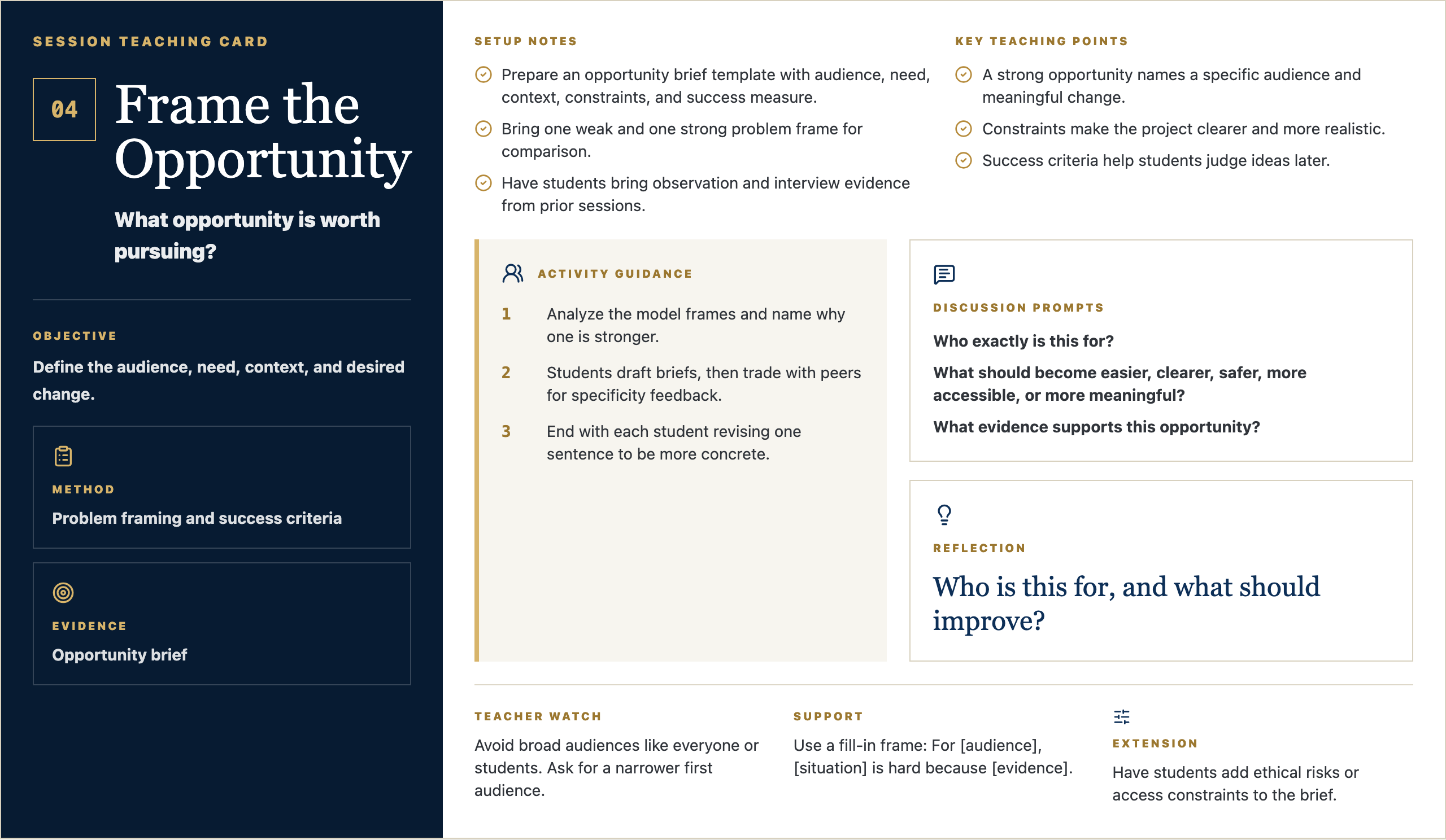
Session Teaching Card

04

Frame the Opportunity

What opportunity is worth pursuing?

Objective

Define the audience, need, context, and desired change.

Method

Problem framing and success criteria

Evidence

Opportunity brief

Setup Notes

  • Prepare an opportunity brief template with audience, need, context, constraints, and success measure.
  • Bring one weak and one strong problem frame for comparison.
  • Have students bring observation and interview evidence from prior sessions.

Key Teaching Points

  • A strong opportunity names a specific audience and meaningful change.
  • Constraints make the project clearer and more realistic.
  • Success criteria help students judge ideas later.

Activity Guidance

  1. 1Analyze the model frames and name why one is stronger.
  2. 2Students draft briefs, then trade with peers for specificity feedback.
  3. 3End with each student revising one sentence to be more concrete.

Discussion Prompts

  • Who exactly is this for?
  • What should become easier, clearer, safer, more accessible, or more meaningful?
  • What evidence supports this opportunity?

Reflection

Who is this for, and what should improve?

Teacher Watch

Avoid broad audiences like everyone or students. Ask for a narrower first audience.

Support

Use a fill-in frame: For [audience], [situation] is hard because [evidence].

Extension

Have students add ethical risks or access constraints to the brief.

Message Frame Visuals

Four visual anchors for Studio 04

Student-facing slides for the session: question, purpose, concept, example, steps, template, work time, and reflection.

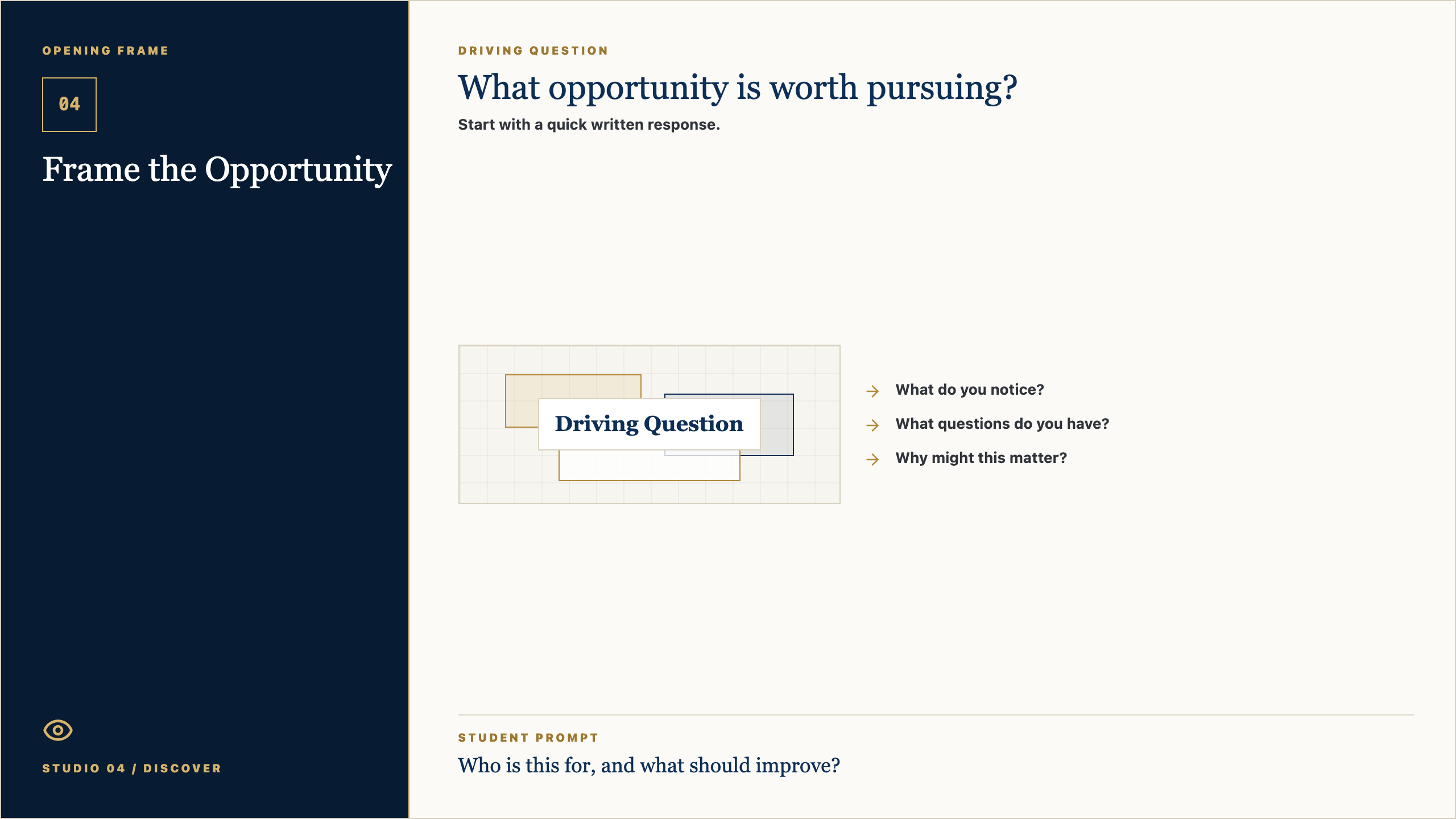
Opening Frame

04

Frame the Opportunity

Studio 04 / Discover

Driving Question

What opportunity is worth pursuing?

Start with a quick written response.

Driving Question
  • What do you notice?
  • What questions do you have?
  • Why might this matter?

Student Prompt

Who is this for, and what should improve?

Open Opening Frame PNG

Talk Track

Alright, let's start with the question on the screen: What opportunity is worth pursuing? Do not try to sound impressive yet. Just write what you honestly notice, what you wonder, or where your mind goes first. Good creators begin by paying attention.

Context Set

Set a calm pace. Give students a few seconds to look before you explain. The goal is to invite attention, not rush into performance.

Say This

Alright, let's start with the question on the screen: What opportunity is worth pursuing? I do not want a perfect answer. I want your first honest answer. Write what you notice, what you wonder, or where your mind goes. Creators do not begin by pretending they already know. They begin by paying attention.

Engage The Room

Give students 45-60 seconds to write. Then ask for two volunteers: one who noticed something practical and one who had a question. Keep responses short and affirm the noticing, not the polish.

Real-World Example

Say: Think about a time a website, sign-up form, team group chat, lunch line, or school announcement made something easier or harder. Somebody designed that experience. Today we start learning how to see those choices.

Loop Back

Close the opening by saying: keep this question in the back of your mind. By the end of class, you should have one visible piece of thinking that moves your idea a little closer to something real.

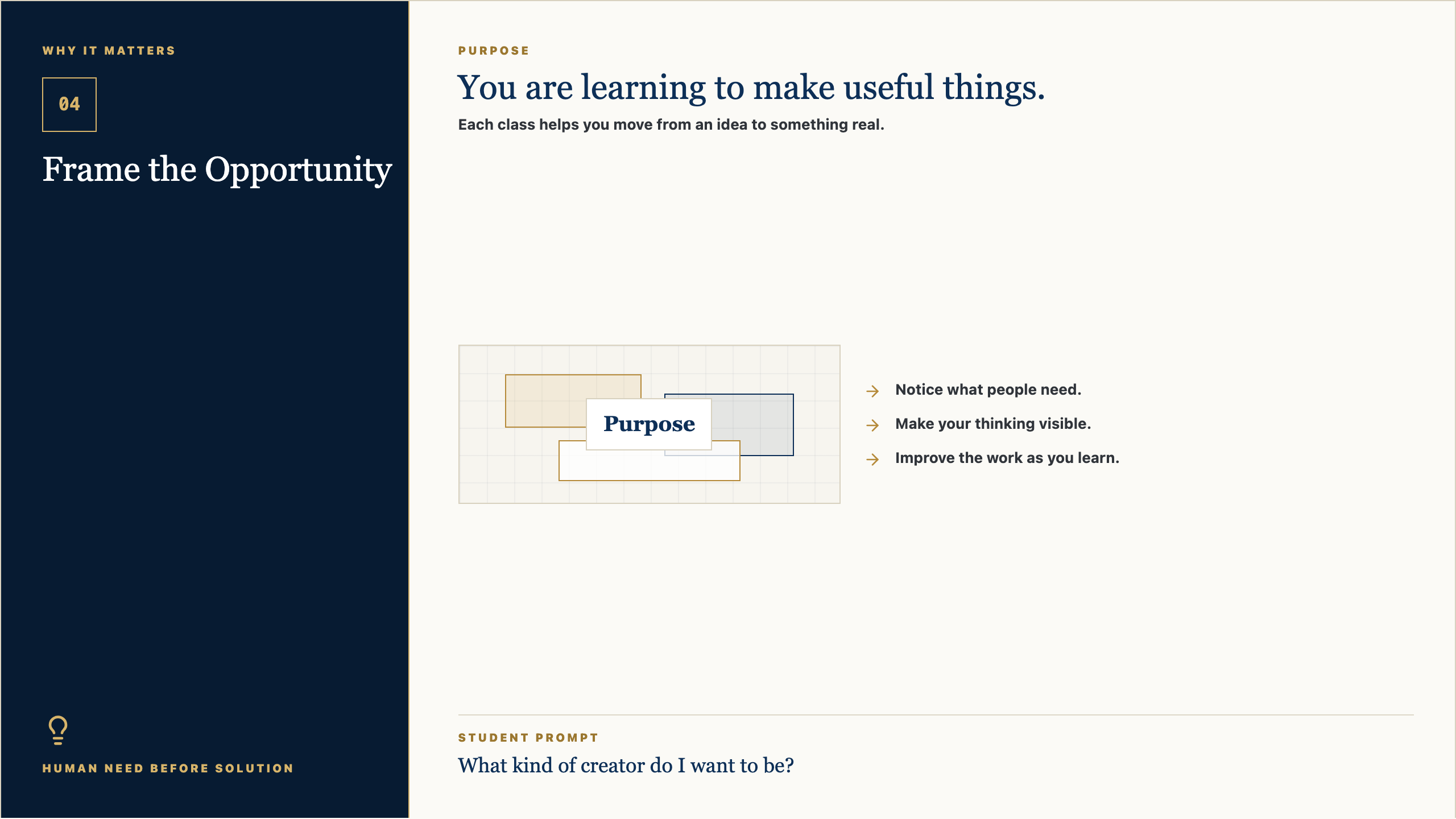
Why It Matters

04

Frame the Opportunity

Human need before solution

Purpose

You are learning to make useful things.

Each class helps you move from an idea to something real.

Purpose
  • Notice what people need.
  • Make your thinking visible.
  • Improve the work as you learn.

Student Prompt

What kind of creator do I want to be?

Open Why It Matters PNG

Talk Track

The point of this studio is not to become a person who clicks buttons faster. The point is to become someone who can notice a need, shape an idea, and make something useful for somebody else. The tools will change. The habit of seeing clearly will stay with you.

Context Set

Use this slide to make the class feel bigger than tools. The tone should be invitational: students are being trusted with real creative responsibility.

Say This

The point of this studio is not to become a person who clicks buttons faster. The point is to become someone who can notice a need, shape an idea, and make something useful for somebody else. The tools will change. The habit of seeing clearly will stay with you.

Engage The Room

Ask: Where have you seen something small make life easier for people? Let students name ordinary examples: a good checklist, a clear map, a better form, a video that explains something, a schedule that saves confusion.

Real-World Example

Say: A useful thing does not have to be huge. It might be a club finder, a practice guide, a better way to explain service hours, a page for new students, or a tool that helps one person feel less lost.

Loop Back

Loop back to the studio promise: notice a real need, make the thinking visible, get feedback, and improve the work so it serves someone beyond the maker.

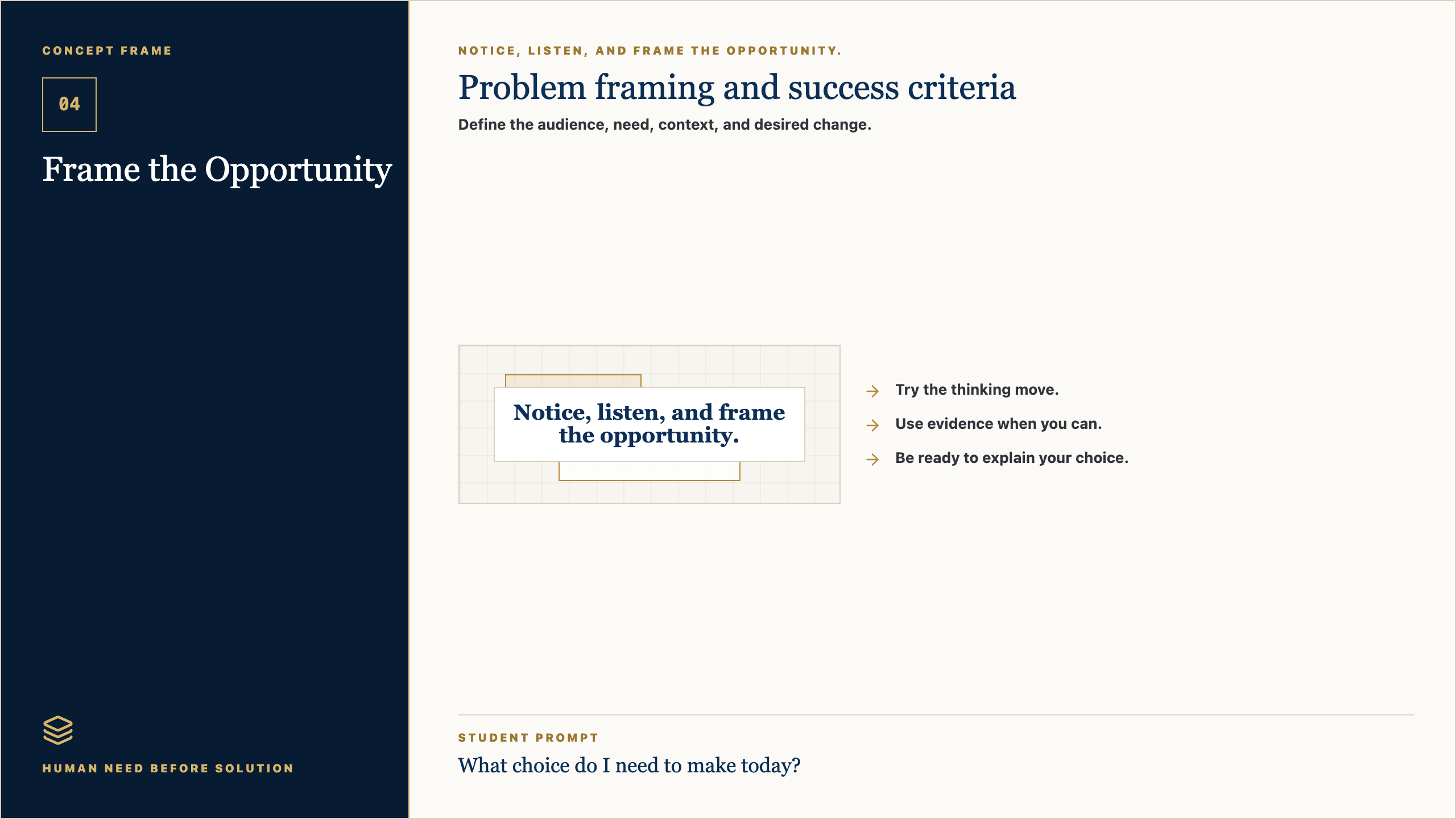
Concept Frame

04

Frame the Opportunity

Human need before solution

Notice, listen, and frame the opportunity.

Problem framing and success criteria

Define the audience, need, context, and desired change.

Notice, listen, and frame the opportunity.
  • Try the thinking move.
  • Use evidence when you can.
  • Be ready to explain your choice.

Student Prompt

What choice do I need to make today?

Open Concept Frame PNG

Talk Track

Today is about one move in the creator process. In this session, Frame the Opportunity, we are practicing how to slow down enough to make a better choice. If you can explain why you made a choice, you are already working like a designer.

Context Set

Frame the concept as one professional move, not a lecture. Students should know what thinking habit they are practicing and why it matters.

Say This

Today is about one move in the creator process. In this session, Frame the Opportunity, we are practicing how to slow down enough to make a better choice. If you can explain why you made a choice, you are already working like a designer.

Engage The Room

Ask students to point to the key word on the slide. Then ask: What would this look like if someone did it poorly? What would it look like if someone did it with care?

Real-World Example

Say: In real work, teams do this before they build. A product team, a coach, a teacher, a campus minister, a designer, or a student leader all have to decide what matters before asking people to follow a plan.

Loop Back

Bring it back by saying: the concept is not the final product. It is the move that helps your next version become more useful.

Artifact Example

04

Frame the Opportunity

What Good Work Looks Like

Model

Opportunity brief

Today you will make a opportunity brief. Someone else should be able to understand it quickly.

Model
  • Make it clear.
  • Make it specific.
  • Make it useful for your project.

Student Prompt

What should be obvious in the artifact?

Open Artifact Example PNG

Talk Track

By the end of class, you should have a opportunity brief. This is not busywork. It is evidence of your thinking. Someone should be able to look at it and understand what you are noticing, deciding, testing, or improving.

Context Set

Students need to know what they are making and why it counts. Keep the artifact concrete and remove mystery.

Say This

By the end of class, you should have a opportunity brief. This is not busywork. It is evidence of your thinking. Someone should be able to look at it and understand what you are noticing, deciding, testing, or improving.

Engage The Room

Ask: What would make this artifact clear to someone who was not in class today? Take three answers and turn them into quality criteria on the spot.

Real-World Example

Say: Imagine you were absent and a classmate handed you their opportunity brief. Could you tell what they cared about, what they learned, or what decision they made? That is the standard.

Loop Back

Loop back by saying: the artifact is a snapshot of your thinking today. It does not need to be final. It does need to be visible.

Simple Steps

04

Frame the Opportunity

How To Start

Process

Make your opportunity brief.

Start simple. You can improve it after feedback.

Process
  • Answer the template prompts.
  • Make a rough first version.
  • Share it before you polish it.

Student Prompt

What is the first small move I can make?

Open Simple Steps PNG

Talk Track

Here is the way in: keep it simple. Start with the prompts, make a rough first version, and do not wait for it to be perfect. We can improve rough work. We cannot improve work that only stays in your head.

Context Set

Lower the barrier to starting. This is where Mark's style should feel practical and reassuring: rough work is welcome because rough work can be improved.

Say This

Here is the way in: keep it simple. Start with the prompts, make a rough first version, and do not wait for it to be perfect. We can improve rough work. We cannot improve work that only stays in your head.

Engage The Room

Ask students to choose their first move silently: write, sketch, list, interview, map, prompt, revise, or test. Have them point to the step they will begin with before they open a tool.

Real-World Example

Say: Most good work starts as something unimpressive: a messy note, a box-and-arrow sketch, a sentence that is almost right, a page with the wrong layout. The important thing is that it exists, because now we can work with it.

Loop Back

Loop back by saying: your first version is not your identity. It is just the next piece of evidence.

Student Template

04

Frame the Opportunity

Fill This In

Template

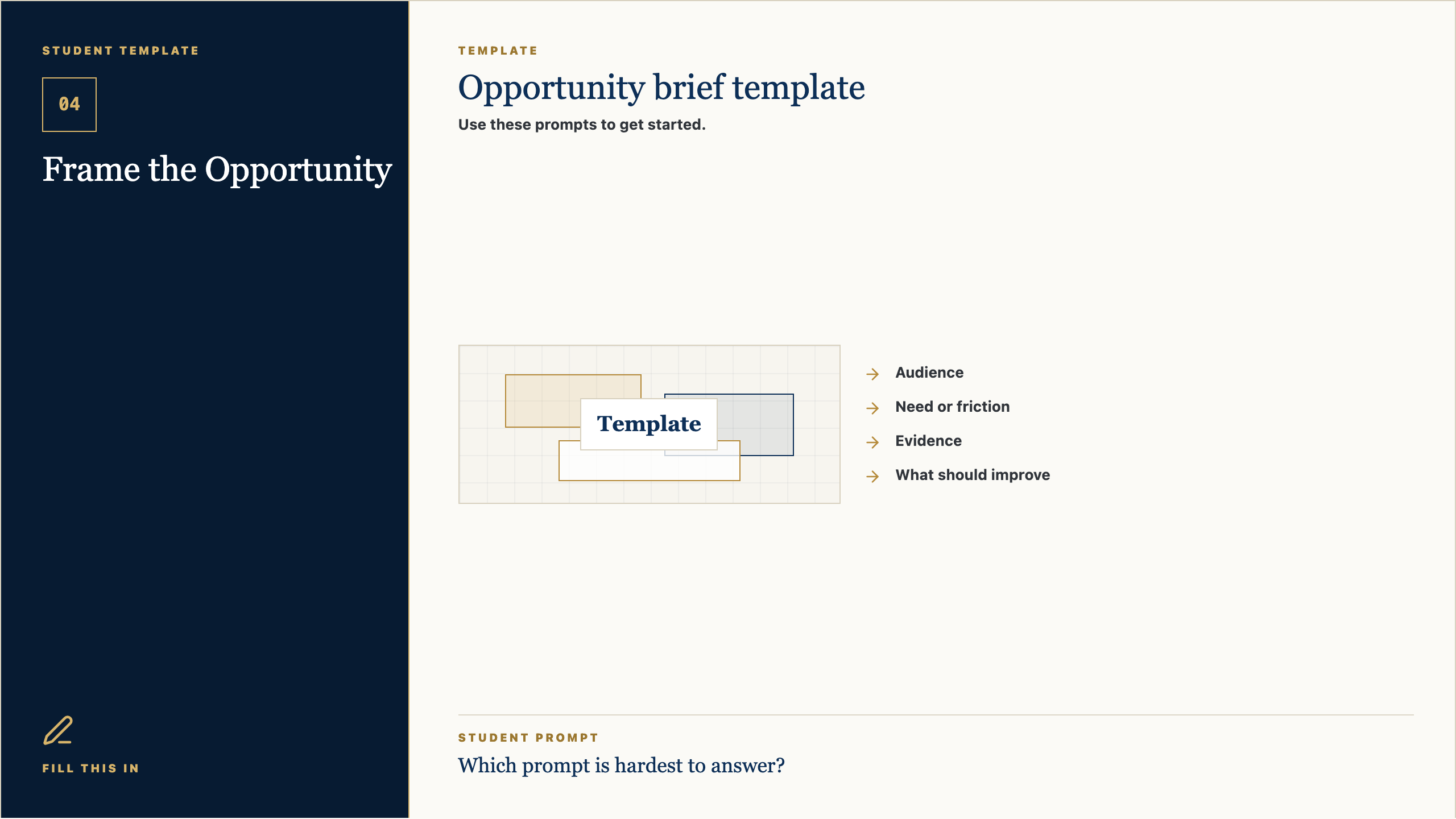
Opportunity brief template

Use these prompts to get started.

Template
  • Audience
  • Need or friction
  • Evidence
  • What should improve

Student Prompt

Which prompt is hardest to answer?

Open Student Template PNG

Talk Track

Use this template as a starting line, not a cage. If a prompt is easy, answer it quickly and move on. If one prompt makes you pause, that is probably where the real thinking is. Spend a little time there.

Context Set

Present the template as support, not a worksheet trap. Students should feel guided without feeling boxed in.

Say This

Use this template as a starting line, not a cage. If a prompt is easy, answer it quickly and move on. If one prompt makes you pause, that is probably where the real thinking is. Spend a little time there.

Engage The Room

Ask students to circle or mark the prompt that feels hardest. Then say: start there or save it for last, but do not ignore it. That prompt is probably telling you something useful.

Real-World Example

Say: A professional brief, design board, script, product spec, or research note often begins with simple fields like these. Simple fields force clear thinking before the work gets complicated.

Loop Back

Loop back by saying: the template is here to help you think clearly enough that another person can understand and respond.

Work Time

04

Frame the Opportunity

Studio Work

Make, share, revise, capture

Create your opportunity brief.

Students turn observations and interview evidence into a clear opportunity brief.

Make, share, revise, capture
  • Make the first version.
  • Ask what is clear or confusing.
  • Save your opportunity brief.

Student Prompt

Who is this for, and what should improve?

Open Work Time PNG

Talk Track

Now we move from talking to making. Your job is to create the first useful version of your opportunity brief. I will be walking around asking simple questions: Who is this for? What is clear? What needs another version?

Context Set

This is the transition from teacher voice to studio work. The script should be concise, energizing, and clear about what students should do next.

Say This

Now we move from talking to making. Your job is to create the first useful version of your opportunity brief. I will be walking around asking simple questions: Who is this for? What is clear? What needs another version?

Engage The Room

Set a visible timer. Tell students the first checkpoint is not for grading; it is for feedback. Halfway through, have them show one person what they have and ask: what is clear, and what is confusing?

Real-World Example

Say: This is how real creative work moves. You make a version, show it to someone, learn something, and make the next version better. Waiting until it is perfect usually means waiting too long.

Loop Back

Loop back by saying: by the end, save the evidence. If it is not saved, it cannot teach you anything next time.

Reflection Close

04

Frame the Opportunity

Portfolio Capture

Save the evidence

Before you leave

Save your work and name what you learned.

Save the evidence
  • Save your opportunity brief.
  • Write one sentence about what changed.
  • Name one next step.

Student Prompt

Who is this for, and what should improve?

Open Reflection Close PNG

Talk Track

Before you leave, save the work. Then answer this honestly: Who is this for, and what should improve? The reflection matters because it helps you see your own growth. A creator is not just someone who makes; a creator notices how the work changed.

Context Set

Use this as a calm close. The goal is to help students notice growth and preserve evidence without making reflection feel performative.

Say This

Before you leave, save the work. Then answer this honestly: Who is this for, and what should improve? The reflection matters because it helps you see your own growth. A creator is not just someone who makes; a creator notices how the work changed.

Engage The Room

Ask students to write one sentence only. Then invite one or two students to share a specific change: a clearer idea, a better question, a revised choice, or something they now understand.

Real-World Example

Say: Athletes watch film. Musicians listen back. Designers compare versions. Builders test what changed. Reflection is not extra; it is how people improve on purpose.

Loop Back

End by saying: next class we will use this saved evidence as the starting point. The work keeps moving.

Session Teaching Card

05

Generate Possibilities

How many good responses can this need inspire?

Objective

Create several possible responses before choosing a direction.

Method

Divergent concept generation

Evidence

Concept gallery

Setup Notes

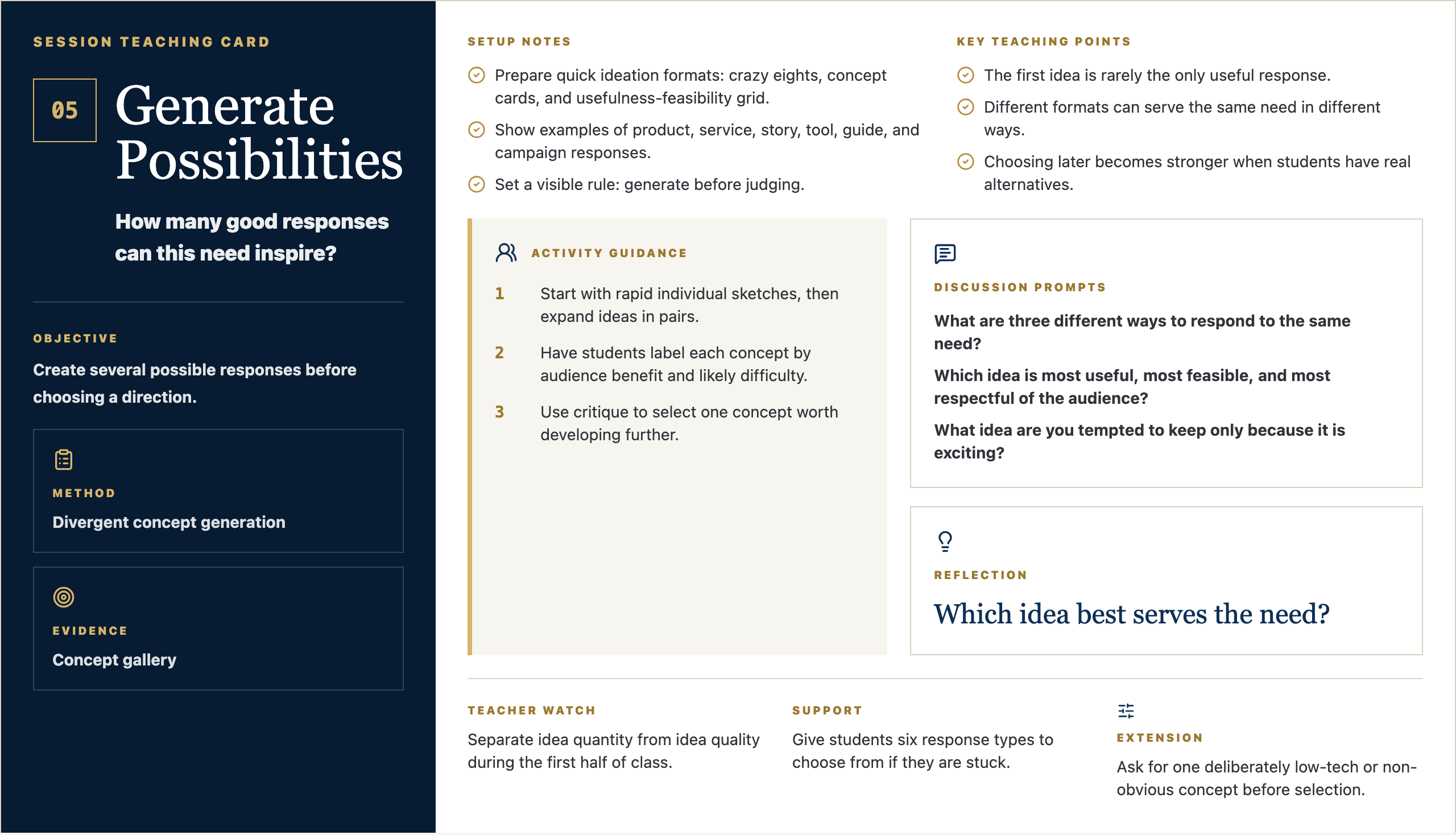
  • Prepare quick ideation formats: crazy eights, concept cards, and usefulness-feasibility grid.
  • Show examples of product, service, story, tool, guide, and campaign responses.
  • Set a visible rule: generate before judging.

Key Teaching Points

  • The first idea is rarely the only useful response.
  • Different formats can serve the same need in different ways.
  • Choosing later becomes stronger when students have real alternatives.

Activity Guidance

  1. 1Start with rapid individual sketches, then expand ideas in pairs.
  2. 2Have students label each concept by audience benefit and likely difficulty.
  3. 3Use critique to select one concept worth developing further.

Discussion Prompts

  • What are three different ways to respond to the same need?
  • Which idea is most useful, most feasible, and most respectful of the audience?
  • What idea are you tempted to keep only because it is exciting?

Reflection

Which idea best serves the need?

Teacher Watch

Separate idea quantity from idea quality during the first half of class.

Support

Give students six response types to choose from if they are stuck.

Extension

Ask for one deliberately low-tech or non-obvious concept before selection.

Message Frame Visuals

Four visual anchors for Studio 05

Student-facing slides for the session: question, purpose, concept, example, steps, template, work time, and reflection.

Opening Frame

05

Generate Possibilities

Studio 05 / Design

Driving Question

How many good responses can this need inspire?

Start with a quick written response.

Driving Question
  • What do you notice?
  • What questions do you have?
  • Why might this matter?

Student Prompt

Which idea best serves the need?

Open Opening Frame PNG

Talk Track

Alright, let's start with the question on the screen: How many good responses can this need inspire? Do not try to sound impressive yet. Just write what you honestly notice, what you wonder, or where your mind goes first. Good creators begin by paying attention.

Context Set

Set a calm pace. Give students a few seconds to look before you explain. The goal is to invite attention, not rush into performance.

Say This

Alright, let's start with the question on the screen: How many good responses can this need inspire? I do not want a perfect answer. I want your first honest answer. Write what you notice, what you wonder, or where your mind goes. Creators do not begin by pretending they already know. They begin by paying attention.

Engage The Room

Give students 45-60 seconds to write. Then ask for two volunteers: one who noticed something practical and one who had a question. Keep responses short and affirm the noticing, not the polish.

Real-World Example

Say: Think about a time a website, sign-up form, team group chat, lunch line, or school announcement made something easier or harder. Somebody designed that experience. Today we start learning how to see those choices.

Loop Back

Close the opening by saying: keep this question in the back of your mind. By the end of class, you should have one visible piece of thinking that moves your idea a little closer to something real.

Why It Matters

05

Generate Possibilities

Clarity before polish

Purpose

You are learning to make useful things.

Each class helps you move from an idea to something real.

Purpose
  • Notice what people need.
  • Make your thinking visible.
  • Improve the work as you learn.

Student Prompt

What kind of creator do I want to be?

Open Why It Matters PNG

Talk Track

The point of this studio is not to become a person who clicks buttons faster. The point is to become someone who can notice a need, shape an idea, and make something useful for somebody else. The tools will change. The habit of seeing clearly will stay with you.

Context Set

Use this slide to make the class feel bigger than tools. The tone should be invitational: students are being trusted with real creative responsibility.

Say This

The point of this studio is not to become a person who clicks buttons faster. The point is to become someone who can notice a need, shape an idea, and make something useful for somebody else. The tools will change. The habit of seeing clearly will stay with you.

Engage The Room

Ask: Where have you seen something small make life easier for people? Let students name ordinary examples: a good checklist, a clear map, a better form, a video that explains something, a schedule that saves confusion.

Real-World Example

Say: A useful thing does not have to be huge. It might be a club finder, a practice guide, a better way to explain service hours, a page for new students, or a tool that helps one person feel less lost.

Loop Back

Loop back to the studio promise: notice a real need, make the thinking visible, get feedback, and improve the work so it serves someone beyond the maker.

Concept Frame

05

Generate Possibilities

Clarity before polish

Turn evidence into a product direction people can understand.

Divergent concept generation

Create several possible responses before choosing a direction.

Turn evidence into a product direction people can understand.
  • Try the thinking move.
  • Use evidence when you can.
  • Be ready to explain your choice.

Student Prompt

What choice do I need to make today?

Open Concept Frame PNG

Talk Track

Today is about one move in the creator process. In this session, Generate Possibilities, we are practicing how to slow down enough to make a better choice. If you can explain why you made a choice, you are already working like a designer.

Context Set

Frame the concept as one professional move, not a lecture. Students should know what thinking habit they are practicing and why it matters.

Say This

Today is about one move in the creator process. In this session, Generate Possibilities, we are practicing how to slow down enough to make a better choice. If you can explain why you made a choice, you are already working like a designer.

Engage The Room

Ask students to point to the key word on the slide. Then ask: What would this look like if someone did it poorly? What would it look like if someone did it with care?

Real-World Example

Say: In real work, teams do this before they build. A product team, a coach, a teacher, a campus minister, a designer, or a student leader all have to decide what matters before asking people to follow a plan.

Loop Back

Bring it back by saying: the concept is not the final product. It is the move that helps your next version become more useful.

Artifact Example

05

Generate Possibilities

What Good Work Looks Like

Model

Concept gallery

Today you will make a concept gallery. Someone else should be able to understand it quickly.

Model
  • Make it clear.
  • Make it specific.
  • Make it useful for your project.

Student Prompt

What should be obvious in the artifact?

Open Artifact Example PNG

Talk Track

By the end of class, you should have a concept gallery. This is not busywork. It is evidence of your thinking. Someone should be able to look at it and understand what you are noticing, deciding, testing, or improving.

Context Set

Students need to know what they are making and why it counts. Keep the artifact concrete and remove mystery.

Say This

By the end of class, you should have a concept gallery. This is not busywork. It is evidence of your thinking. Someone should be able to look at it and understand what you are noticing, deciding, testing, or improving.

Engage The Room

Ask: What would make this artifact clear to someone who was not in class today? Take three answers and turn them into quality criteria on the spot.

Real-World Example

Say: Imagine you were absent and a classmate handed you their concept gallery. Could you tell what they cared about, what they learned, or what decision they made? That is the standard.

Loop Back

Loop back by saying: the artifact is a snapshot of your thinking today. It does not need to be final. It does need to be visible.

Simple Steps

05

Generate Possibilities

How To Start

Process

Make your concept gallery.

Start simple. You can improve it after feedback.

Process
  • Answer the template prompts.
  • Make a rough first version.
  • Share it before you polish it.

Student Prompt

What is the first small move I can make?

Open Simple Steps PNG

Talk Track

Here is the way in: keep it simple. Start with the prompts, make a rough first version, and do not wait for it to be perfect. We can improve rough work. We cannot improve work that only stays in your head.

Context Set

Lower the barrier to starting. This is where Mark's style should feel practical and reassuring: rough work is welcome because rough work can be improved.

Say This

Here is the way in: keep it simple. Start with the prompts, make a rough first version, and do not wait for it to be perfect. We can improve rough work. We cannot improve work that only stays in your head.

Engage The Room

Ask students to choose their first move silently: write, sketch, list, interview, map, prompt, revise, or test. Have them point to the step they will begin with before they open a tool.

Real-World Example

Say: Most good work starts as something unimpressive: a messy note, a box-and-arrow sketch, a sentence that is almost right, a page with the wrong layout. The important thing is that it exists, because now we can work with it.

Loop Back

Loop back by saying: your first version is not your identity. It is just the next piece of evidence.

Student Template

05

Generate Possibilities

Fill This In

Template

Concept gallery template

Use these prompts to get started.

Template
  • Idea name
  • Who it helps
  • How it might work
  • Why it could be useful

Student Prompt

Which prompt is hardest to answer?

Open Student Template PNG

Talk Track

Use this template as a starting line, not a cage. If a prompt is easy, answer it quickly and move on. If one prompt makes you pause, that is probably where the real thinking is. Spend a little time there.

Context Set

Present the template as support, not a worksheet trap. Students should feel guided without feeling boxed in.

Say This

Use this template as a starting line, not a cage. If a prompt is easy, answer it quickly and move on. If one prompt makes you pause, that is probably where the real thinking is. Spend a little time there.

Engage The Room

Ask students to circle or mark the prompt that feels hardest. Then say: start there or save it for last, but do not ignore it. That prompt is probably telling you something useful.

Real-World Example

Say: A professional brief, design board, script, product spec, or research note often begins with simple fields like these. Simple fields force clear thinking before the work gets complicated.

Loop Back

Loop back by saying: the template is here to help you think clearly enough that another person can understand and respond.

Work Time

05

Generate Possibilities

Studio Work

Make, share, revise, capture

Create your concept gallery.

Students sketch and compare multiple product concepts before selecting one to develop.

Make, share, revise, capture
  • Make the first version.
  • Ask what is clear or confusing.
  • Save your concept gallery.

Student Prompt

Which idea best serves the need?

Open Work Time PNG

Talk Track

Now we move from talking to making. Your job is to create the first useful version of your concept gallery. I will be walking around asking simple questions: Who is this for? What is clear? What needs another version?

Context Set

This is the transition from teacher voice to studio work. The script should be concise, energizing, and clear about what students should do next.

Say This

Now we move from talking to making. Your job is to create the first useful version of your concept gallery. I will be walking around asking simple questions: Who is this for? What is clear? What needs another version?

Engage The Room

Set a visible timer. Tell students the first checkpoint is not for grading; it is for feedback. Halfway through, have them show one person what they have and ask: what is clear, and what is confusing?

Real-World Example

Say: This is how real creative work moves. You make a version, show it to someone, learn something, and make the next version better. Waiting until it is perfect usually means waiting too long.

Loop Back

Loop back by saying: by the end, save the evidence. If it is not saved, it cannot teach you anything next time.

Reflection Close

05

Generate Possibilities

Portfolio Capture

Save the evidence

Before you leave

Save your work and name what you learned.

Save the evidence
  • Save your concept gallery.
  • Write one sentence about what changed.
  • Name one next step.

Student Prompt

Which idea best serves the need?

Open Reflection Close PNG

Talk Track

Before you leave, save the work. Then answer this honestly: Which idea best serves the need? The reflection matters because it helps you see your own growth. A creator is not just someone who makes; a creator notices how the work changed.

Context Set

Use this as a calm close. The goal is to help students notice growth and preserve evidence without making reflection feel performative.

Say This

Before you leave, save the work. Then answer this honestly: Which idea best serves the need? The reflection matters because it helps you see your own growth. A creator is not just someone who makes; a creator notices how the work changed.

Engage The Room

Ask students to write one sentence only. Then invite one or two students to share a specific change: a clearer idea, a better question, a revised choice, or something they now understand.

Real-World Example

Say: Athletes watch film. Musicians listen back. Designers compare versions. Builders test what changed. Reflection is not extra; it is how people improve on purpose.

Loop Back

End by saying: next class we will use this saved evidence as the starting point. The work keeps moving.

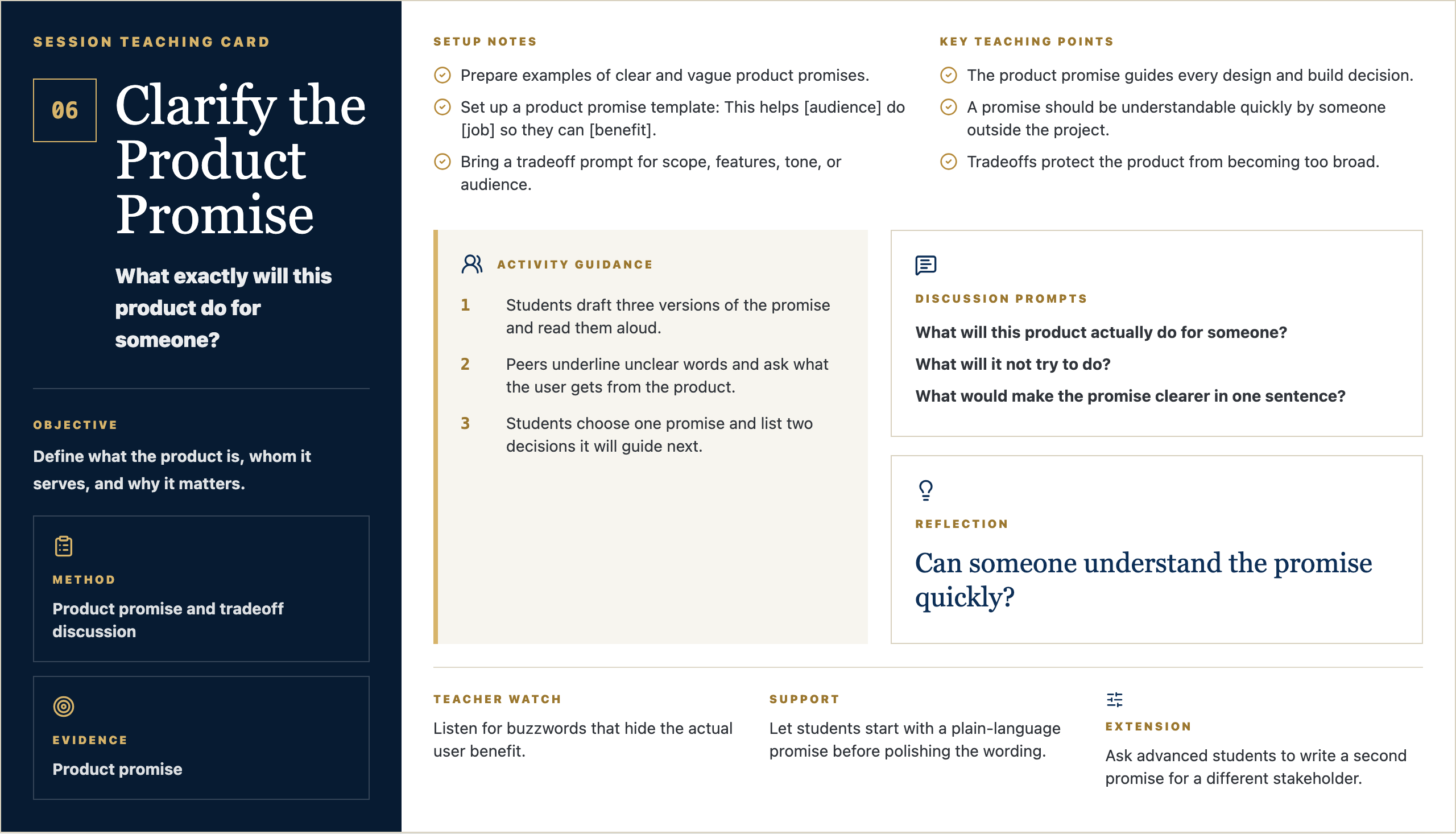
Session Teaching Card

06

Clarify the Product Promise

What exactly will this product do for someone?

Objective

Define what the product is, whom it serves, and why it matters.

Method

Product promise and tradeoff discussion

Evidence

Product promise

Setup Notes

  • Prepare examples of clear and vague product promises.
  • Set up a product promise template: This helps [audience] do [job] so they can [benefit].
  • Bring a tradeoff prompt for scope, features, tone, or audience.

Key Teaching Points

  • The product promise guides every design and build decision.
  • A promise should be understandable quickly by someone outside the project.
  • Tradeoffs protect the product from becoming too broad.

Activity Guidance

  1. 1Students draft three versions of the promise and read them aloud.
  2. 2Peers underline unclear words and ask what the user gets from the product.
  3. 3Students choose one promise and list two decisions it will guide next.

Discussion Prompts

  • What will this product actually do for someone?
  • What will it not try to do?
  • What would make the promise clearer in one sentence?

Reflection

Can someone understand the promise quickly?

Teacher Watch

Listen for buzzwords that hide the actual user benefit.

Support

Let students start with a plain-language promise before polishing the wording.

Extension

Ask advanced students to write a second promise for a different stakeholder.

Message Frame Visuals

Four visual anchors for Studio 06

Student-facing slides for the session: question, purpose, concept, example, steps, template, work time, and reflection.

Opening Frame

06

Clarify the Product Promise

Studio 06 / Design

Driving Question

What exactly will this product do for someone?

Start with a quick written response.

Driving Question
  • What do you notice?
  • What questions do you have?
  • Why might this matter?

Student Prompt

Can someone understand the promise quickly?

Open Opening Frame PNG

Talk Track

Alright, let's start with the question on the screen: What exactly will this product do for someone? Do not try to sound impressive yet. Just write what you honestly notice, what you wonder, or where your mind goes first. Good creators begin by paying attention.

Context Set

Set a calm pace. Give students a few seconds to look before you explain. The goal is to invite attention, not rush into performance.

Say This

Alright, let's start with the question on the screen: What exactly will this product do for someone? I do not want a perfect answer. I want your first honest answer. Write what you notice, what you wonder, or where your mind goes. Creators do not begin by pretending they already know. They begin by paying attention.

Engage The Room

Give students 45-60 seconds to write. Then ask for two volunteers: one who noticed something practical and one who had a question. Keep responses short and affirm the noticing, not the polish.

Real-World Example

Say: Think about a time a website, sign-up form, team group chat, lunch line, or school announcement made something easier or harder. Somebody designed that experience. Today we start learning how to see those choices.

Loop Back

Close the opening by saying: keep this question in the back of your mind. By the end of class, you should have one visible piece of thinking that moves your idea a little closer to something real.

Why It Matters

06

Clarify the Product Promise

Clarity before polish

Purpose

You are learning to make useful things.

Each class helps you move from an idea to something real.

Purpose
  • Notice what people need.
  • Make your thinking visible.
  • Improve the work as you learn.

Student Prompt

What kind of creator do I want to be?

Open Why It Matters PNG

Talk Track

The point of this studio is not to become a person who clicks buttons faster. The point is to become someone who can notice a need, shape an idea, and make something useful for somebody else. The tools will change. The habit of seeing clearly will stay with you.

Context Set

Use this slide to make the class feel bigger than tools. The tone should be invitational: students are being trusted with real creative responsibility.

Say This

The point of this studio is not to become a person who clicks buttons faster. The point is to become someone who can notice a need, shape an idea, and make something useful for somebody else. The tools will change. The habit of seeing clearly will stay with you.

Engage The Room

Ask: Where have you seen something small make life easier for people? Let students name ordinary examples: a good checklist, a clear map, a better form, a video that explains something, a schedule that saves confusion.

Real-World Example

Say: A useful thing does not have to be huge. It might be a club finder, a practice guide, a better way to explain service hours, a page for new students, or a tool that helps one person feel less lost.

Loop Back

Loop back to the studio promise: notice a real need, make the thinking visible, get feedback, and improve the work so it serves someone beyond the maker.

Concept Frame

06

Clarify the Product Promise

Clarity before polish

Turn evidence into a product direction people can understand.

Product promise and tradeoff discussion

Define what the product is, whom it serves, and why it matters.

Turn evidence into a product direction people can understand.
  • Try the thinking move.
  • Use evidence when you can.
  • Be ready to explain your choice.

Student Prompt

What choice do I need to make today?

Open Concept Frame PNG

Talk Track

Today is about one move in the creator process. In this session, Clarify the Product Promise, we are practicing how to slow down enough to make a better choice. If you can explain why you made a choice, you are already working like a designer.

Context Set

Frame the concept as one professional move, not a lecture. Students should know what thinking habit they are practicing and why it matters.

Say This

Today is about one move in the creator process. In this session, Clarify the Product Promise, we are practicing how to slow down enough to make a better choice. If you can explain why you made a choice, you are already working like a designer.

Engage The Room

Ask students to point to the key word on the slide. Then ask: What would this look like if someone did it poorly? What would it look like if someone did it with care?

Real-World Example

Say: In real work, teams do this before they build. A product team, a coach, a teacher, a campus minister, a designer, or a student leader all have to decide what matters before asking people to follow a plan.

Loop Back

Bring it back by saying: the concept is not the final product. It is the move that helps your next version become more useful.

Artifact Example

06

Clarify the Product Promise

What Good Work Looks Like

Model

Product promise

Today you will make a product promise. Someone else should be able to understand it quickly.

Model
  • Make it clear.
  • Make it specific.
  • Make it useful for your project.

Student Prompt

What should be obvious in the artifact?

Open Artifact Example PNG

Talk Track

By the end of class, you should have a product promise. This is not busywork. It is evidence of your thinking. Someone should be able to look at it and understand what you are noticing, deciding, testing, or improving.

Context Set

Students need to know what they are making and why it counts. Keep the artifact concrete and remove mystery.

Say This

By the end of class, you should have a product promise. This is not busywork. It is evidence of your thinking. Someone should be able to look at it and understand what you are noticing, deciding, testing, or improving.

Engage The Room

Ask: What would make this artifact clear to someone who was not in class today? Take three answers and turn them into quality criteria on the spot.

Real-World Example

Say: Imagine you were absent and a classmate handed you their product promise. Could you tell what they cared about, what they learned, or what decision they made? That is the standard.

Loop Back

Loop back by saying: the artifact is a snapshot of your thinking today. It does not need to be final. It does need to be visible.

Simple Steps

06

Clarify the Product Promise

How To Start

Process

Make your product promise.

Start simple. You can improve it after feedback.

Process
  • Answer the template prompts.
  • Make a rough first version.
  • Share it before you polish it.

Student Prompt

What is the first small move I can make?

Open Simple Steps PNG

Talk Track

Here is the way in: keep it simple. Start with the prompts, make a rough first version, and do not wait for it to be perfect. We can improve rough work. We cannot improve work that only stays in your head.

Context Set

Lower the barrier to starting. This is where Mark's style should feel practical and reassuring: rough work is welcome because rough work can be improved.

Say This

Here is the way in: keep it simple. Start with the prompts, make a rough first version, and do not wait for it to be perfect. We can improve rough work. We cannot improve work that only stays in your head.

Engage The Room

Ask students to choose their first move silently: write, sketch, list, interview, map, prompt, revise, or test. Have them point to the step they will begin with before they open a tool.

Real-World Example

Say: Most good work starts as something unimpressive: a messy note, a box-and-arrow sketch, a sentence that is almost right, a page with the wrong layout. The important thing is that it exists, because now we can work with it.

Loop Back

Loop back by saying: your first version is not your identity. It is just the next piece of evidence.

Student Template

06

Clarify the Product Promise

Fill This In

Template

Product promise template

Use these prompts to get started.

Template
  • This helps...
  • Do...
  • So they can...
  • The product will not try to...

Student Prompt

Which prompt is hardest to answer?

Open Student Template PNG

Talk Track

Use this template as a starting line, not a cage. If a prompt is easy, answer it quickly and move on. If one prompt makes you pause, that is probably where the real thinking is. Spend a little time there.

Context Set

Present the template as support, not a worksheet trap. Students should feel guided without feeling boxed in.

Say This

Use this template as a starting line, not a cage. If a prompt is easy, answer it quickly and move on. If one prompt makes you pause, that is probably where the real thinking is. Spend a little time there.

Engage The Room

Ask students to circle or mark the prompt that feels hardest. Then say: start there or save it for last, but do not ignore it. That prompt is probably telling you something useful.

Real-World Example

Say: A professional brief, design board, script, product spec, or research note often begins with simple fields like these. Simple fields force clear thinking before the work gets complicated.

Loop Back

Loop back by saying: the template is here to help you think clearly enough that another person can understand and respond.

Work Time

06

Clarify the Product Promise

Studio Work

Make, share, revise, capture

Create your product promise.

Students write a concise product promise that guides design and build decisions.

Make, share, revise, capture
  • Make the first version.
  • Ask what is clear or confusing.
  • Save your product promise.

Student Prompt

Can someone understand the promise quickly?

Open Work Time PNG

Talk Track

Now we move from talking to making. Your job is to create the first useful version of your product promise. I will be walking around asking simple questions: Who is this for? What is clear? What needs another version?

Context Set

This is the transition from teacher voice to studio work. The script should be concise, energizing, and clear about what students should do next.

Say This

Now we move from talking to making. Your job is to create the first useful version of your product promise. I will be walking around asking simple questions: Who is this for? What is clear? What needs another version?

Engage The Room

Set a visible timer. Tell students the first checkpoint is not for grading; it is for feedback. Halfway through, have them show one person what they have and ask: what is clear, and what is confusing?

Real-World Example

Say: This is how real creative work moves. You make a version, show it to someone, learn something, and make the next version better. Waiting until it is perfect usually means waiting too long.

Loop Back

Loop back by saying: by the end, save the evidence. If it is not saved, it cannot teach you anything next time.

Reflection Close

06

Clarify the Product Promise

Portfolio Capture

Save the evidence

Before you leave

Save your work and name what you learned.

Save the evidence
  • Save your product promise.
  • Write one sentence about what changed.
  • Name one next step.

Student Prompt

Can someone understand the promise quickly?

Open Reflection Close PNG

Talk Track

Before you leave, save the work. Then answer this honestly: Can someone understand the promise quickly? The reflection matters because it helps you see your own growth. A creator is not just someone who makes; a creator notices how the work changed.

Context Set

Use this as a calm close. The goal is to help students notice growth and preserve evidence without making reflection feel performative.

Say This

Before you leave, save the work. Then answer this honestly: Can someone understand the promise quickly? The reflection matters because it helps you see your own growth. A creator is not just someone who makes; a creator notices how the work changed.

Engage The Room

Ask students to write one sentence only. Then invite one or two students to share a specific change: a clearer idea, a better question, a revised choice, or something they now understand.

Real-World Example

Say: Athletes watch film. Musicians listen back. Designers compare versions. Builders test what changed. Reflection is not extra; it is how people improve on purpose.

Loop Back

End by saying: next class we will use this saved evidence as the starting point. The work keeps moving.

Session Teaching Card

07

Design the User Journey

What should the user experience from start to finish?

Objective

Map the experience from first encounter through completion.

Method

Journey mapping

Evidence

Journey map

Setup Notes

  • Prepare a user journey map with stages, user action, feeling, friction, and design opportunity.
  • Show a familiar journey such as finding a club, registering for an event, or getting homework help.
  • Have product promises visible for reference.

Key Teaching Points

  • A product is an experience over time, not just a screen.
  • Users need clarity at each step: where am I, what can I do, what happens next?
  • Journey maps reveal where trust can be gained or lost.

Activity Guidance

  1. 1Model a simple journey from first need to completed action.
  2. 2Students map the path and mark friction or confusion points.
  3. 3Pairs test each map by narrating the user's experience aloud.

Discussion Prompts

  • What happens before the user reaches the product?
  • Where could the user hesitate, misunderstand, or leave?
  • What moment matters most for trust?

Reflection

Where could a user get stuck or lose trust?

Teacher Watch

Students may jump to screens. Keep asking what the user is trying to accomplish.

Support

Limit beginner maps to five moments: arrives, understands, chooses, acts, finishes.

Extension

Ask students to map an alternate path for a confused or first-time user.

Message Frame Visuals

Four visual anchors for Studio 07

Student-facing slides for the session: question, purpose, concept, example, steps, template, work time, and reflection.

Opening Frame

07

Design the User Journey

Studio 07 / Design

Driving Question

What should the user experience from start to finish?

Start with a quick written response.

Driving Question
  • What do you notice?
  • What questions do you have?
  • Why might this matter?

Student Prompt

Where could a user get stuck or lose trust?

Open Opening Frame PNG

Talk Track

Alright, let's start with the question on the screen: What should the user experience from start to finish? Do not try to sound impressive yet. Just write what you honestly notice, what you wonder, or where your mind goes first. Good creators begin by paying attention.

Context Set

Set a calm pace. Give students a few seconds to look before you explain. The goal is to invite attention, not rush into performance.

Say This

Alright, let's start with the question on the screen: What should the user experience from start to finish? I do not want a perfect answer. I want your first honest answer. Write what you notice, what you wonder, or where your mind goes. Creators do not begin by pretending they already know. They begin by paying attention.

Engage The Room

Give students 45-60 seconds to write. Then ask for two volunteers: one who noticed something practical and one who had a question. Keep responses short and affirm the noticing, not the polish.

Real-World Example

Say: Think about a time a website, sign-up form, team group chat, lunch line, or school announcement made something easier or harder. Somebody designed that experience. Today we start learning how to see those choices.

Loop Back

Close the opening by saying: keep this question in the back of your mind. By the end of class, you should have one visible piece of thinking that moves your idea a little closer to something real.

Why It Matters

07

Design the User Journey

Clarity before polish

Purpose

You are learning to make useful things.

Each class helps you move from an idea to something real.

Purpose
  • Notice what people need.
  • Make your thinking visible.
  • Improve the work as you learn.

Student Prompt

What kind of creator do I want to be?

Open Why It Matters PNG

Talk Track

The point of this studio is not to become a person who clicks buttons faster. The point is to become someone who can notice a need, shape an idea, and make something useful for somebody else. The tools will change. The habit of seeing clearly will stay with you.

Context Set

Use this slide to make the class feel bigger than tools. The tone should be invitational: students are being trusted with real creative responsibility.

Say This

The point of this studio is not to become a person who clicks buttons faster. The point is to become someone who can notice a need, shape an idea, and make something useful for somebody else. The tools will change. The habit of seeing clearly will stay with you.

Engage The Room

Ask: Where have you seen something small make life easier for people? Let students name ordinary examples: a good checklist, a clear map, a better form, a video that explains something, a schedule that saves confusion.

Real-World Example

Say: A useful thing does not have to be huge. It might be a club finder, a practice guide, a better way to explain service hours, a page for new students, or a tool that helps one person feel less lost.

Loop Back

Loop back to the studio promise: notice a real need, make the thinking visible, get feedback, and improve the work so it serves someone beyond the maker.

Concept Frame

07

Design the User Journey

Clarity before polish

Turn evidence into a product direction people can understand.

Journey mapping

Map the experience from first encounter through completion.

Turn evidence into a product direction people can understand.
  • Try the thinking move.
  • Use evidence when you can.
  • Be ready to explain your choice.

Student Prompt

What choice do I need to make today?

Open Concept Frame PNG

Talk Track

Today is about one move in the creator process. In this session, Design the User Journey, we are practicing how to slow down enough to make a better choice. If you can explain why you made a choice, you are already working like a designer.

Context Set

Frame the concept as one professional move, not a lecture. Students should know what thinking habit they are practicing and why it matters.

Say This

Today is about one move in the creator process. In this session, Design the User Journey, we are practicing how to slow down enough to make a better choice. If you can explain why you made a choice, you are already working like a designer.

Engage The Room

Ask students to point to the key word on the slide. Then ask: What would this look like if someone did it poorly? What would it look like if someone did it with care?

Real-World Example

Say: In real work, teams do this before they build. A product team, a coach, a teacher, a campus minister, a designer, or a student leader all have to decide what matters before asking people to follow a plan.

Loop Back

Bring it back by saying: the concept is not the final product. It is the move that helps your next version become more useful.

Artifact Example

07

Design the User Journey

What Good Work Looks Like

Model

Journey map

Today you will make a journey map. Someone else should be able to understand it quickly.

Model
  • Make it clear.
  • Make it specific.
  • Make it useful for your project.

Student Prompt

What should be obvious in the artifact?

Open Artifact Example PNG

Talk Track

By the end of class, you should have a journey map. This is not busywork. It is evidence of your thinking. Someone should be able to look at it and understand what you are noticing, deciding, testing, or improving.

Context Set

Students need to know what they are making and why it counts. Keep the artifact concrete and remove mystery.

Say This

By the end of class, you should have a journey map. This is not busywork. It is evidence of your thinking. Someone should be able to look at it and understand what you are noticing, deciding, testing, or improving.

Engage The Room

Ask: What would make this artifact clear to someone who was not in class today? Take three answers and turn them into quality criteria on the spot.

Real-World Example

Say: Imagine you were absent and a classmate handed you their journey map. Could you tell what they cared about, what they learned, or what decision they made? That is the standard.

Loop Back

Loop back by saying: the artifact is a snapshot of your thinking today. It does not need to be final. It does need to be visible.

Simple Steps

07

Design the User Journey

How To Start

Process

Make your journey map.

Start simple. You can improve it after feedback.

Process
  • Answer the template prompts.
  • Make a rough first version.
  • Share it before you polish it.

Student Prompt

What is the first small move I can make?

Open Simple Steps PNG

Talk Track

Here is the way in: keep it simple. Start with the prompts, make a rough first version, and do not wait for it to be perfect. We can improve rough work. We cannot improve work that only stays in your head.

Context Set

Lower the barrier to starting. This is where Mark's style should feel practical and reassuring: rough work is welcome because rough work can be improved.

Say This

Here is the way in: keep it simple. Start with the prompts, make a rough first version, and do not wait for it to be perfect. We can improve rough work. We cannot improve work that only stays in your head.

Engage The Room

Ask students to choose their first move silently: write, sketch, list, interview, map, prompt, revise, or test. Have them point to the step they will begin with before they open a tool.

Real-World Example

Say: Most good work starts as something unimpressive: a messy note, a box-and-arrow sketch, a sentence that is almost right, a page with the wrong layout. The important thing is that it exists, because now we can work with it.

Loop Back

Loop back by saying: your first version is not your identity. It is just the next piece of evidence.

Student Template

07

Design the User Journey

Fill This In

Template

Journey map template

Use these prompts to get started.

Template
  • First moment
  • User action
  • Possible confusion
  • Design decision

Student Prompt

Which prompt is hardest to answer?

Open Student Template PNG

Talk Track

Use this template as a starting line, not a cage. If a prompt is easy, answer it quickly and move on. If one prompt makes you pause, that is probably where the real thinking is. Spend a little time there.

Context Set

Present the template as support, not a worksheet trap. Students should feel guided without feeling boxed in.

Say This

Use this template as a starting line, not a cage. If a prompt is easy, answer it quickly and move on. If one prompt makes you pause, that is probably where the real thinking is. Spend a little time there.

Engage The Room

Ask students to circle or mark the prompt that feels hardest. Then say: start there or save it for last, but do not ignore it. That prompt is probably telling you something useful.

Real-World Example

Say: A professional brief, design board, script, product spec, or research note often begins with simple fields like these. Simple fields force clear thinking before the work gets complicated.

Loop Back

Loop back by saying: the template is here to help you think clearly enough that another person can understand and respond.

Work Time

07

Design the User Journey

Studio Work

Make, share, revise, capture

Create your journey map.

Students map the key moments a user moves through and identify where clarity matters most.

Make, share, revise, capture
  • Make the first version.
  • Ask what is clear or confusing.
  • Save your journey map.

Student Prompt

Where could a user get stuck or lose trust?

Open Work Time PNG

Talk Track

Now we move from talking to making. Your job is to create the first useful version of your journey map. I will be walking around asking simple questions: Who is this for? What is clear? What needs another version?

Context Set

This is the transition from teacher voice to studio work. The script should be concise, energizing, and clear about what students should do next.

Say This

Now we move from talking to making. Your job is to create the first useful version of your journey map. I will be walking around asking simple questions: Who is this for? What is clear? What needs another version?

Engage The Room

Set a visible timer. Tell students the first checkpoint is not for grading; it is for feedback. Halfway through, have them show one person what they have and ask: what is clear, and what is confusing?

Real-World Example

Say: This is how real creative work moves. You make a version, show it to someone, learn something, and make the next version better. Waiting until it is perfect usually means waiting too long.

Loop Back

Loop back by saying: by the end, save the evidence. If it is not saved, it cannot teach you anything next time.

Reflection Close

07

Design the User Journey

Portfolio Capture

Save the evidence

Before you leave

Save your work and name what you learned.

Save the evidence
  • Save your journey map.
  • Write one sentence about what changed.
  • Name one next step.

Student Prompt

Where could a user get stuck or lose trust?

Open Reflection Close PNG

Talk Track

Before you leave, save the work. Then answer this honestly: Where could a user get stuck or lose trust? The reflection matters because it helps you see your own growth. A creator is not just someone who makes; a creator notices how the work changed.

Context Set

Use this as a calm close. The goal is to help students notice growth and preserve evidence without making reflection feel performative.

Say This

Before you leave, save the work. Then answer this honestly: Where could a user get stuck or lose trust? The reflection matters because it helps you see your own growth. A creator is not just someone who makes; a creator notices how the work changed.

Engage The Room

Ask students to write one sentence only. Then invite one or two students to share a specific change: a clearer idea, a better question, a revised choice, or something they now understand.

Real-World Example

Say: Athletes watch film. Musicians listen back. Designers compare versions. Builders test what changed. Reflection is not extra; it is how people improve on purpose.

Loop Back

End by saying: next class we will use this saved evidence as the starting point. The work keeps moving.

Session Teaching Card

08

Design the Interface and Content

What structure, words, and choices make the experience clear?

Objective

Create structure, hierarchy, navigation, and key messages.

Method

Wireframing and content hierarchy

Evidence

Wireframe

Setup Notes

  • Prepare wireframe examples showing hierarchy, navigation, labels, calls to action, and empty states.
  • Review accessibility basics: readable text, contrast, clear labels, and predictable navigation.
  • Make paper or digital wireframe templates available.

Key Teaching Points

  • Interface design makes the promise visible.
  • Words are part of the design, not decoration after the fact.
  • The most important action or information should be obvious without explanation.

Activity Guidance

  1. 1Annotate a model wireframe and name hierarchy decisions.
  2. 2Students draft a wireframe and write the key content blocks.
  3. 3Run a clarity pass where peers point to the first thing they notice and the next action.

Discussion Prompts

  • What should the user see first?
  • Which words make the action clearer?
  • What information can move later or disappear?

Reflection

What should be obvious without explanation?

Teacher Watch

Challenge decorative design choices that do not support the user path.

Support

Give a simple page structure: title, user need, action, supporting details, next step.

Extension

Ask students to create mobile and desktop versions with the same hierarchy.

Message Frame Visuals

Four visual anchors for Studio 08

Student-facing slides for the session: question, purpose, concept, example, steps, template, work time, and reflection.

Opening Frame

08

Design the Interface and Content

Studio 08 / Design

Driving Question

What structure, words, and choices make the experience clear?

Start with a quick written response.

Driving Question
  • What do you notice?
  • What questions do you have?
  • Why might this matter?

Student Prompt

What should be obvious without explanation?

Open Opening Frame PNG

Talk Track

Alright, let's start with the question on the screen: What structure, words, and choices make the experience clear? Do not try to sound impressive yet. Just write what you honestly notice, what you wonder, or where your mind goes first. Good creators begin by paying attention.

Context Set

Set a calm pace. Give students a few seconds to look before you explain. The goal is to invite attention, not rush into performance.

Say This

Alright, let's start with the question on the screen: What structure, words, and choices make the experience clear? I do not want a perfect answer. I want your first honest answer. Write what you notice, what you wonder, or where your mind goes. Creators do not begin by pretending they already know. They begin by paying attention.

Engage The Room

Give students 45-60 seconds to write. Then ask for two volunteers: one who noticed something practical and one who had a question. Keep responses short and affirm the noticing, not the polish.

Real-World Example

Say: Think about a time a website, sign-up form, team group chat, lunch line, or school announcement made something easier or harder. Somebody designed that experience. Today we start learning how to see those choices.

Loop Back

Close the opening by saying: keep this question in the back of your mind. By the end of class, you should have one visible piece of thinking that moves your idea a little closer to something real.

Why It Matters

08

Design the Interface and Content

Clarity before polish

Purpose

You are learning to make useful things.

Each class helps you move from an idea to something real.

Purpose
  • Notice what people need.
  • Make your thinking visible.
  • Improve the work as you learn.

Student Prompt

What kind of creator do I want to be?

Open Why It Matters PNG

Talk Track

The point of this studio is not to become a person who clicks buttons faster. The point is to become someone who can notice a need, shape an idea, and make something useful for somebody else. The tools will change. The habit of seeing clearly will stay with you.

Context Set

Use this slide to make the class feel bigger than tools. The tone should be invitational: students are being trusted with real creative responsibility.

Say This

The point of this studio is not to become a person who clicks buttons faster. The point is to become someone who can notice a need, shape an idea, and make something useful for somebody else. The tools will change. The habit of seeing clearly will stay with you.

Engage The Room

Ask: Where have you seen something small make life easier for people? Let students name ordinary examples: a good checklist, a clear map, a better form, a video that explains something, a schedule that saves confusion.

Real-World Example

Say: A useful thing does not have to be huge. It might be a club finder, a practice guide, a better way to explain service hours, a page for new students, or a tool that helps one person feel less lost.

Loop Back

Loop back to the studio promise: notice a real need, make the thinking visible, get feedback, and improve the work so it serves someone beyond the maker.

Concept Frame

08

Design the Interface and Content

Clarity before polish

Turn evidence into a product direction people can understand.

Wireframing and content hierarchy

Create structure, hierarchy, navigation, and key messages.

Turn evidence into a product direction people can understand.
  • Try the thinking move.
  • Use evidence when you can.
  • Be ready to explain your choice.

Student Prompt

What choice do I need to make today?

Open Concept Frame PNG

Talk Track

Today is about one move in the creator process. In this session, Design the Interface and Content, we are practicing how to slow down enough to make a better choice. If you can explain why you made a choice, you are already working like a designer.

Context Set

Frame the concept as one professional move, not a lecture. Students should know what thinking habit they are practicing and why it matters.

Say This

Today is about one move in the creator process. In this session, Design the Interface and Content, we are practicing how to slow down enough to make a better choice. If you can explain why you made a choice, you are already working like a designer.

Engage The Room

Ask students to point to the key word on the slide. Then ask: What would this look like if someone did it poorly? What would it look like if someone did it with care?

Real-World Example

Say: In real work, teams do this before they build. A product team, a coach, a teacher, a campus minister, a designer, or a student leader all have to decide what matters before asking people to follow a plan.

Loop Back

Bring it back by saying: the concept is not the final product. It is the move that helps your next version become more useful.

Artifact Example

08

Design the Interface and Content

What Good Work Looks Like

Model

Wireframe

Today you will make a wireframe. Someone else should be able to understand it quickly.

Model
  • Make it clear.
  • Make it specific.
  • Make it useful for your project.

Student Prompt

What should be obvious in the artifact?

Open Artifact Example PNG

Talk Track

By the end of class, you should have a wireframe. This is not busywork. It is evidence of your thinking. Someone should be able to look at it and understand what you are noticing, deciding, testing, or improving.

Context Set

Students need to know what they are making and why it counts. Keep the artifact concrete and remove mystery.

Say This

By the end of class, you should have a wireframe. This is not busywork. It is evidence of your thinking. Someone should be able to look at it and understand what you are noticing, deciding, testing, or improving.

Engage The Room

Ask: What would make this artifact clear to someone who was not in class today? Take three answers and turn them into quality criteria on the spot.

Real-World Example

Say: Imagine you were absent and a classmate handed you their wireframe. Could you tell what they cared about, what they learned, or what decision they made? That is the standard.

Loop Back

Loop back by saying: the artifact is a snapshot of your thinking today. It does not need to be final. It does need to be visible.

Simple Steps

08

Design the Interface and Content

How To Start

Process

Make your wireframe.

Start simple. You can improve it after feedback.

Process
  • Answer the template prompts.
  • Make a rough first version.
  • Share it before you polish it.

Student Prompt

What is the first small move I can make?

Open Simple Steps PNG

Talk Track

Here is the way in: keep it simple. Start with the prompts, make a rough first version, and do not wait for it to be perfect. We can improve rough work. We cannot improve work that only stays in your head.

Context Set

Lower the barrier to starting. This is where Mark's style should feel practical and reassuring: rough work is welcome because rough work can be improved.

Say This

Here is the way in: keep it simple. Start with the prompts, make a rough first version, and do not wait for it to be perfect. We can improve rough work. We cannot improve work that only stays in your head.

Engage The Room

Ask students to choose their first move silently: write, sketch, list, interview, map, prompt, revise, or test. Have them point to the step they will begin with before they open a tool.

Real-World Example

Say: Most good work starts as something unimpressive: a messy note, a box-and-arrow sketch, a sentence that is almost right, a page with the wrong layout. The important thing is that it exists, because now we can work with it.

Loop Back

Loop back by saying: your first version is not your identity. It is just the next piece of evidence.

Student Template

08

Design the Interface and Content

Fill This In

Template

Wireframe template

Use these prompts to get started.

Template
  • First thing users see
  • Main action
  • Key words
  • Supporting information

Student Prompt

Which prompt is hardest to answer?

Open Student Template PNG

Talk Track

Use this template as a starting line, not a cage. If a prompt is easy, answer it quickly and move on. If one prompt makes you pause, that is probably where the real thinking is. Spend a little time there.

Context Set

Present the template as support, not a worksheet trap. Students should feel guided without feeling boxed in.

Say This

Use this template as a starting line, not a cage. If a prompt is easy, answer it quickly and move on. If one prompt makes you pause, that is probably where the real thinking is. Spend a little time there.

Engage The Room

Ask students to circle or mark the prompt that feels hardest. Then say: start there or save it for last, but do not ignore it. That prompt is probably telling you something useful.

Real-World Example

Say: A professional brief, design board, script, product spec, or research note often begins with simple fields like these. Simple fields force clear thinking before the work gets complicated.

Loop Back

Loop back by saying: the template is here to help you think clearly enough that another person can understand and respond.

Work Time

08

Design the Interface and Content

Studio Work

Make, share, revise, capture

Create your wireframe.

Students create a wireframe with clear content hierarchy and accessible navigation choices.

Make, share, revise, capture
  • Make the first version.
  • Ask what is clear or confusing.
  • Save your wireframe.

Student Prompt

What should be obvious without explanation?

Open Work Time PNG

Talk Track

Now we move from talking to making. Your job is to create the first useful version of your wireframe. I will be walking around asking simple questions: Who is this for? What is clear? What needs another version?

Context Set

This is the transition from teacher voice to studio work. The script should be concise, energizing, and clear about what students should do next.

Say This

Now we move from talking to making. Your job is to create the first useful version of your wireframe. I will be walking around asking simple questions: Who is this for? What is clear? What needs another version?

Engage The Room

Set a visible timer. Tell students the first checkpoint is not for grading; it is for feedback. Halfway through, have them show one person what they have and ask: what is clear, and what is confusing?

Real-World Example

Say: This is how real creative work moves. You make a version, show it to someone, learn something, and make the next version better. Waiting until it is perfect usually means waiting too long.

Loop Back

Loop back by saying: by the end, save the evidence. If it is not saved, it cannot teach you anything next time.

Reflection Close

08

Design the Interface and Content

Portfolio Capture

Save the evidence

Before you leave

Save your work and name what you learned.

Save the evidence
  • Save your wireframe.
  • Write one sentence about what changed.
  • Name one next step.

Student Prompt

What should be obvious without explanation?

Open Reflection Close PNG

Talk Track

Before you leave, save the work. Then answer this honestly: What should be obvious without explanation? The reflection matters because it helps you see your own growth. A creator is not just someone who makes; a creator notices how the work changed.

Context Set

Use this as a calm close. The goal is to help students notice growth and preserve evidence without making reflection feel performative.

Say This

Before you leave, save the work. Then answer this honestly: What should be obvious without explanation? The reflection matters because it helps you see your own growth. A creator is not just someone who makes; a creator notices how the work changed.

Engage The Room

Ask students to write one sentence only. Then invite one or two students to share a specific change: a clearer idea, a better question, a revised choice, or something they now understand.

Real-World Example

Say: Athletes watch film. Musicians listen back. Designers compare versions. Builders test what changed. Reflection is not extra; it is how people improve on purpose.

Loop Back

End by saying: next class we will use this saved evidence as the starting point. The work keeps moving.

Session Teaching Card

09

Prototype Before Building

What can I test before investing in the final build?

Objective

Create a low-fidelity version and gather early feedback.

Method

Low-fidelity prototype sprint

Evidence

Prototype

Setup Notes

  • Prepare low-fidelity prototyping options in paper, slides, Figma, Canva, or simple HTML.
  • Set the expectation that prototypes are for learning, not impressing.
  • Create a feedback form focused on clarity, missing information, and user action.

Key Teaching Points

  • Prototype early so mistakes are inexpensive.
  • A useful prototype is clear enough for feedback even if it is unfinished.
  • Feedback should point to what the user understands, misses, or needs next.

Activity Guidance

  1. 1Students build a quick prototype from the promise, journey map, and wireframe.
  2. 2Peers use the prototype silently first, then describe what they understood.
  3. 3Students record one finding and one revision to make before building.

Discussion Prompts

  • What can you test before building the final version?
  • What is the smallest version that can teach you something?
  • What did feedback reveal that the creator could not see alone?

Reflection

What did early feedback reveal?

Teacher Watch

Keep students from over-polishing. The goal is learning through a rough version.

Support

Allow a paper clickable flow or slide prototype if tools slow the student down.

Extension

Ask advanced students to test two alternate versions of one key moment.

Message Frame Visuals

Four visual anchors for Studio 09

Student-facing slides for the session: question, purpose, concept, example, steps, template, work time, and reflection.

Opening Frame

09

Prototype Before Building

Studio 09 / Build

Driving Question

What can I test before investing in the final build?

Start with a quick written response.

Driving Question
  • What do you notice?
  • What questions do you have?
  • Why might this matter?

Student Prompt

What did early feedback reveal?

Open Opening Frame PNG

Talk Track

Alright, let's start with the question on the screen: What can I test before investing in the final build? Do not try to sound impressive yet. Just write what you honestly notice, what you wonder, or where your mind goes first. Good creators begin by paying attention.

Context Set

Set a calm pace. Give students a few seconds to look before you explain. The goal is to invite attention, not rush into performance.

Say This

Alright, let's start with the question on the screen: What can I test before investing in the final build? I do not want a perfect answer. I want your first honest answer. Write what you notice, what you wonder, or where your mind goes. Creators do not begin by pretending they already know. They begin by paying attention.

Engage The Room

Give students 45-60 seconds to write. Then ask for two volunteers: one who noticed something practical and one who had a question. Keep responses short and affirm the noticing, not the polish.

Real-World Example

Say: Think about a time a website, sign-up form, team group chat, lunch line, or school announcement made something easier or harder. Somebody designed that experience. Today we start learning how to see those choices.

Loop Back

Close the opening by saying: keep this question in the back of your mind. By the end of class, you should have one visible piece of thinking that moves your idea a little closer to something real.

Why It Matters

09

Prototype Before Building

Prototype before perfection

Purpose

You are learning to make useful things.

Each class helps you move from an idea to something real.

Purpose
  • Notice what people need.
  • Make your thinking visible.
  • Improve the work as you learn.

Student Prompt

What kind of creator do I want to be?

Open Why It Matters PNG

Talk Track

The point of this studio is not to become a person who clicks buttons faster. The point is to become someone who can notice a need, shape an idea, and make something useful for somebody else. The tools will change. The habit of seeing clearly will stay with you.

Context Set

Use this slide to make the class feel bigger than tools. The tone should be invitational: students are being trusted with real creative responsibility.

Say This

The point of this studio is not to become a person who clicks buttons faster. The point is to become someone who can notice a need, shape an idea, and make something useful for somebody else. The tools will change. The habit of seeing clearly will stay with you.

Engage The Room

Ask: Where have you seen something small make life easier for people? Let students name ordinary examples: a good checklist, a clear map, a better form, a video that explains something, a schedule that saves confusion.

Real-World Example

Say: A useful thing does not have to be huge. It might be a club finder, a practice guide, a better way to explain service hours, a page for new students, or a tool that helps one person feel less lost.

Loop Back

Loop back to the studio promise: notice a real need, make the thinking visible, get feedback, and improve the work so it serves someone beyond the maker.

Concept Frame

09

Prototype Before Building

Prototype before perfection

Make the idea visible, testable, and responsibly improved.

Low-fidelity prototype sprint

Create a low-fidelity version and gather early feedback.

Make the idea visible, testable, and responsibly improved.
  • Try the thinking move.
  • Use evidence when you can.
  • Be ready to explain your choice.

Student Prompt

What choice do I need to make today?

Open Concept Frame PNG

Talk Track

Today is about one move in the creator process. In this session, Prototype Before Building, we are practicing how to slow down enough to make a better choice. If you can explain why you made a choice, you are already working like a designer.

Context Set

Frame the concept as one professional move, not a lecture. Students should know what thinking habit they are practicing and why it matters.

Say This

Today is about one move in the creator process. In this session, Prototype Before Building, we are practicing how to slow down enough to make a better choice. If you can explain why you made a choice, you are already working like a designer.

Engage The Room

Ask students to point to the key word on the slide. Then ask: What would this look like if someone did it poorly? What would it look like if someone did it with care?

Real-World Example

Say: In real work, teams do this before they build. A product team, a coach, a teacher, a campus minister, a designer, or a student leader all have to decide what matters before asking people to follow a plan.

Loop Back

Bring it back by saying: the concept is not the final product. It is the move that helps your next version become more useful.

Artifact Example

09

Prototype Before Building

What Good Work Looks Like

Model

Prototype

Today you will make a prototype. Someone else should be able to understand it quickly.

Model
  • Make it clear.
  • Make it specific.
  • Make it useful for your project.

Student Prompt

What should be obvious in the artifact?

Open Artifact Example PNG

Talk Track

By the end of class, you should have a prototype. This is not busywork. It is evidence of your thinking. Someone should be able to look at it and understand what you are noticing, deciding, testing, or improving.

Context Set

Students need to know what they are making and why it counts. Keep the artifact concrete and remove mystery.

Say This

By the end of class, you should have a prototype. This is not busywork. It is evidence of your thinking. Someone should be able to look at it and understand what you are noticing, deciding, testing, or improving.

Engage The Room

Ask: What would make this artifact clear to someone who was not in class today? Take three answers and turn them into quality criteria on the spot.

Real-World Example

Say: Imagine you were absent and a classmate handed you their prototype. Could you tell what they cared about, what they learned, or what decision they made? That is the standard.

Loop Back

Loop back by saying: the artifact is a snapshot of your thinking today. It does not need to be final. It does need to be visible.

Simple Steps

09

Prototype Before Building

How To Start

Process

Make your prototype.

Start simple. You can improve it after feedback.

Process
  • Answer the template prompts.
  • Make a rough first version.
  • Share it before you polish it.

Student Prompt

What is the first small move I can make?

Open Simple Steps PNG

Talk Track

Here is the way in: keep it simple. Start with the prompts, make a rough first version, and do not wait for it to be perfect. We can improve rough work. We cannot improve work that only stays in your head.

Context Set

Lower the barrier to starting. This is where Mark's style should feel practical and reassuring: rough work is welcome because rough work can be improved.

Say This

Here is the way in: keep it simple. Start with the prompts, make a rough first version, and do not wait for it to be perfect. We can improve rough work. We cannot improve work that only stays in your head.

Engage The Room

Ask students to choose their first move silently: write, sketch, list, interview, map, prompt, revise, or test. Have them point to the step they will begin with before they open a tool.

Real-World Example

Say: Most good work starts as something unimpressive: a messy note, a box-and-arrow sketch, a sentence that is almost right, a page with the wrong layout. The important thing is that it exists, because now we can work with it.

Loop Back

Loop back by saying: your first version is not your identity. It is just the next piece of evidence.

Student Template

09

Prototype Before Building

Fill This In

Template

Prototype template

Use these prompts to get started.

Template
  • What I am testing
  • What the user can try
  • What feedback I need
  • What I will revise next

Student Prompt

Which prompt is hardest to answer?

Open Student Template PNG

Talk Track

Use this template as a starting line, not a cage. If a prompt is easy, answer it quickly and move on. If one prompt makes you pause, that is probably where the real thinking is. Spend a little time there.

Context Set

Present the template as support, not a worksheet trap. Students should feel guided without feeling boxed in.

Say This

Use this template as a starting line, not a cage. If a prompt is easy, answer it quickly and move on. If one prompt makes you pause, that is probably where the real thinking is. Spend a little time there.

Engage The Room

Ask students to circle or mark the prompt that feels hardest. Then say: start there or save it for last, but do not ignore it. That prompt is probably telling you something useful.

Real-World Example

Say: A professional brief, design board, script, product spec, or research note often begins with simple fields like these. Simple fields force clear thinking before the work gets complicated.

Loop Back

Loop back by saying: the template is here to help you think clearly enough that another person can understand and respond.

Work Time

09

Prototype Before Building

Studio Work

Make, share, revise, capture

Create your prototype.

Students create a quick prototype and use feedback to find what is unclear or missing.

Make, share, revise, capture
  • Make the first version.
  • Ask what is clear or confusing.
  • Save your prototype.

Student Prompt

What did early feedback reveal?

Open Work Time PNG

Talk Track

Now we move from talking to making. Your job is to create the first useful version of your prototype. I will be walking around asking simple questions: Who is this for? What is clear? What needs another version?

Context Set

This is the transition from teacher voice to studio work. The script should be concise, energizing, and clear about what students should do next.

Say This

Now we move from talking to making. Your job is to create the first useful version of your prototype. I will be walking around asking simple questions: Who is this for? What is clear? What needs another version?

Engage The Room

Set a visible timer. Tell students the first checkpoint is not for grading; it is for feedback. Halfway through, have them show one person what they have and ask: what is clear, and what is confusing?

Real-World Example

Say: This is how real creative work moves. You make a version, show it to someone, learn something, and make the next version better. Waiting until it is perfect usually means waiting too long.

Loop Back

Loop back by saying: by the end, save the evidence. If it is not saved, it cannot teach you anything next time.

Reflection Close

09

Prototype Before Building

Portfolio Capture

Save the evidence

Before you leave

Save your work and name what you learned.

Save the evidence
  • Save your prototype.
  • Write one sentence about what changed.
  • Name one next step.

Student Prompt

What did early feedback reveal?

Open Reflection Close PNG

Talk Track

Before you leave, save the work. Then answer this honestly: What did early feedback reveal? The reflection matters because it helps you see your own growth. A creator is not just someone who makes; a creator notices how the work changed.

Context Set

Use this as a calm close. The goal is to help students notice growth and preserve evidence without making reflection feel performative.

Say This

Before you leave, save the work. Then answer this honestly: What did early feedback reveal? The reflection matters because it helps you see your own growth. A creator is not just someone who makes; a creator notices how the work changed.

Engage The Room

Ask students to write one sentence only. Then invite one or two students to share a specific change: a clearer idea, a better question, a revised choice, or something they now understand.

Real-World Example

Say: Athletes watch film. Musicians listen back. Designers compare versions. Builders test what changed. Reflection is not extra; it is how people improve on purpose.

Loop Back

End by saying: next class we will use this saved evidence as the starting point. The work keeps moving.

Session Teaching Card

10

Understand the Digital Medium

How do webpages become real and shareable?

Objective

Learn how HTML, CSS, browsers, files, hosting, and deployment work together.

Method

HTML, CSS, browser, files, hosting, and deployment

Evidence

Working webpage

Setup Notes

  • Prepare a minimal HTML/CSS example and a browser preview.
  • Create a visual map of files, browser, hosting, and live URL.
  • Have a starter folder or template ready for students who need it.

Key Teaching Points

  • The web is made of files, structure, style, browsers, and hosting.
  • Students do not need to master everything to understand how a page becomes real.
  • Naming, organizing, previewing, and testing are part of digital craft.

Activity Guidance

  1. 1Walk through a tiny page and change one visible element live.
  2. 2Students build or edit a simple page tied to their product promise.
  3. 3Close by having students explain the path from file to browser to shareable product.

Discussion Prompts

  • What does HTML describe and what does CSS change?
  • What happens between a local file and a live page?
  • What makes a webpage easier for people and browsers to understand?

Reflection

What do I understand now about how the web works?

Teacher Watch

Protect confidence. Treat errors as normal information, not failure.

Support

Give a working starter and ask students to safely change content and one style.

Extension

Ask students to add semantic structure, responsive behavior, or accessibility improvements.

Message Frame Visuals

Four visual anchors for Studio 10

Student-facing slides for the session: question, purpose, concept, example, steps, template, work time, and reflection.

Opening Frame

10

Understand the Digital Medium

Studio 10 / Build

Driving Question

How do webpages become real and shareable?

Start with a quick written response.

Driving Question
  • What do you notice?
  • What questions do you have?
  • Why might this matter?

Student Prompt

What do I understand now about how the web works?

Open Opening Frame PNG

Talk Track

Alright, let's start with the question on the screen: How do webpages become real and shareable? Do not try to sound impressive yet. Just write what you honestly notice, what you wonder, or where your mind goes first. Good creators begin by paying attention.

Context Set

Set a calm pace. Give students a few seconds to look before you explain. The goal is to invite attention, not rush into performance.

Say This

Alright, let's start with the question on the screen: How do webpages become real and shareable? I do not want a perfect answer. I want your first honest answer. Write what you notice, what you wonder, or where your mind goes. Creators do not begin by pretending they already know. They begin by paying attention.

Engage The Room

Give students 45-60 seconds to write. Then ask for two volunteers: one who noticed something practical and one who had a question. Keep responses short and affirm the noticing, not the polish.

Real-World Example

Say: Think about a time a website, sign-up form, team group chat, lunch line, or school announcement made something easier or harder. Somebody designed that experience. Today we start learning how to see those choices.

Loop Back

Close the opening by saying: keep this question in the back of your mind. By the end of class, you should have one visible piece of thinking that moves your idea a little closer to something real.

Why It Matters

10

Understand the Digital Medium

Prototype before perfection

Purpose

You are learning to make useful things.

Each class helps you move from an idea to something real.

Purpose
  • Notice what people need.
  • Make your thinking visible.
  • Improve the work as you learn.

Student Prompt

What kind of creator do I want to be?

Open Why It Matters PNG

Talk Track

The point of this studio is not to become a person who clicks buttons faster. The point is to become someone who can notice a need, shape an idea, and make something useful for somebody else. The tools will change. The habit of seeing clearly will stay with you.

Context Set

Use this slide to make the class feel bigger than tools. The tone should be invitational: students are being trusted with real creative responsibility.

Say This

The point of this studio is not to become a person who clicks buttons faster. The point is to become someone who can notice a need, shape an idea, and make something useful for somebody else. The tools will change. The habit of seeing clearly will stay with you.

Engage The Room

Ask: Where have you seen something small make life easier for people? Let students name ordinary examples: a good checklist, a clear map, a better form, a video that explains something, a schedule that saves confusion.

Real-World Example

Say: A useful thing does not have to be huge. It might be a club finder, a practice guide, a better way to explain service hours, a page for new students, or a tool that helps one person feel less lost.

Loop Back

Loop back to the studio promise: notice a real need, make the thinking visible, get feedback, and improve the work so it serves someone beyond the maker.

Concept Frame

10

Understand the Digital Medium

Prototype before perfection

Make the idea visible, testable, and responsibly improved.

HTML, CSS, browser, files, hosting, and deployment

Learn how HTML, CSS, browsers, files, hosting, and deployment work together.

Make the idea visible, testable, and responsibly improved.
  • Try the thinking move.
  • Use evidence when you can.
  • Be ready to explain your choice.

Student Prompt

What choice do I need to make today?

Open Concept Frame PNG

Talk Track

Today is about one move in the creator process. In this session, Understand the Digital Medium, we are practicing how to slow down enough to make a better choice. If you can explain why you made a choice, you are already working like a designer.

Context Set

Frame the concept as one professional move, not a lecture. Students should know what thinking habit they are practicing and why it matters.

Say This

Today is about one move in the creator process. In this session, Understand the Digital Medium, we are practicing how to slow down enough to make a better choice. If you can explain why you made a choice, you are already working like a designer.

Engage The Room

Ask students to point to the key word on the slide. Then ask: What would this look like if someone did it poorly? What would it look like if someone did it with care?

Real-World Example

Say: In real work, teams do this before they build. A product team, a coach, a teacher, a campus minister, a designer, or a student leader all have to decide what matters before asking people to follow a plan.

Loop Back

Bring it back by saying: the concept is not the final product. It is the move that helps your next version become more useful.

Artifact Example

10

Understand the Digital Medium

What Good Work Looks Like

Model

Working webpage

Today you will make a working webpage. Someone else should be able to understand it quickly.

Model
  • Make it clear.
  • Make it specific.
  • Make it useful for your project.

Student Prompt

What should be obvious in the artifact?

Open Artifact Example PNG

Talk Track

By the end of class, you should have a working webpage. This is not busywork. It is evidence of your thinking. Someone should be able to look at it and understand what you are noticing, deciding, testing, or improving.

Context Set

Students need to know what they are making and why it counts. Keep the artifact concrete and remove mystery.

Say This

By the end of class, you should have a working webpage. This is not busywork. It is evidence of your thinking. Someone should be able to look at it and understand what you are noticing, deciding, testing, or improving.

Engage The Room

Ask: What would make this artifact clear to someone who was not in class today? Take three answers and turn them into quality criteria on the spot.

Real-World Example

Say: Imagine you were absent and a classmate handed you their working webpage. Could you tell what they cared about, what they learned, or what decision they made? That is the standard.

Loop Back

Loop back by saying: the artifact is a snapshot of your thinking today. It does not need to be final. It does need to be visible.

Simple Steps

10

Understand the Digital Medium

How To Start

Process

Make your working webpage.

Start simple. You can improve it after feedback.

Process
  • Answer the template prompts.
  • Make a rough first version.
  • Share it before you polish it.

Student Prompt

What is the first small move I can make?

Open Simple Steps PNG

Talk Track

Here is the way in: keep it simple. Start with the prompts, make a rough first version, and do not wait for it to be perfect. We can improve rough work. We cannot improve work that only stays in your head.

Context Set

Lower the barrier to starting. This is where Mark's style should feel practical and reassuring: rough work is welcome because rough work can be improved.

Say This

Here is the way in: keep it simple. Start with the prompts, make a rough first version, and do not wait for it to be perfect. We can improve rough work. We cannot improve work that only stays in your head.

Engage The Room

Ask students to choose their first move silently: write, sketch, list, interview, map, prompt, revise, or test. Have them point to the step they will begin with before they open a tool.

Real-World Example

Say: Most good work starts as something unimpressive: a messy note, a box-and-arrow sketch, a sentence that is almost right, a page with the wrong layout. The important thing is that it exists, because now we can work with it.

Loop Back

Loop back by saying: your first version is not your identity. It is just the next piece of evidence.

Student Template

10

Understand the Digital Medium

Fill This In

Template

Working webpage template

Use these prompts to get started.

Template
  • HTML structure
  • CSS style choice
  • Browser preview
  • One thing I fixed

Student Prompt

Which prompt is hardest to answer?

Open Student Template PNG

Talk Track

Use this template as a starting line, not a cage. If a prompt is easy, answer it quickly and move on. If one prompt makes you pause, that is probably where the real thinking is. Spend a little time there.

Context Set

Present the template as support, not a worksheet trap. Students should feel guided without feeling boxed in.

Say This

Use this template as a starting line, not a cage. If a prompt is easy, answer it quickly and move on. If one prompt makes you pause, that is probably where the real thinking is. Spend a little time there.

Engage The Room

Ask students to circle or mark the prompt that feels hardest. Then say: start there or save it for last, but do not ignore it. That prompt is probably telling you something useful.

Real-World Example

Say: A professional brief, design board, script, product spec, or research note often begins with simple fields like these. Simple fields force clear thinking before the work gets complicated.

Loop Back

Loop back by saying: the template is here to help you think clearly enough that another person can understand and respond.

Work Time

10

Understand the Digital Medium

Studio Work

Make, share, revise, capture

Create your working webpage.

Students build a simple working webpage and connect the parts of the web production process.

Make, share, revise, capture
  • Make the first version.
  • Ask what is clear or confusing.
  • Save your working webpage.

Student Prompt

What do I understand now about how the web works?

Open Work Time PNG

Talk Track

Now we move from talking to making. Your job is to create the first useful version of your working webpage. I will be walking around asking simple questions: Who is this for? What is clear? What needs another version?

Context Set

This is the transition from teacher voice to studio work. The script should be concise, energizing, and clear about what students should do next.

Say This

Now we move from talking to making. Your job is to create the first useful version of your working webpage. I will be walking around asking simple questions: Who is this for? What is clear? What needs another version?

Engage The Room

Set a visible timer. Tell students the first checkpoint is not for grading; it is for feedback. Halfway through, have them show one person what they have and ask: what is clear, and what is confusing?

Real-World Example

Say: This is how real creative work moves. You make a version, show it to someone, learn something, and make the next version better. Waiting until it is perfect usually means waiting too long.

Loop Back

Loop back by saying: by the end, save the evidence. If it is not saved, it cannot teach you anything next time.

Reflection Close

10

Understand the Digital Medium

Portfolio Capture

Save the evidence

Before you leave

Save your work and name what you learned.

Save the evidence
  • Save your working webpage.
  • Write one sentence about what changed.
  • Name one next step.

Student Prompt

What do I understand now about how the web works?

Open Reflection Close PNG

Talk Track

Before you leave, save the work. Then answer this honestly: What do I understand now about how the web works? The reflection matters because it helps you see your own growth. A creator is not just someone who makes; a creator notices how the work changed.

Context Set

Use this as a calm close. The goal is to help students notice growth and preserve evidence without making reflection feel performative.

Say This

Before you leave, save the work. Then answer this honestly: What do I understand now about how the web works? The reflection matters because it helps you see your own growth. A creator is not just someone who makes; a creator notices how the work changed.

Engage The Room

Ask students to write one sentence only. Then invite one or two students to share a specific change: a clearer idea, a better question, a revised choice, or something they now understand.

Real-World Example

Say: Athletes watch film. Musicians listen back. Designers compare versions. Builders test what changed. Reflection is not extra; it is how people improve on purpose.

Loop Back

End by saying: next class we will use this saved evidence as the starting point. The work keeps moving.

Session Teaching Card

11

Build With AI

How can AI help turn intent into a working product?

Objective

Use Codex or related tools to turn the designed concept into a working product.

Method

Codex-supported product build

Evidence

Product v1

Setup Notes

  • Prepare a responsible AI workflow: intent, context, prompt, review, revise, verify.
  • Have students bring their promise, journey map, wireframe, and prototype evidence.
  • Set rules for privacy, attribution, and human ownership of final choices.

Key Teaching Points

  • AI can accelerate building when students provide clear direction.
  • The student remains responsible for purpose, audience, quality, and verification.
  • Good prompts include context, constraints, desired behavior, and review criteria.

Activity Guidance

  1. 1Model a prompt that includes audience, promise, constraints, and artifact goal.
  2. 2Students direct AI-assisted building from their existing design evidence.
  3. 3Students annotate one place where they accepted, rejected, or revised AI output.

Discussion Prompts

  • What context does AI need before it can help responsibly?
  • Where did your direction shape the output?
  • What must you verify before trusting the result?

Reflection

Where did my direction shape the result?

Teacher Watch

Do not let students outsource judgment. Ask why each major choice belongs.

Support

Provide a prompt frame and review checklist for students new to AI tools.

Extension

Ask students to compare two AI-generated approaches and justify the chosen path.

Message Frame Visuals

Four visual anchors for Studio 11

Student-facing slides for the session: question, purpose, concept, example, steps, template, work time, and reflection.

Opening Frame

11

Build With AI

Studio 11 / Build

Driving Question

How can AI help turn intent into a working product?

Start with a quick written response.

Driving Question
  • What do you notice?
  • What questions do you have?
  • Why might this matter?

Student Prompt

Where did my direction shape the result?

Open Opening Frame PNG

Talk Track

Alright, let's start with the question on the screen: How can AI help turn intent into a working product? Do not try to sound impressive yet. Just write what you honestly notice, what you wonder, or where your mind goes first. Good creators begin by paying attention.

Context Set

Set a calm pace. Give students a few seconds to look before you explain. The goal is to invite attention, not rush into performance.

Say This

Alright, let's start with the question on the screen: How can AI help turn intent into a working product? I do not want a perfect answer. I want your first honest answer. Write what you notice, what you wonder, or where your mind goes. Creators do not begin by pretending they already know. They begin by paying attention.

Engage The Room

Give students 45-60 seconds to write. Then ask for two volunteers: one who noticed something practical and one who had a question. Keep responses short and affirm the noticing, not the polish.

Real-World Example

Say: Think about a time a website, sign-up form, team group chat, lunch line, or school announcement made something easier or harder. Somebody designed that experience. Today we start learning how to see those choices.

Loop Back

Close the opening by saying: keep this question in the back of your mind. By the end of class, you should have one visible piece of thinking that moves your idea a little closer to something real.

Why It Matters

11

Build With AI

Prototype before perfection

Purpose

You are learning to make useful things.

Each class helps you move from an idea to something real.

Purpose
  • Notice what people need.
  • Make your thinking visible.
  • Improve the work as you learn.

Student Prompt

What kind of creator do I want to be?

Open Why It Matters PNG

Talk Track

The point of this studio is not to become a person who clicks buttons faster. The point is to become someone who can notice a need, shape an idea, and make something useful for somebody else. The tools will change. The habit of seeing clearly will stay with you.

Context Set

Use this slide to make the class feel bigger than tools. The tone should be invitational: students are being trusted with real creative responsibility.

Say This

The point of this studio is not to become a person who clicks buttons faster. The point is to become someone who can notice a need, shape an idea, and make something useful for somebody else. The tools will change. The habit of seeing clearly will stay with you.

Engage The Room

Ask: Where have you seen something small make life easier for people? Let students name ordinary examples: a good checklist, a clear map, a better form, a video that explains something, a schedule that saves confusion.

Real-World Example

Say: A useful thing does not have to be huge. It might be a club finder, a practice guide, a better way to explain service hours, a page for new students, or a tool that helps one person feel less lost.

Loop Back

Loop back to the studio promise: notice a real need, make the thinking visible, get feedback, and improve the work so it serves someone beyond the maker.

Concept Frame

11

Build With AI

Prototype before perfection

Make the idea visible, testable, and responsibly improved.

Codex-supported product build

Use Codex or related tools to turn the designed concept into a working product.

Make the idea visible, testable, and responsibly improved.
  • Try the thinking move.
  • Use evidence when you can.
  • Be ready to explain your choice.

Student Prompt

What choice do I need to make today?

Open Concept Frame PNG

Talk Track

Today is about one move in the creator process. In this session, Build With AI, we are practicing how to slow down enough to make a better choice. If you can explain why you made a choice, you are already working like a designer.

Context Set

Frame the concept as one professional move, not a lecture. Students should know what thinking habit they are practicing and why it matters.

Say This

Today is about one move in the creator process. In this session, Build With AI, we are practicing how to slow down enough to make a better choice. If you can explain why you made a choice, you are already working like a designer.

Engage The Room

Ask students to point to the key word on the slide. Then ask: What would this look like if someone did it poorly? What would it look like if someone did it with care?

Real-World Example

Say: In real work, teams do this before they build. A product team, a coach, a teacher, a campus minister, a designer, or a student leader all have to decide what matters before asking people to follow a plan.

Loop Back

Bring it back by saying: the concept is not the final product. It is the move that helps your next version become more useful.

Artifact Example

11

Build With AI

What Good Work Looks Like

Model

Product v1

Today you will make a product v1. Someone else should be able to understand it quickly.

Model
  • Make it clear.
  • Make it specific.
  • Make it useful for your project.

Student Prompt

What should be obvious in the artifact?

Open Artifact Example PNG

Talk Track

By the end of class, you should have a product v1. This is not busywork. It is evidence of your thinking. Someone should be able to look at it and understand what you are noticing, deciding, testing, or improving.

Context Set

Students need to know what they are making and why it counts. Keep the artifact concrete and remove mystery.

Say This

By the end of class, you should have a product v1. This is not busywork. It is evidence of your thinking. Someone should be able to look at it and understand what you are noticing, deciding, testing, or improving.

Engage The Room

Ask: What would make this artifact clear to someone who was not in class today? Take three answers and turn them into quality criteria on the spot.

Real-World Example

Say: Imagine you were absent and a classmate handed you their product v1. Could you tell what they cared about, what they learned, or what decision they made? That is the standard.

Loop Back

Loop back by saying: the artifact is a snapshot of your thinking today. It does not need to be final. It does need to be visible.

Simple Steps

11

Build With AI

How To Start

Process

Make your product v1.

Start simple. You can improve it after feedback.

Process
  • Answer the template prompts.
  • Make a rough first version.
  • Share it before you polish it.

Student Prompt

What is the first small move I can make?

Open Simple Steps PNG

Talk Track

Here is the way in: keep it simple. Start with the prompts, make a rough first version, and do not wait for it to be perfect. We can improve rough work. We cannot improve work that only stays in your head.

Context Set

Lower the barrier to starting. This is where Mark's style should feel practical and reassuring: rough work is welcome because rough work can be improved.

Say This

Here is the way in: keep it simple. Start with the prompts, make a rough first version, and do not wait for it to be perfect. We can improve rough work. We cannot improve work that only stays in your head.

Engage The Room

Ask students to choose their first move silently: write, sketch, list, interview, map, prompt, revise, or test. Have them point to the step they will begin with before they open a tool.

Real-World Example

Say: Most good work starts as something unimpressive: a messy note, a box-and-arrow sketch, a sentence that is almost right, a page with the wrong layout. The important thing is that it exists, because now we can work with it.

Loop Back

Loop back by saying: your first version is not your identity. It is just the next piece of evidence.

Student Template

11

Build With AI

Fill This In

Template

Product v1 template

Use these prompts to get started.

Template
  • My prompt or direction
  • What AI helped create
  • What I changed
  • What I checked myself

Student Prompt

Which prompt is hardest to answer?

Open Student Template PNG

Talk Track

Use this template as a starting line, not a cage. If a prompt is easy, answer it quickly and move on. If one prompt makes you pause, that is probably where the real thinking is. Spend a little time there.

Context Set

Present the template as support, not a worksheet trap. Students should feel guided without feeling boxed in.

Say This

Use this template as a starting line, not a cage. If a prompt is easy, answer it quickly and move on. If one prompt makes you pause, that is probably where the real thinking is. Spend a little time there.

Engage The Room

Ask students to circle or mark the prompt that feels hardest. Then say: start there or save it for last, but do not ignore it. That prompt is probably telling you something useful.

Real-World Example

Say: A professional brief, design board, script, product spec, or research note often begins with simple fields like these. Simple fields force clear thinking before the work gets complicated.

Loop Back

Loop back by saying: the template is here to help you think clearly enough that another person can understand and respond.

Work Time

11

Build With AI

Studio Work

Make, share, revise, capture

Create your product v1.

Students direct AI-assisted development from their own product promise, journey map, and wireframe.

Make, share, revise, capture
  • Make the first version.
  • Ask what is clear or confusing.
  • Save your product v1.

Student Prompt

Where did my direction shape the result?

Open Work Time PNG

Talk Track

Now we move from talking to making. Your job is to create the first useful version of your product v1. I will be walking around asking simple questions: Who is this for? What is clear? What needs another version?

Context Set

This is the transition from teacher voice to studio work. The script should be concise, energizing, and clear about what students should do next.

Say This

Now we move from talking to making. Your job is to create the first useful version of your product v1. I will be walking around asking simple questions: Who is this for? What is clear? What needs another version?

Engage The Room

Set a visible timer. Tell students the first checkpoint is not for grading; it is for feedback. Halfway through, have them show one person what they have and ask: what is clear, and what is confusing?

Real-World Example

Say: This is how real creative work moves. You make a version, show it to someone, learn something, and make the next version better. Waiting until it is perfect usually means waiting too long.

Loop Back

Loop back by saying: by the end, save the evidence. If it is not saved, it cannot teach you anything next time.

Reflection Close

11

Build With AI

Portfolio Capture

Save the evidence

Before you leave

Save your work and name what you learned.

Save the evidence
  • Save your product v1.
  • Write one sentence about what changed.
  • Name one next step.

Student Prompt

Where did my direction shape the result?

Open Reflection Close PNG

Talk Track

Before you leave, save the work. Then answer this honestly: Where did my direction shape the result? The reflection matters because it helps you see your own growth. A creator is not just someone who makes; a creator notices how the work changed.

Context Set

Use this as a calm close. The goal is to help students notice growth and preserve evidence without making reflection feel performative.

Say This

Before you leave, save the work. Then answer this honestly: Where did my direction shape the result? The reflection matters because it helps you see your own growth. A creator is not just someone who makes; a creator notices how the work changed.

Engage The Room

Ask students to write one sentence only. Then invite one or two students to share a specific change: a clearer idea, a better question, a revised choice, or something they now understand.

Real-World Example

Say: Athletes watch film. Musicians listen back. Designers compare versions. Builders test what changed. Reflection is not extra; it is how people improve on purpose.

Loop Back

End by saying: next class we will use this saved evidence as the starting point. The work keeps moving.

Session Teaching Card

12

Direct and Improve the Machine

How do I remain responsible for AI-assisted work?

Objective

Evaluate usability, accuracy, accessibility, coherence, privacy, and responsible tool use.

Method

AI critique, verification, and accessibility review

Evidence

Decision log

Setup Notes

  • Prepare a critique checklist for usability, accuracy, accessibility, coherence, privacy, and ownership.
  • Create a decision log template with accept, reject, revise, verify.
  • Bring examples of AI output that looks plausible but needs human review.

Key Teaching Points

  • Responsible AI use requires review, verification, and documentation.
  • Quality improves when students critique the output against the product promise.
  • A decision log makes ownership and judgment visible.

Activity Guidance

  1. 1Students review product v1 against the checklist.
  2. 2They document at least three decisions in the log.
  3. 3They make one targeted improvement and explain the reason for it.

Discussion Prompts

  • What did the machine get right, miss, or make up?
  • What is unclear, inaccessible, inaccurate, or off-purpose?
  • Which decisions are yours, and how can someone tell?

Reflection

What did I accept, reject, revise, or verify?

Teacher Watch

Students may assume working means good. Push for evidence against criteria.

Support

Have students evaluate one page, one interaction, or one content section first.

Extension

Ask for an accessibility pass plus a privacy or bias risk note.

Message Frame Visuals

Four visual anchors for Studio 12

Student-facing slides for the session: question, purpose, concept, example, steps, template, work time, and reflection.

Opening Frame

12

Direct and Improve the Machine

Studio 12 / Build

Driving Question

How do I remain responsible for AI-assisted work?

Start with a quick written response.

Driving Question
  • What do you notice?
  • What questions do you have?
  • Why might this matter?

Student Prompt

What did I accept, reject, revise, or verify?

Open Opening Frame PNG

Talk Track

Alright, let's start with the question on the screen: How do I remain responsible for AI-assisted work? Do not try to sound impressive yet. Just write what you honestly notice, what you wonder, or where your mind goes first. Good creators begin by paying attention.

Context Set

Set a calm pace. Give students a few seconds to look before you explain. The goal is to invite attention, not rush into performance.

Say This

Alright, let's start with the question on the screen: How do I remain responsible for AI-assisted work? I do not want a perfect answer. I want your first honest answer. Write what you notice, what you wonder, or where your mind goes. Creators do not begin by pretending they already know. They begin by paying attention.

Engage The Room

Give students 45-60 seconds to write. Then ask for two volunteers: one who noticed something practical and one who had a question. Keep responses short and affirm the noticing, not the polish.

Real-World Example

Say: Think about a time a website, sign-up form, team group chat, lunch line, or school announcement made something easier or harder. Somebody designed that experience. Today we start learning how to see those choices.

Loop Back

Close the opening by saying: keep this question in the back of your mind. By the end of class, you should have one visible piece of thinking that moves your idea a little closer to something real.

Why It Matters

12

Direct and Improve the Machine

Prototype before perfection

Purpose

You are learning to make useful things.

Each class helps you move from an idea to something real.

Purpose
  • Notice what people need.
  • Make your thinking visible.
  • Improve the work as you learn.

Student Prompt

What kind of creator do I want to be?

Open Why It Matters PNG

Talk Track

The point of this studio is not to become a person who clicks buttons faster. The point is to become someone who can notice a need, shape an idea, and make something useful for somebody else. The tools will change. The habit of seeing clearly will stay with you.

Context Set

Use this slide to make the class feel bigger than tools. The tone should be invitational: students are being trusted with real creative responsibility.

Say This

The point of this studio is not to become a person who clicks buttons faster. The point is to become someone who can notice a need, shape an idea, and make something useful for somebody else. The tools will change. The habit of seeing clearly will stay with you.

Engage The Room

Ask: Where have you seen something small make life easier for people? Let students name ordinary examples: a good checklist, a clear map, a better form, a video that explains something, a schedule that saves confusion.

Real-World Example

Say: A useful thing does not have to be huge. It might be a club finder, a practice guide, a better way to explain service hours, a page for new students, or a tool that helps one person feel less lost.

Loop Back

Loop back to the studio promise: notice a real need, make the thinking visible, get feedback, and improve the work so it serves someone beyond the maker.

Concept Frame

12

Direct and Improve the Machine

Prototype before perfection

Make the idea visible, testable, and responsibly improved.

AI critique, verification, and accessibility review

Evaluate usability, accuracy, accessibility, coherence, privacy, and responsible tool use.

Make the idea visible, testable, and responsibly improved.
  • Try the thinking move.
  • Use evidence when you can.
  • Be ready to explain your choice.

Student Prompt

What choice do I need to make today?

Open Concept Frame PNG

Talk Track

Today is about one move in the creator process. In this session, Direct and Improve the Machine, we are practicing how to slow down enough to make a better choice. If you can explain why you made a choice, you are already working like a designer.

Context Set

Frame the concept as one professional move, not a lecture. Students should know what thinking habit they are practicing and why it matters.

Say This

Today is about one move in the creator process. In this session, Direct and Improve the Machine, we are practicing how to slow down enough to make a better choice. If you can explain why you made a choice, you are already working like a designer.

Engage The Room

Ask students to point to the key word on the slide. Then ask: What would this look like if someone did it poorly? What would it look like if someone did it with care?

Real-World Example

Say: In real work, teams do this before they build. A product team, a coach, a teacher, a campus minister, a designer, or a student leader all have to decide what matters before asking people to follow a plan.

Loop Back

Bring it back by saying: the concept is not the final product. It is the move that helps your next version become more useful.

Artifact Example

12

Direct and Improve the Machine

What Good Work Looks Like

Model

Decision log

Today you will make a decision log. Someone else should be able to understand it quickly.

Model
  • Make it clear.
  • Make it specific.
  • Make it useful for your project.

Student Prompt

What should be obvious in the artifact?

Open Artifact Example PNG

Talk Track

By the end of class, you should have a decision log. This is not busywork. It is evidence of your thinking. Someone should be able to look at it and understand what you are noticing, deciding, testing, or improving.

Context Set

Students need to know what they are making and why it counts. Keep the artifact concrete and remove mystery.

Say This

By the end of class, you should have a decision log. This is not busywork. It is evidence of your thinking. Someone should be able to look at it and understand what you are noticing, deciding, testing, or improving.

Engage The Room

Ask: What would make this artifact clear to someone who was not in class today? Take three answers and turn them into quality criteria on the spot.

Real-World Example

Say: Imagine you were absent and a classmate handed you their decision log. Could you tell what they cared about, what they learned, or what decision they made? That is the standard.

Loop Back

Loop back by saying: the artifact is a snapshot of your thinking today. It does not need to be final. It does need to be visible.

Simple Steps

12

Direct and Improve the Machine

How To Start

Process

Make your decision log.

Start simple. You can improve it after feedback.

Process
  • Answer the template prompts.
  • Make a rough first version.
  • Share it before you polish it.

Student Prompt

What is the first small move I can make?

Open Simple Steps PNG

Talk Track

Here is the way in: keep it simple. Start with the prompts, make a rough first version, and do not wait for it to be perfect. We can improve rough work. We cannot improve work that only stays in your head.

Context Set

Lower the barrier to starting. This is where Mark's style should feel practical and reassuring: rough work is welcome because rough work can be improved.

Say This

Here is the way in: keep it simple. Start with the prompts, make a rough first version, and do not wait for it to be perfect. We can improve rough work. We cannot improve work that only stays in your head.

Engage The Room

Ask students to choose their first move silently: write, sketch, list, interview, map, prompt, revise, or test. Have them point to the step they will begin with before they open a tool.

Real-World Example

Say: Most good work starts as something unimpressive: a messy note, a box-and-arrow sketch, a sentence that is almost right, a page with the wrong layout. The important thing is that it exists, because now we can work with it.

Loop Back

Loop back by saying: your first version is not your identity. It is just the next piece of evidence.

Student Template

12

Direct and Improve the Machine

Fill This In

Template

Decision log template

Use these prompts to get started.

Template
  • Accept
  • Reject
  • Revise
  • Verify

Student Prompt

Which prompt is hardest to answer?

Open Student Template PNG

Talk Track

Use this template as a starting line, not a cage. If a prompt is easy, answer it quickly and move on. If one prompt makes you pause, that is probably where the real thinking is. Spend a little time there.

Context Set

Present the template as support, not a worksheet trap. Students should feel guided without feeling boxed in.

Say This

Use this template as a starting line, not a cage. If a prompt is easy, answer it quickly and move on. If one prompt makes you pause, that is probably where the real thinking is. Spend a little time there.

Engage The Room

Ask students to circle or mark the prompt that feels hardest. Then say: start there or save it for last, but do not ignore it. That prompt is probably telling you something useful.

Real-World Example

Say: A professional brief, design board, script, product spec, or research note often begins with simple fields like these. Simple fields force clear thinking before the work gets complicated.

Loop Back

Loop back by saying: the template is here to help you think clearly enough that another person can understand and respond.

Work Time

12

Direct and Improve the Machine

Studio Work

Make, share, revise, capture

Create your decision log.

Students critique AI-assisted output, document tool use, and make targeted improvements.

Make, share, revise, capture
  • Make the first version.
  • Ask what is clear or confusing.
  • Save your decision log.

Student Prompt

What did I accept, reject, revise, or verify?

Open Work Time PNG

Talk Track

Now we move from talking to making. Your job is to create the first useful version of your decision log. I will be walking around asking simple questions: Who is this for? What is clear? What needs another version?

Context Set

This is the transition from teacher voice to studio work. The script should be concise, energizing, and clear about what students should do next.

Say This

Now we move from talking to making. Your job is to create the first useful version of your decision log. I will be walking around asking simple questions: Who is this for? What is clear? What needs another version?

Engage The Room

Set a visible timer. Tell students the first checkpoint is not for grading; it is for feedback. Halfway through, have them show one person what they have and ask: what is clear, and what is confusing?

Real-World Example

Say: This is how real creative work moves. You make a version, show it to someone, learn something, and make the next version better. Waiting until it is perfect usually means waiting too long.

Loop Back

Loop back by saying: by the end, save the evidence. If it is not saved, it cannot teach you anything next time.

Reflection Close

12

Direct and Improve the Machine

Portfolio Capture

Save the evidence

Before you leave

Save your work and name what you learned.

Save the evidence
  • Save your decision log.
  • Write one sentence about what changed.
  • Name one next step.

Student Prompt

What did I accept, reject, revise, or verify?

Open Reflection Close PNG

Talk Track

Before you leave, save the work. Then answer this honestly: What did I accept, reject, revise, or verify? The reflection matters because it helps you see your own growth. A creator is not just someone who makes; a creator notices how the work changed.

Context Set

Use this as a calm close. The goal is to help students notice growth and preserve evidence without making reflection feel performative.

Say This

Before you leave, save the work. Then answer this honestly: What did I accept, reject, revise, or verify? The reflection matters because it helps you see your own growth. A creator is not just someone who makes; a creator notices how the work changed.

Engage The Room

Ask students to write one sentence only. Then invite one or two students to share a specific change: a clearer idea, a better question, a revised choice, or something they now understand.

Real-World Example

Say: Athletes watch film. Musicians listen back. Designers compare versions. Builders test what changed. Reflection is not extra; it is how people improve on purpose.

Loop Back

End by saying: next class we will use this saved evidence as the starting point. The work keeps moving.

Session Teaching Card

13

Test With Real People

Does this product work for the people it is meant to serve?

Objective

Observe users interacting with the product and capture evidence.

Method

Usability testing and observation

Evidence

Test evidence

Setup Notes

  • Prepare usability test roles: facilitator, user, observer, note-taker.
  • Create a test script with task, silent observation, follow-up questions, and evidence capture.
  • Review that students should watch users before explaining or defending.

Key Teaching Points

  • Real users reveal whether the product actually works for its audience.
  • Testing observes behavior, not only opinions.
  • Evidence should guide the next revision.

Activity Guidance

  1. 1Model a short test where the facilitator stays quiet.
  2. 2Students run tests and record actions, quotes, and friction points.
  3. 3Each student chooses one evidence-backed finding to bring forward.

Discussion Prompts

  • What did users do before they said anything?
  • Where did they hesitate, misread, or need help?
  • What evidence matters most for the next decision?

Reflection

What did users do, say, or struggle with?

Teacher Watch

Interrupt defending. The test is for learning, not proving the work is good.

Support

Let students test with one peer and one simple task if time is tight.

Extension

Ask advanced students to compare results from two different users or audiences.

Message Frame Visuals

Four visual anchors for Studio 13

Student-facing slides for the session: question, purpose, concept, example, steps, template, work time, and reflection.

Opening Frame

13

Test With Real People

Studio 13 / Launch

Driving Question

Does this product work for the people it is meant to serve?

Start with a quick written response.

Driving Question
  • What do you notice?
  • What questions do you have?
  • Why might this matter?

Student Prompt

What did users do, say, or struggle with?

Open Opening Frame PNG

Talk Track

Alright, let's start with the question on the screen: Does this product work for the people it is meant to serve? Do not try to sound impressive yet. Just write what you honestly notice, what you wonder, or where your mind goes first. Good creators begin by paying attention.

Context Set

Set a calm pace. Give students a few seconds to look before you explain. The goal is to invite attention, not rush into performance.

Say This

Alright, let's start with the question on the screen: Does this product work for the people it is meant to serve? I do not want a perfect answer. I want your first honest answer. Write what you notice, what you wonder, or where your mind goes. Creators do not begin by pretending they already know. They begin by paying attention.

Engage The Room

Give students 45-60 seconds to write. Then ask for two volunteers: one who noticed something practical and one who had a question. Keep responses short and affirm the noticing, not the polish.

Real-World Example

Say: Think about a time a website, sign-up form, team group chat, lunch line, or school announcement made something easier or harder. Somebody designed that experience. Today we start learning how to see those choices.

Loop Back

Close the opening by saying: keep this question in the back of your mind. By the end of class, you should have one visible piece of thinking that moves your idea a little closer to something real.

Why It Matters

13

Test With Real People

Evidence before opinion

Purpose

You are learning to make useful things.

Each class helps you move from an idea to something real.

Purpose
  • Notice what people need.
  • Make your thinking visible.
  • Improve the work as you learn.

Student Prompt

What kind of creator do I want to be?

Open Why It Matters PNG

Talk Track

The point of this studio is not to become a person who clicks buttons faster. The point is to become someone who can notice a need, shape an idea, and make something useful for somebody else. The tools will change. The habit of seeing clearly will stay with you.

Context Set

Use this slide to make the class feel bigger than tools. The tone should be invitational: students are being trusted with real creative responsibility.

Say This

The point of this studio is not to become a person who clicks buttons faster. The point is to become someone who can notice a need, shape an idea, and make something useful for somebody else. The tools will change. The habit of seeing clearly will stay with you.

Engage The Room

Ask: Where have you seen something small make life easier for people? Let students name ordinary examples: a good checklist, a clear map, a better form, a video that explains something, a schedule that saves confusion.

Real-World Example

Say: A useful thing does not have to be huge. It might be a club finder, a practice guide, a better way to explain service hours, a page for new students, or a tool that helps one person feel less lost.

Loop Back

Loop back to the studio promise: notice a real need, make the thinking visible, get feedback, and improve the work so it serves someone beyond the maker.

Concept Frame

13

Test With Real People

Evidence before opinion

Use real feedback to improve and explain the work.

Usability testing and observation

Observe users interacting with the product and capture evidence.

Use real feedback to improve and explain the work.
  • Try the thinking move.
  • Use evidence when you can.
  • Be ready to explain your choice.

Student Prompt

What choice do I need to make today?

Open Concept Frame PNG

Talk Track

Today is about one move in the creator process. In this session, Test With Real People, we are practicing how to slow down enough to make a better choice. If you can explain why you made a choice, you are already working like a designer.

Context Set

Frame the concept as one professional move, not a lecture. Students should know what thinking habit they are practicing and why it matters.

Say This

Today is about one move in the creator process. In this session, Test With Real People, we are practicing how to slow down enough to make a better choice. If you can explain why you made a choice, you are already working like a designer.

Engage The Room

Ask students to point to the key word on the slide. Then ask: What would this look like if someone did it poorly? What would it look like if someone did it with care?

Real-World Example

Say: In real work, teams do this before they build. A product team, a coach, a teacher, a campus minister, a designer, or a student leader all have to decide what matters before asking people to follow a plan.

Loop Back

Bring it back by saying: the concept is not the final product. It is the move that helps your next version become more useful.

Artifact Example

13

Test With Real People

What Good Work Looks Like

Model

Test evidence

Today you will make a test evidence. Someone else should be able to understand it quickly.

Model
  • Make it clear.
  • Make it specific.
  • Make it useful for your project.

Student Prompt

What should be obvious in the artifact?

Open Artifact Example PNG

Talk Track

By the end of class, you should have a test evidence. This is not busywork. It is evidence of your thinking. Someone should be able to look at it and understand what you are noticing, deciding, testing, or improving.

Context Set

Students need to know what they are making and why it counts. Keep the artifact concrete and remove mystery.

Say This

By the end of class, you should have a test evidence. This is not busywork. It is evidence of your thinking. Someone should be able to look at it and understand what you are noticing, deciding, testing, or improving.

Engage The Room

Ask: What would make this artifact clear to someone who was not in class today? Take three answers and turn them into quality criteria on the spot.

Real-World Example

Say: Imagine you were absent and a classmate handed you their test evidence. Could you tell what they cared about, what they learned, or what decision they made? That is the standard.

Loop Back

Loop back by saying: the artifact is a snapshot of your thinking today. It does not need to be final. It does need to be visible.

Simple Steps

13

Test With Real People

How To Start

Process

Make your test evidence.

Start simple. You can improve it after feedback.

Process
  • Answer the template prompts.
  • Make a rough first version.
  • Share it before you polish it.

Student Prompt

What is the first small move I can make?

Open Simple Steps PNG

Talk Track

Here is the way in: keep it simple. Start with the prompts, make a rough first version, and do not wait for it to be perfect. We can improve rough work. We cannot improve work that only stays in your head.

Context Set

Lower the barrier to starting. This is where Mark's style should feel practical and reassuring: rough work is welcome because rough work can be improved.

Say This

Here is the way in: keep it simple. Start with the prompts, make a rough first version, and do not wait for it to be perfect. We can improve rough work. We cannot improve work that only stays in your head.

Engage The Room

Ask students to choose their first move silently: write, sketch, list, interview, map, prompt, revise, or test. Have them point to the step they will begin with before they open a tool.

Real-World Example

Say: Most good work starts as something unimpressive: a messy note, a box-and-arrow sketch, a sentence that is almost right, a page with the wrong layout. The important thing is that it exists, because now we can work with it.

Loop Back

Loop back by saying: your first version is not your identity. It is just the next piece of evidence.

Student Template

13

Test With Real People

Fill This In

Template

Test evidence template

Use these prompts to get started.

Template
  • Task the user tried
  • What the user did
  • What the user said
  • What needs to improve

Student Prompt

Which prompt is hardest to answer?

Open Student Template PNG

Talk Track

Use this template as a starting line, not a cage. If a prompt is easy, answer it quickly and move on. If one prompt makes you pause, that is probably where the real thinking is. Spend a little time there.

Context Set

Present the template as support, not a worksheet trap. Students should feel guided without feeling boxed in.

Say This

Use this template as a starting line, not a cage. If a prompt is easy, answer it quickly and move on. If one prompt makes you pause, that is probably where the real thinking is. Spend a little time there.

Engage The Room

Ask students to circle or mark the prompt that feels hardest. Then say: start there or save it for last, but do not ignore it. That prompt is probably telling you something useful.

Real-World Example

Say: A professional brief, design board, script, product spec, or research note often begins with simple fields like these. Simple fields force clear thinking before the work gets complicated.

Loop Back

Loop back by saying: the template is here to help you think clearly enough that another person can understand and respond.

Work Time

13

Test With Real People

Studio Work

Make, share, revise, capture

Create your test evidence.

Students watch real users interact with the product and record evidence without defending the work.

Make, share, revise, capture
  • Make the first version.
  • Ask what is clear or confusing.
  • Save your test evidence.

Student Prompt

What did users do, say, or struggle with?

Open Work Time PNG

Talk Track

Now we move from talking to making. Your job is to create the first useful version of your test evidence. I will be walking around asking simple questions: Who is this for? What is clear? What needs another version?

Context Set

This is the transition from teacher voice to studio work. The script should be concise, energizing, and clear about what students should do next.

Say This

Now we move from talking to making. Your job is to create the first useful version of your test evidence. I will be walking around asking simple questions: Who is this for? What is clear? What needs another version?

Engage The Room

Set a visible timer. Tell students the first checkpoint is not for grading; it is for feedback. Halfway through, have them show one person what they have and ask: what is clear, and what is confusing?

Real-World Example

Say: This is how real creative work moves. You make a version, show it to someone, learn something, and make the next version better. Waiting until it is perfect usually means waiting too long.

Loop Back

Loop back by saying: by the end, save the evidence. If it is not saved, it cannot teach you anything next time.

Reflection Close

13

Test With Real People

Portfolio Capture

Save the evidence

Before you leave

Save your work and name what you learned.

Save the evidence
  • Save your test evidence.
  • Write one sentence about what changed.
  • Name one next step.

Student Prompt

What did users do, say, or struggle with?

Open Reflection Close PNG

Talk Track

Before you leave, save the work. Then answer this honestly: What did users do, say, or struggle with? The reflection matters because it helps you see your own growth. A creator is not just someone who makes; a creator notices how the work changed.

Context Set

Use this as a calm close. The goal is to help students notice growth and preserve evidence without making reflection feel performative.

Say This

Before you leave, save the work. Then answer this honestly: What did users do, say, or struggle with? The reflection matters because it helps you see your own growth. A creator is not just someone who makes; a creator notices how the work changed.

Engage The Room

Ask students to write one sentence only. Then invite one or two students to share a specific change: a clearer idea, a better question, a revised choice, or something they now understand.

Real-World Example

Say: Athletes watch film. Musicians listen back. Designers compare versions. Builders test what changed. Reflection is not extra; it is how people improve on purpose.

Loop Back

End by saying: next class we will use this saved evidence as the starting point. The work keeps moving.

Session Teaching Card

14

Make Product Decisions

What change matters most now?

Objective

Prioritize improvements based on user value, evidence, and effort.

Method

Prioritization matrix and revision sprint

Evidence

Product v2

Setup Notes

  • Prepare a prioritization matrix with user value and effort.
  • Have students bring test evidence and product v1.
  • Set a revision sprint goal: one meaningful improvement, clearly documented.

Key Teaching Points

  • Not all feedback deserves the same response.
  • Good product decisions balance evidence, user value, effort, and purpose.
  • Revision should make the product more useful, not simply more decorated.

Activity Guidance

  1. 1Students sort findings into high and low user value, high and low effort.
  2. 2They choose one or two revisions and name the evidence behind them.
  3. 3They complete a sprint and capture before-and-after evidence.

Discussion Prompts

  • Which change would matter most to the user?
  • What can be improved within the time and tools available?
  • What feedback will you set aside, and why?

Reflection

Which decision made the product more useful?

Teacher Watch

Students may pick easy cosmetic changes. Ask how the change improves use.

Support

Offer three revision categories: clarify words, improve path, fix missing information.

Extension

Ask students to document a tradeoff they chose not to solve yet.

Message Frame Visuals

Four visual anchors for Studio 14

Student-facing slides for the session: question, purpose, concept, example, steps, template, work time, and reflection.

Opening Frame

14

Make Product Decisions

Studio 14 / Launch

Driving Question

What change matters most now?

Start with a quick written response.

Driving Question
  • What do you notice?
  • What questions do you have?
  • Why might this matter?

Student Prompt

Which decision made the product more useful?

Open Opening Frame PNG

Talk Track

Alright, let's start with the question on the screen: What change matters most now? Do not try to sound impressive yet. Just write what you honestly notice, what you wonder, or where your mind goes first. Good creators begin by paying attention.

Context Set

Set a calm pace. Give students a few seconds to look before you explain. The goal is to invite attention, not rush into performance.

Say This

Alright, let's start with the question on the screen: What change matters most now? I do not want a perfect answer. I want your first honest answer. Write what you notice, what you wonder, or where your mind goes. Creators do not begin by pretending they already know. They begin by paying attention.

Engage The Room

Give students 45-60 seconds to write. Then ask for two volunteers: one who noticed something practical and one who had a question. Keep responses short and affirm the noticing, not the polish.

Real-World Example

Say: Think about a time a website, sign-up form, team group chat, lunch line, or school announcement made something easier or harder. Somebody designed that experience. Today we start learning how to see those choices.

Loop Back

Close the opening by saying: keep this question in the back of your mind. By the end of class, you should have one visible piece of thinking that moves your idea a little closer to something real.

Why It Matters

14

Make Product Decisions

Evidence before opinion

Purpose

You are learning to make useful things.

Each class helps you move from an idea to something real.

Purpose
  • Notice what people need.
  • Make your thinking visible.
  • Improve the work as you learn.

Student Prompt

What kind of creator do I want to be?

Open Why It Matters PNG

Talk Track

The point of this studio is not to become a person who clicks buttons faster. The point is to become someone who can notice a need, shape an idea, and make something useful for somebody else. The tools will change. The habit of seeing clearly will stay with you.

Context Set

Use this slide to make the class feel bigger than tools. The tone should be invitational: students are being trusted with real creative responsibility.

Say This

The point of this studio is not to become a person who clicks buttons faster. The point is to become someone who can notice a need, shape an idea, and make something useful for somebody else. The tools will change. The habit of seeing clearly will stay with you.

Engage The Room

Ask: Where have you seen something small make life easier for people? Let students name ordinary examples: a good checklist, a clear map, a better form, a video that explains something, a schedule that saves confusion.

Real-World Example

Say: A useful thing does not have to be huge. It might be a club finder, a practice guide, a better way to explain service hours, a page for new students, or a tool that helps one person feel less lost.

Loop Back

Loop back to the studio promise: notice a real need, make the thinking visible, get feedback, and improve the work so it serves someone beyond the maker.

Concept Frame

14

Make Product Decisions

Evidence before opinion

Use real feedback to improve and explain the work.

Prioritization matrix and revision sprint

Prioritize improvements based on user value, evidence, and effort.

Use real feedback to improve and explain the work.
  • Try the thinking move.
  • Use evidence when you can.
  • Be ready to explain your choice.

Student Prompt

What choice do I need to make today?

Open Concept Frame PNG

Talk Track

Today is about one move in the creator process. In this session, Make Product Decisions, we are practicing how to slow down enough to make a better choice. If you can explain why you made a choice, you are already working like a designer.

Context Set

Frame the concept as one professional move, not a lecture. Students should know what thinking habit they are practicing and why it matters.

Say This

Today is about one move in the creator process. In this session, Make Product Decisions, we are practicing how to slow down enough to make a better choice. If you can explain why you made a choice, you are already working like a designer.

Engage The Room

Ask students to point to the key word on the slide. Then ask: What would this look like if someone did it poorly? What would it look like if someone did it with care?

Real-World Example

Say: In real work, teams do this before they build. A product team, a coach, a teacher, a campus minister, a designer, or a student leader all have to decide what matters before asking people to follow a plan.

Loop Back

Bring it back by saying: the concept is not the final product. It is the move that helps your next version become more useful.

Artifact Example

14

Make Product Decisions

What Good Work Looks Like

Model

Product v2

Today you will make a product v2. Someone else should be able to understand it quickly.

Model
  • Make it clear.
  • Make it specific.
  • Make it useful for your project.

Student Prompt

What should be obvious in the artifact?

Open Artifact Example PNG

Talk Track

By the end of class, you should have a product v2. This is not busywork. It is evidence of your thinking. Someone should be able to look at it and understand what you are noticing, deciding, testing, or improving.

Context Set

Students need to know what they are making and why it counts. Keep the artifact concrete and remove mystery.

Say This

By the end of class, you should have a product v2. This is not busywork. It is evidence of your thinking. Someone should be able to look at it and understand what you are noticing, deciding, testing, or improving.

Engage The Room

Ask: What would make this artifact clear to someone who was not in class today? Take three answers and turn them into quality criteria on the spot.

Real-World Example

Say: Imagine you were absent and a classmate handed you their product v2. Could you tell what they cared about, what they learned, or what decision they made? That is the standard.

Loop Back

Loop back by saying: the artifact is a snapshot of your thinking today. It does not need to be final. It does need to be visible.

Simple Steps

14

Make Product Decisions

How To Start

Process

Make your product v2.

Start simple. You can improve it after feedback.

Process
  • Answer the template prompts.
  • Make a rough first version.
  • Share it before you polish it.

Student Prompt

What is the first small move I can make?

Open Simple Steps PNG

Talk Track

Here is the way in: keep it simple. Start with the prompts, make a rough first version, and do not wait for it to be perfect. We can improve rough work. We cannot improve work that only stays in your head.

Context Set

Lower the barrier to starting. This is where Mark's style should feel practical and reassuring: rough work is welcome because rough work can be improved.

Say This

Here is the way in: keep it simple. Start with the prompts, make a rough first version, and do not wait for it to be perfect. We can improve rough work. We cannot improve work that only stays in your head.

Engage The Room

Ask students to choose their first move silently: write, sketch, list, interview, map, prompt, revise, or test. Have them point to the step they will begin with before they open a tool.

Real-World Example

Say: Most good work starts as something unimpressive: a messy note, a box-and-arrow sketch, a sentence that is almost right, a page with the wrong layout. The important thing is that it exists, because now we can work with it.

Loop Back

Loop back by saying: your first version is not your identity. It is just the next piece of evidence.

Student Template

14

Make Product Decisions

Fill This In

Template

Product v2 template

Use these prompts to get started.

Template
  • Evidence
  • Possible change
  • User value
  • Effort and decision

Student Prompt

Which prompt is hardest to answer?

Open Student Template PNG

Talk Track

Use this template as a starting line, not a cage. If a prompt is easy, answer it quickly and move on. If one prompt makes you pause, that is probably where the real thinking is. Spend a little time there.

Context Set

Present the template as support, not a worksheet trap. Students should feel guided without feeling boxed in.

Say This

Use this template as a starting line, not a cage. If a prompt is easy, answer it quickly and move on. If one prompt makes you pause, that is probably where the real thinking is. Spend a little time there.

Engage The Room

Ask students to circle or mark the prompt that feels hardest. Then say: start there or save it for last, but do not ignore it. That prompt is probably telling you something useful.

Real-World Example

Say: A professional brief, design board, script, product spec, or research note often begins with simple fields like these. Simple fields force clear thinking before the work gets complicated.

Loop Back

Loop back by saying: the template is here to help you think clearly enough that another person can understand and respond.

Work Time

14

Make Product Decisions

Studio Work

Make, share, revise, capture

Create your product v2.

Students choose revisions based on evidence, user value, and realistic effort.

Make, share, revise, capture
  • Make the first version.
  • Ask what is clear or confusing.
  • Save your product v2.

Student Prompt

Which decision made the product more useful?

Open Work Time PNG

Talk Track

Now we move from talking to making. Your job is to create the first useful version of your product v2. I will be walking around asking simple questions: Who is this for? What is clear? What needs another version?

Context Set

This is the transition from teacher voice to studio work. The script should be concise, energizing, and clear about what students should do next.

Say This

Now we move from talking to making. Your job is to create the first useful version of your product v2. I will be walking around asking simple questions: Who is this for? What is clear? What needs another version?

Engage The Room

Set a visible timer. Tell students the first checkpoint is not for grading; it is for feedback. Halfway through, have them show one person what they have and ask: what is clear, and what is confusing?

Real-World Example

Say: This is how real creative work moves. You make a version, show it to someone, learn something, and make the next version better. Waiting until it is perfect usually means waiting too long.

Loop Back

Loop back by saying: by the end, save the evidence. If it is not saved, it cannot teach you anything next time.

Reflection Close

14

Make Product Decisions

Portfolio Capture

Save the evidence

Before you leave

Save your work and name what you learned.

Save the evidence
  • Save your product v2.
  • Write one sentence about what changed.
  • Name one next step.

Student Prompt

Which decision made the product more useful?

Open Reflection Close PNG

Talk Track

Before you leave, save the work. Then answer this honestly: Which decision made the product more useful? The reflection matters because it helps you see your own growth. A creator is not just someone who makes; a creator notices how the work changed.

Context Set

Use this as a calm close. The goal is to help students notice growth and preserve evidence without making reflection feel performative.

Say This

Before you leave, save the work. Then answer this honestly: Which decision made the product more useful? The reflection matters because it helps you see your own growth. A creator is not just someone who makes; a creator notices how the work changed.

Engage The Room

Ask students to write one sentence only. Then invite one or two students to share a specific change: a clearer idea, a better question, a revised choice, or something they now understand.

Real-World Example

Say: Athletes watch film. Musicians listen back. Designers compare versions. Builders test what changed. Reflection is not extra; it is how people improve on purpose.

Loop Back

End by saying: next class we will use this saved evidence as the starting point. The work keeps moving.

Session Teaching Card

15

Prepare the Launch and Story

How should I explain the product and the decisions behind it?

Objective

Finalize the product and explain the decisions behind it.

Method

Launch preparation and product story

Evidence

Launch story

Setup Notes

  • Prepare a launch story structure: need, audience, product, evidence, decisions, next step.
  • Show one strong demo narrative that begins with the human need.
  • Make a checklist for final product readiness and presentation assets.

Key Teaching Points

  • A launch story helps others understand the work and the choices behind it.
  • The best demos connect product decisions to audience needs and evidence.
  • Students should present both the product and the learning journey.

Activity Guidance

  1. 1Students outline the launch story before polishing slides or visuals.
  2. 2They rehearse the demo path and identify what must be shown live.
  3. 3Peers give feedback on clarity, evidence, and timing.

Discussion Prompts

  • What should the audience understand before seeing the product?
  • Which decision shows your judgment most clearly?
  • What evidence proves the work improved?

Reflection

What story helps others understand the work?

Teacher Watch

Keep students from listing features only. Tie everything back to need and evidence.

Support

Give a five-sentence story frame for students who struggle to organize the presentation.

Extension

Ask advanced students to add a future roadmap or stakeholder-specific pitch.

Message Frame Visuals

Four visual anchors for Studio 15

Student-facing slides for the session: question, purpose, concept, example, steps, template, work time, and reflection.

Opening Frame

15

Prepare the Launch and Story

Studio 15 / Launch

Driving Question

How should I explain the product and the decisions behind it?

Start with a quick written response.

Driving Question
  • What do you notice?
  • What questions do you have?
  • Why might this matter?

Student Prompt

What story helps others understand the work?

Open Opening Frame PNG

Talk Track

Alright, let's start with the question on the screen: How should I explain the product and the decisions behind it? Do not try to sound impressive yet. Just write what you honestly notice, what you wonder, or where your mind goes first. Good creators begin by paying attention.

Context Set

Set a calm pace. Give students a few seconds to look before you explain. The goal is to invite attention, not rush into performance.

Say This

Alright, let's start with the question on the screen: How should I explain the product and the decisions behind it? I do not want a perfect answer. I want your first honest answer. Write what you notice, what you wonder, or where your mind goes. Creators do not begin by pretending they already know. They begin by paying attention.

Engage The Room

Give students 45-60 seconds to write. Then ask for two volunteers: one who noticed something practical and one who had a question. Keep responses short and affirm the noticing, not the polish.

Real-World Example

Say: Think about a time a website, sign-up form, team group chat, lunch line, or school announcement made something easier or harder. Somebody designed that experience. Today we start learning how to see those choices.

Loop Back

Close the opening by saying: keep this question in the back of your mind. By the end of class, you should have one visible piece of thinking that moves your idea a little closer to something real.

Why It Matters

15

Prepare the Launch and Story

Evidence before opinion

Purpose

You are learning to make useful things.

Each class helps you move from an idea to something real.

Purpose
  • Notice what people need.
  • Make your thinking visible.
  • Improve the work as you learn.

Student Prompt

What kind of creator do I want to be?

Open Why It Matters PNG

Talk Track

The point of this studio is not to become a person who clicks buttons faster. The point is to become someone who can notice a need, shape an idea, and make something useful for somebody else. The tools will change. The habit of seeing clearly will stay with you.

Context Set

Use this slide to make the class feel bigger than tools. The tone should be invitational: students are being trusted with real creative responsibility.

Say This

The point of this studio is not to become a person who clicks buttons faster. The point is to become someone who can notice a need, shape an idea, and make something useful for somebody else. The tools will change. The habit of seeing clearly will stay with you.

Engage The Room

Ask: Where have you seen something small make life easier for people? Let students name ordinary examples: a good checklist, a clear map, a better form, a video that explains something, a schedule that saves confusion.

Real-World Example

Say: A useful thing does not have to be huge. It might be a club finder, a practice guide, a better way to explain service hours, a page for new students, or a tool that helps one person feel less lost.

Loop Back

Loop back to the studio promise: notice a real need, make the thinking visible, get feedback, and improve the work so it serves someone beyond the maker.

Concept Frame

15

Prepare the Launch and Story

Evidence before opinion

Use real feedback to improve and explain the work.

Launch preparation and product story

Finalize the product and explain the decisions behind it.

Use real feedback to improve and explain the work.
  • Try the thinking move.
  • Use evidence when you can.
  • Be ready to explain your choice.

Student Prompt

What choice do I need to make today?

Open Concept Frame PNG

Talk Track

Today is about one move in the creator process. In this session, Prepare the Launch and Story, we are practicing how to slow down enough to make a better choice. If you can explain why you made a choice, you are already working like a designer.

Context Set

Frame the concept as one professional move, not a lecture. Students should know what thinking habit they are practicing and why it matters.

Say This

Today is about one move in the creator process. In this session, Prepare the Launch and Story, we are practicing how to slow down enough to make a better choice. If you can explain why you made a choice, you are already working like a designer.

Engage The Room

Ask students to point to the key word on the slide. Then ask: What would this look like if someone did it poorly? What would it look like if someone did it with care?

Real-World Example

Say: In real work, teams do this before they build. A product team, a coach, a teacher, a campus minister, a designer, or a student leader all have to decide what matters before asking people to follow a plan.

Loop Back

Bring it back by saying: the concept is not the final product. It is the move that helps your next version become more useful.

Artifact Example

15

Prepare the Launch and Story

What Good Work Looks Like

Model

Launch story

Today you will make a launch story. Someone else should be able to understand it quickly.

Model
  • Make it clear.
  • Make it specific.
  • Make it useful for your project.

Student Prompt

What should be obvious in the artifact?

Open Artifact Example PNG

Talk Track

By the end of class, you should have a launch story. This is not busywork. It is evidence of your thinking. Someone should be able to look at it and understand what you are noticing, deciding, testing, or improving.

Context Set

Students need to know what they are making and why it counts. Keep the artifact concrete and remove mystery.

Say This

By the end of class, you should have a launch story. This is not busywork. It is evidence of your thinking. Someone should be able to look at it and understand what you are noticing, deciding, testing, or improving.

Engage The Room

Ask: What would make this artifact clear to someone who was not in class today? Take three answers and turn them into quality criteria on the spot.

Real-World Example

Say: Imagine you were absent and a classmate handed you their launch story. Could you tell what they cared about, what they learned, or what decision they made? That is the standard.

Loop Back

Loop back by saying: the artifact is a snapshot of your thinking today. It does not need to be final. It does need to be visible.

Simple Steps

15

Prepare the Launch and Story

How To Start

Process

Make your launch story.

Start simple. You can improve it after feedback.

Process
  • Answer the template prompts.
  • Make a rough first version.
  • Share it before you polish it.

Student Prompt

What is the first small move I can make?

Open Simple Steps PNG

Talk Track

Here is the way in: keep it simple. Start with the prompts, make a rough first version, and do not wait for it to be perfect. We can improve rough work. We cannot improve work that only stays in your head.

Context Set

Lower the barrier to starting. This is where Mark's style should feel practical and reassuring: rough work is welcome because rough work can be improved.

Say This

Here is the way in: keep it simple. Start with the prompts, make a rough first version, and do not wait for it to be perfect. We can improve rough work. We cannot improve work that only stays in your head.

Engage The Room

Ask students to choose their first move silently: write, sketch, list, interview, map, prompt, revise, or test. Have them point to the step they will begin with before they open a tool.

Real-World Example

Say: Most good work starts as something unimpressive: a messy note, a box-and-arrow sketch, a sentence that is almost right, a page with the wrong layout. The important thing is that it exists, because now we can work with it.

Loop Back

Loop back by saying: your first version is not your identity. It is just the next piece of evidence.

Student Template

15

Prepare the Launch and Story

Fill This In

Template

Launch story template

Use these prompts to get started.

Template
  • The need
  • The product
  • The evidence
  • The next step

Student Prompt

Which prompt is hardest to answer?

Open Student Template PNG

Talk Track

Use this template as a starting line, not a cage. If a prompt is easy, answer it quickly and move on. If one prompt makes you pause, that is probably where the real thinking is. Spend a little time there.

Context Set

Present the template as support, not a worksheet trap. Students should feel guided without feeling boxed in.

Say This

Use this template as a starting line, not a cage. If a prompt is easy, answer it quickly and move on. If one prompt makes you pause, that is probably where the real thinking is. Spend a little time there.

Engage The Room

Ask students to circle or mark the prompt that feels hardest. Then say: start there or save it for last, but do not ignore it. That prompt is probably telling you something useful.

Real-World Example

Say: A professional brief, design board, script, product spec, or research note often begins with simple fields like these. Simple fields force clear thinking before the work gets complicated.

Loop Back

Loop back by saying: the template is here to help you think clearly enough that another person can understand and respond.

Work Time

15

Prepare the Launch and Story

Studio Work

Make, share, revise, capture

Create your launch story.

Students prepare a launch story that connects the need, product choices, evidence, and next steps.

Make, share, revise, capture
  • Make the first version.
  • Ask what is clear or confusing.
  • Save your launch story.

Student Prompt

What story helps others understand the work?

Open Work Time PNG

Talk Track

Now we move from talking to making. Your job is to create the first useful version of your launch story. I will be walking around asking simple questions: Who is this for? What is clear? What needs another version?

Context Set

This is the transition from teacher voice to studio work. The script should be concise, energizing, and clear about what students should do next.

Say This

Now we move from talking to making. Your job is to create the first useful version of your launch story. I will be walking around asking simple questions: Who is this for? What is clear? What needs another version?

Engage The Room

Set a visible timer. Tell students the first checkpoint is not for grading; it is for feedback. Halfway through, have them show one person what they have and ask: what is clear, and what is confusing?

Real-World Example

Say: This is how real creative work moves. You make a version, show it to someone, learn something, and make the next version better. Waiting until it is perfect usually means waiting too long.

Loop Back

Loop back by saying: by the end, save the evidence. If it is not saved, it cannot teach you anything next time.

Reflection Close

15

Prepare the Launch and Story

Portfolio Capture

Save the evidence

Before you leave

Save your work and name what you learned.

Save the evidence
  • Save your launch story.
  • Write one sentence about what changed.
  • Name one next step.

Student Prompt

What story helps others understand the work?

Open Reflection Close PNG

Talk Track

Before you leave, save the work. Then answer this honestly: What story helps others understand the work? The reflection matters because it helps you see your own growth. A creator is not just someone who makes; a creator notices how the work changed.

Context Set

Use this as a calm close. The goal is to help students notice growth and preserve evidence without making reflection feel performative.

Say This

Before you leave, save the work. Then answer this honestly: What story helps others understand the work? The reflection matters because it helps you see your own growth. A creator is not just someone who makes; a creator notices how the work changed.

Engage The Room

Ask students to write one sentence only. Then invite one or two students to share a specific change: a clearer idea, a better question, a revised choice, or something they now understand.

Real-World Example

Say: Athletes watch film. Musicians listen back. Designers compare versions. Builders test what changed. Reflection is not extra; it is how people improve on purpose.

Loop Back

End by saying: next class we will use this saved evidence as the starting point. The work keeps moving.

Session Teaching Card

16

Studio Showcase

What did I make, learn, test, and improve?

Objective

Present the working product, learning journey, evidence, and next steps.

Method

Live demo and showcase presentation

Evidence

Live showcase

Setup Notes

  • Prepare showcase order, timing, audience expectations, and backup links.
  • Set up a simple feedback form for viewers.
  • Create a reflection capture space for final evidence and next steps.

Key Teaching Points

  • The showcase is both a product demo and evidence of growth.
  • Students should explain what changed because of critique and testing.
  • A strong finish names what could happen next beyond the course.

Activity Guidance

  1. 1Students present the need, product, evidence, revision, and next step.
  2. 2Audience members respond with specific appreciations and questions.
  3. 3Students complete a final reflection and archive their portfolio evidence.

Discussion Prompts

  • How did the work become more real over time?
  • What did you learn about people, tools, judgment, and yourself?
  • What should happen next if this product continued?

Reflection

How did this work become real?

Teacher Watch

Protect time and dignity. Every student should have a clear moment of public evidence.

Support

Allow a small-group presentation path for students who need a quieter showcase format.

Extension

Ask advanced students to define a next release, partner, or implementation path.

Message Frame Visuals

Four visual anchors for Studio 16

Student-facing slides for the session: question, purpose, concept, example, steps, template, work time, and reflection.

Opening Frame

16

Studio Showcase

Studio 16 / Launch

Driving Question

What did I make, learn, test, and improve?

Start with a quick written response.

Driving Question
  • What do you notice?
  • What questions do you have?
  • Why might this matter?

Student Prompt

How did this work become real?

Open Opening Frame PNG

Talk Track

Alright, let's start with the question on the screen: What did I make, learn, test, and improve? Do not try to sound impressive yet. Just write what you honestly notice, what you wonder, or where your mind goes first. Good creators begin by paying attention.

Context Set

Set a calm pace. Give students a few seconds to look before you explain. The goal is to invite attention, not rush into performance.

Say This

Alright, let's start with the question on the screen: What did I make, learn, test, and improve? I do not want a perfect answer. I want your first honest answer. Write what you notice, what you wonder, or where your mind goes. Creators do not begin by pretending they already know. They begin by paying attention.

Engage The Room

Give students 45-60 seconds to write. Then ask for two volunteers: one who noticed something practical and one who had a question. Keep responses short and affirm the noticing, not the polish.

Real-World Example

Say: Think about a time a website, sign-up form, team group chat, lunch line, or school announcement made something easier or harder. Somebody designed that experience. Today we start learning how to see those choices.

Loop Back

Close the opening by saying: keep this question in the back of your mind. By the end of class, you should have one visible piece of thinking that moves your idea a little closer to something real.

Why It Matters

16

Studio Showcase

Evidence before opinion

Purpose

You are learning to make useful things.

Each class helps you move from an idea to something real.

Purpose
  • Notice what people need.
  • Make your thinking visible.
  • Improve the work as you learn.

Student Prompt

What kind of creator do I want to be?

Open Why It Matters PNG

Talk Track

The point of this studio is not to become a person who clicks buttons faster. The point is to become someone who can notice a need, shape an idea, and make something useful for somebody else. The tools will change. The habit of seeing clearly will stay with you.

Context Set

Use this slide to make the class feel bigger than tools. The tone should be invitational: students are being trusted with real creative responsibility.

Say This

The point of this studio is not to become a person who clicks buttons faster. The point is to become someone who can notice a need, shape an idea, and make something useful for somebody else. The tools will change. The habit of seeing clearly will stay with you.

Engage The Room

Ask: Where have you seen something small make life easier for people? Let students name ordinary examples: a good checklist, a clear map, a better form, a video that explains something, a schedule that saves confusion.

Real-World Example

Say: A useful thing does not have to be huge. It might be a club finder, a practice guide, a better way to explain service hours, a page for new students, or a tool that helps one person feel less lost.

Loop Back

Loop back to the studio promise: notice a real need, make the thinking visible, get feedback, and improve the work so it serves someone beyond the maker.

Concept Frame

16

Studio Showcase

Evidence before opinion

Use real feedback to improve and explain the work.

Live demo and showcase presentation

Present the working product, learning journey, evidence, and next steps.

Use real feedback to improve and explain the work.
  • Try the thinking move.
  • Use evidence when you can.
  • Be ready to explain your choice.

Student Prompt

What choice do I need to make today?

Open Concept Frame PNG

Talk Track

Today is about one move in the creator process. In this session, Studio Showcase, we are practicing how to slow down enough to make a better choice. If you can explain why you made a choice, you are already working like a designer.

Context Set

Frame the concept as one professional move, not a lecture. Students should know what thinking habit they are practicing and why it matters.

Say This

Today is about one move in the creator process. In this session, Studio Showcase, we are practicing how to slow down enough to make a better choice. If you can explain why you made a choice, you are already working like a designer.

Engage The Room

Ask students to point to the key word on the slide. Then ask: What would this look like if someone did it poorly? What would it look like if someone did it with care?

Real-World Example

Say: In real work, teams do this before they build. A product team, a coach, a teacher, a campus minister, a designer, or a student leader all have to decide what matters before asking people to follow a plan.

Loop Back

Bring it back by saying: the concept is not the final product. It is the move that helps your next version become more useful.

Artifact Example

16

Studio Showcase

What Good Work Looks Like

Model

Live showcase

Today you will make a live showcase. Someone else should be able to understand it quickly.

Model
  • Make it clear.
  • Make it specific.
  • Make it useful for your project.

Student Prompt

What should be obvious in the artifact?

Open Artifact Example PNG

Talk Track

By the end of class, you should have a live showcase. This is not busywork. It is evidence of your thinking. Someone should be able to look at it and understand what you are noticing, deciding, testing, or improving.

Context Set

Students need to know what they are making and why it counts. Keep the artifact concrete and remove mystery.

Say This

By the end of class, you should have a live showcase. This is not busywork. It is evidence of your thinking. Someone should be able to look at it and understand what you are noticing, deciding, testing, or improving.

Engage The Room

Ask: What would make this artifact clear to someone who was not in class today? Take three answers and turn them into quality criteria on the spot.

Real-World Example

Say: Imagine you were absent and a classmate handed you their live showcase. Could you tell what they cared about, what they learned, or what decision they made? That is the standard.

Loop Back

Loop back by saying: the artifact is a snapshot of your thinking today. It does not need to be final. It does need to be visible.

Simple Steps

16

Studio Showcase

How To Start

Process

Make your live showcase.

Start simple. You can improve it after feedback.

Process
  • Answer the template prompts.
  • Make a rough first version.
  • Share it before you polish it.

Student Prompt

What is the first small move I can make?

Open Simple Steps PNG

Talk Track

Here is the way in: keep it simple. Start with the prompts, make a rough first version, and do not wait for it to be perfect. We can improve rough work. We cannot improve work that only stays in your head.

Context Set

Lower the barrier to starting. This is where Mark's style should feel practical and reassuring: rough work is welcome because rough work can be improved.

Say This

Here is the way in: keep it simple. Start with the prompts, make a rough first version, and do not wait for it to be perfect. We can improve rough work. We cannot improve work that only stays in your head.

Engage The Room

Ask students to choose their first move silently: write, sketch, list, interview, map, prompt, revise, or test. Have them point to the step they will begin with before they open a tool.

Real-World Example

Say: Most good work starts as something unimpressive: a messy note, a box-and-arrow sketch, a sentence that is almost right, a page with the wrong layout. The important thing is that it exists, because now we can work with it.

Loop Back

Loop back by saying: your first version is not your identity. It is just the next piece of evidence.

Student Template

16

Studio Showcase

Fill This In

Template

Live showcase template

Use these prompts to get started.

Template
  • What I made
  • What I tested
  • What I improved
  • What I learned

Student Prompt

Which prompt is hardest to answer?

Open Student Template PNG

Talk Track

Use this template as a starting line, not a cage. If a prompt is easy, answer it quickly and move on. If one prompt makes you pause, that is probably where the real thinking is. Spend a little time there.

Context Set

Present the template as support, not a worksheet trap. Students should feel guided without feeling boxed in.

Say This

Use this template as a starting line, not a cage. If a prompt is easy, answer it quickly and move on. If one prompt makes you pause, that is probably where the real thinking is. Spend a little time there.

Engage The Room

Ask students to circle or mark the prompt that feels hardest. Then say: start there or save it for last, but do not ignore it. That prompt is probably telling you something useful.

Real-World Example

Say: A professional brief, design board, script, product spec, or research note often begins with simple fields like these. Simple fields force clear thinking before the work gets complicated.

Loop Back

Loop back by saying: the template is here to help you think clearly enough that another person can understand and respond.

Work Time

16

Studio Showcase

Studio Work

Make, share, revise, capture

Create your live showcase.

Students present the live product, evidence of learning, and a clear reflection on what could happen next.

Make, share, revise, capture
  • Make the first version.
  • Ask what is clear or confusing.
  • Save your live showcase.

Student Prompt

How did this work become real?

Open Work Time PNG

Talk Track

Now we move from talking to making. Your job is to create the first useful version of your live showcase. I will be walking around asking simple questions: Who is this for? What is clear? What needs another version?

Context Set

This is the transition from teacher voice to studio work. The script should be concise, energizing, and clear about what students should do next.

Say This

Now we move from talking to making. Your job is to create the first useful version of your live showcase. I will be walking around asking simple questions: Who is this for? What is clear? What needs another version?

Engage The Room

Set a visible timer. Tell students the first checkpoint is not for grading; it is for feedback. Halfway through, have them show one person what they have and ask: what is clear, and what is confusing?

Real-World Example

Say: This is how real creative work moves. You make a version, show it to someone, learn something, and make the next version better. Waiting until it is perfect usually means waiting too long.

Loop Back

Loop back by saying: by the end, save the evidence. If it is not saved, it cannot teach you anything next time.

Reflection Close

16

Studio Showcase

Portfolio Capture

Save the evidence

Before you leave

Save your work and name what you learned.

Save the evidence
  • Save your live showcase.
  • Write one sentence about what changed.
  • Name one next step.

Student Prompt

How did this work become real?

Open Reflection Close PNG

Talk Track

Before you leave, save the work. Then answer this honestly: How did this work become real? The reflection matters because it helps you see your own growth. A creator is not just someone who makes; a creator notices how the work changed.

Context Set

Use this as a calm close. The goal is to help students notice growth and preserve evidence without making reflection feel performative.

Say This

Before you leave, save the work. Then answer this honestly: How did this work become real? The reflection matters because it helps you see your own growth. A creator is not just someone who makes; a creator notices how the work changed.

Engage The Room

Ask students to write one sentence only. Then invite one or two students to share a specific change: a clearer idea, a better question, a revised choice, or something they now understand.

Real-World Example

Say: Athletes watch film. Musicians listen back. Designers compare versions. Builders test what changed. Reflection is not extra; it is how people improve on purpose.

Loop Back

End by saying: next class we will use this saved evidence as the starting point. The work keeps moving.